26 • Getting Started Sam4POS Operators Manual v2.33
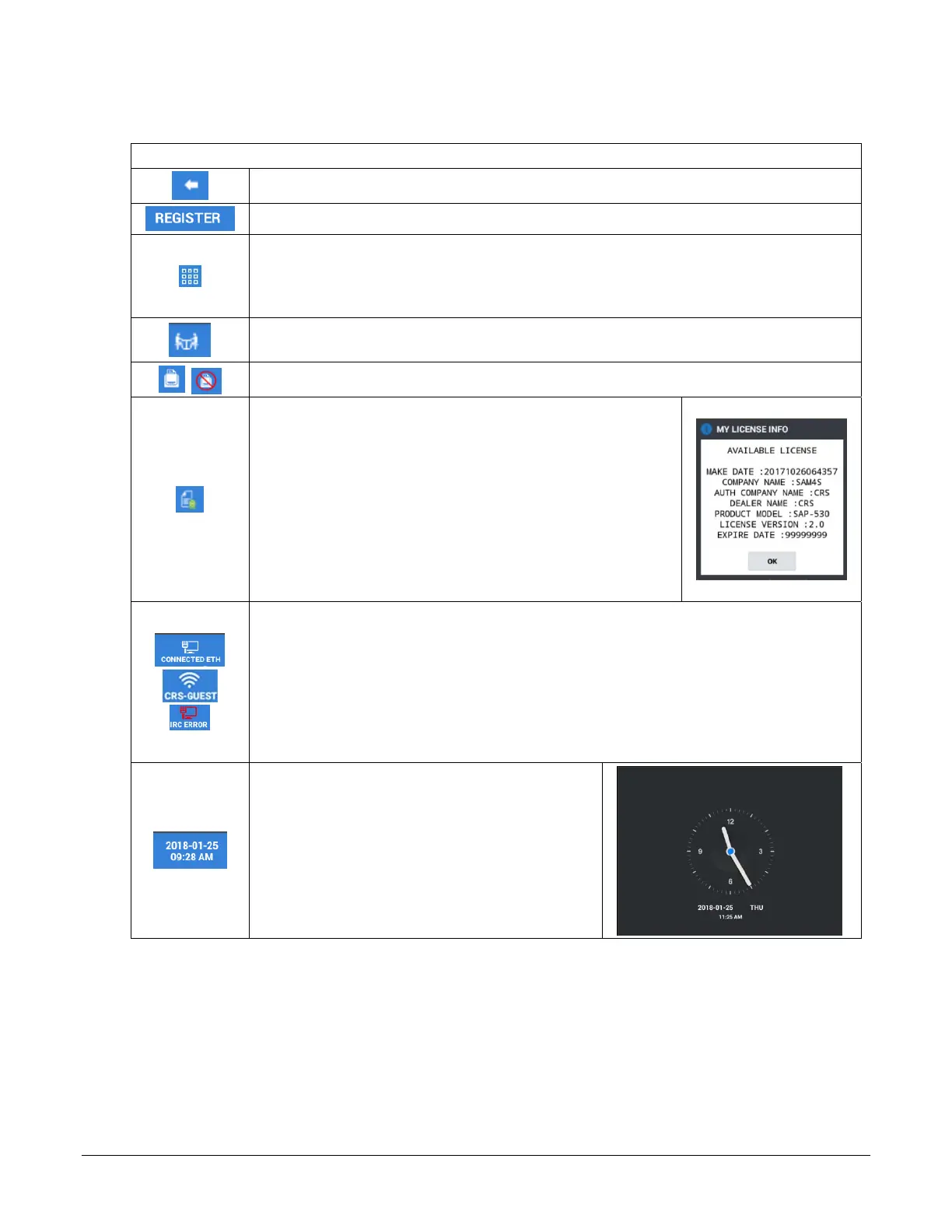
Title Bar Icon Details
Header Icons - Top Row
Back Arrow – Used to exit the register mode.
Mode – Indicates the current mode.
APP Launcher – Utility Information Icon –
Tap to display: EOD Report, Memory Usage
percentage, Memo Pad, Team Viewer, and Favorite’s selections.
** Refer to the Expanded Operator Screen Title bar section shown on page 27 for
detasils.
Table Map – Opens the Table map. Table Map operations are discussed in the
Advanced Operations\Table Map Operations on page 142.
Receipt On/Off – Turns receipt printing On and Off
License Info – Touch this icon to display the terminal
License information.
(Registers do not need to be online for
normal operation.)
License Info Notes
:
•
Green Checkmark: Normal license is active.
•
Yellow Checkmark: License Expiring Soon.
(Within 30 days.)
•
Red Checkmark: Expired or No License. Will also display
red when the terminal is not online. After 31 days of not
being online this icon will display
“DEMO”
.
Connection Method – Ethernet or WiFi: Tap this icon to access the main Android,
Wireless & Network settings. The Manager Password is required for access.
(Registers
do not need to be online for normal operation.)
•
If the terminal is not connected to the internet, the connection method may indicate:
**DEMO**
or
**DISCON 1 DAY**
this is normal and does not affect software or
register operation, even when this number reaches “0”.
IRC Error - When IRC is used, if the main terminal is turned off, the IRC Error
displays on the satellite terminals.
Date/Time – Touch this icon to display the clock
on the screen:



 To Next Page