Sam4POS Operators Manual v2.33 Getting Started • 27
Header Icons - Bottom Row
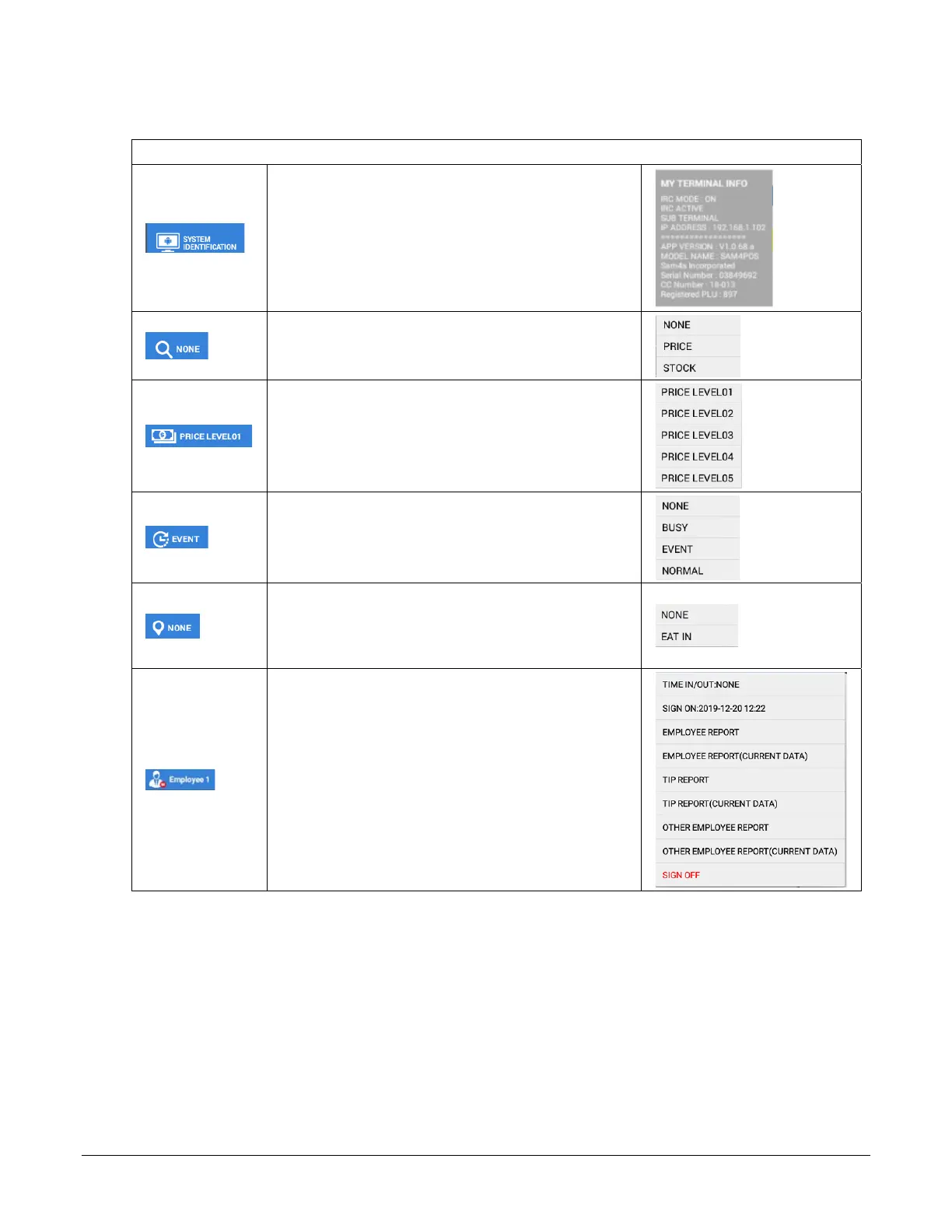
System Identification – displays the terminal
information:
PLU Key Info – Touch this icon to choose the
information you want to display on PLU keys;
‘Price’ - ‘Stock’ or ‘None’:
Price Level – Displays the current Price Level;
(Must be enabled in System Option) Touch this icon
to select or change to a different price level
KP Period – Displays the current KP Period
selection; (Must be enabled in System Option)
Tapping this icon allows the operator to
select/change the KP Period
Destination –Displays the current destination
selection; (Must be enabled in System Option)
Tap this icon to set the default destination or select
None
Employee –Displays the currently signed on
employee. (Must be enabled in System Option)
Touch this icon to display: Time In/Out info, Sign
on info, Sign Off
Additional selections below appear only when then
Authority Level is set:
Employee Report, Employee Report(Current Data),
TIP Report, TIP Report (Current Data), Other
Employee Report, Other Employee Report (Current
Data)
LICENSE EXPIRATION NOTES –
* 1 / 2 / 3 YEAR LICENSES
30 to 15 days before expiration – At end of day it will give a license expiring soon warning.
14 to 0 days before expiration – At end of day it will give a license expiring soon warning plus same warning
in every 10 transactions.
After expiration – At end of day it will give a license expired warning plus the same warning in every
transaction. Only 25 transactions per day will be allowed & all printed documents will have “Demo Version” on
them.
* 5 YEAR LICENSE
Will continue to run after 5 years, however upgrade is no longer available until a new license is purchased.



 To Next Page