MRD 3187B - User Manual
Page 196 (245)
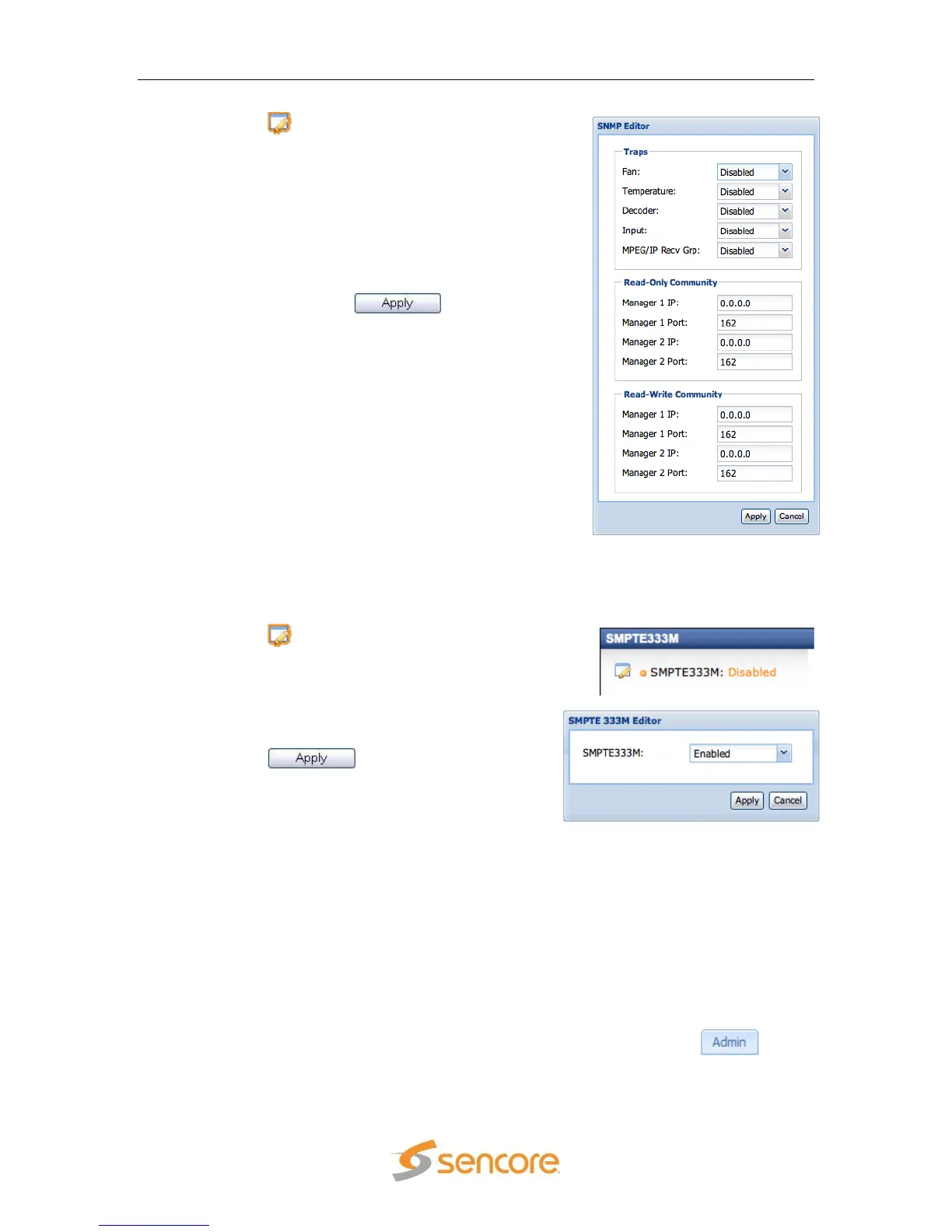
1. Click the button under the “SNMP
Settings” heading. This will bring up a new
edit form in the middle of the screen.
2. Use the drop down menus and input boxes
to configure SNMP to the desired settings.
3. At the top of the edit form there are five
drop down menus for enabling or disabling
five separate SNMP traps as well.
4. When all of the settings have been
configured, click the button, at
the bottom of the form, to save the settings.
5.4.6 SMPTE333M
To enable SMPTE333M, use the following steps:
1. Click the button next to the
SMPTE333M title. This will bring up a new
edit form in the middle of the screen.
2. Use the drop down menu to enable or
disable SMPTE333M.
3. Click the button, at the bottom
of the form, to save the settings.
5.5 Profiles
Profiles are the means for saving and applying a group of settings on an MRD 3187B for
a particular use. By applying a particular profile, the user can recall the settings of the
MRD 3187B for different demodulation and decoding needs.
Up to 24 different profiles can be stored on an MRD 3187B. New profiles can be added
to the unit by configuring the various settings of the MRD 3187B, then “saving” this
profile and giving it a name. New profiles can also be added to an MRD 3187B by
transferring them from a PC via the web client interface. Profiles can be deleted, by
name, to make room for others. To configure profiles, first click on the tab to
display the profiles section.



 To Next Page