MRD 3187B - User Manual
Page 197 (245)
5.5.1 Saving a Profile
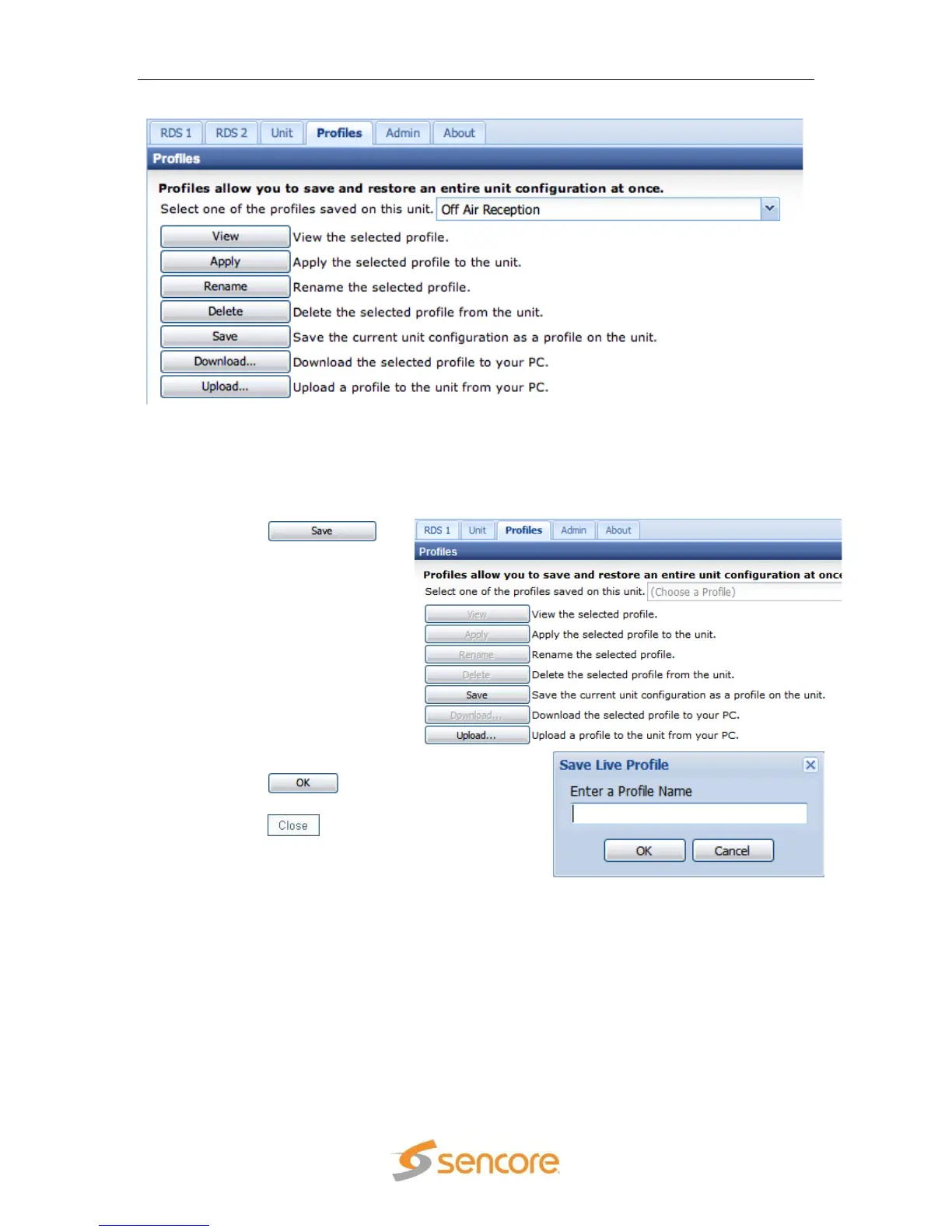
Once the MRD 3187B is configured as required for a specific use and environment,
the settings can be saved to the MRD 3187B by a named profile. To save a profile,
use the following steps:
2. Enter a name for the profile.
3. Click the button to save
the profile.
4. Click the button after the
profile has been successfully saved.
Note: The profile name should be no more than 15 characters long.
5.5.2 Deleting a Profile
If a given profile is no longer needed or more space is needed on the MRD 3187B for
more profiles, it may be necessary to delete a profile. To delete a profile, use the
following steps:



 To Next Page