MRD 3187B - User Manual
Page 199 (245)
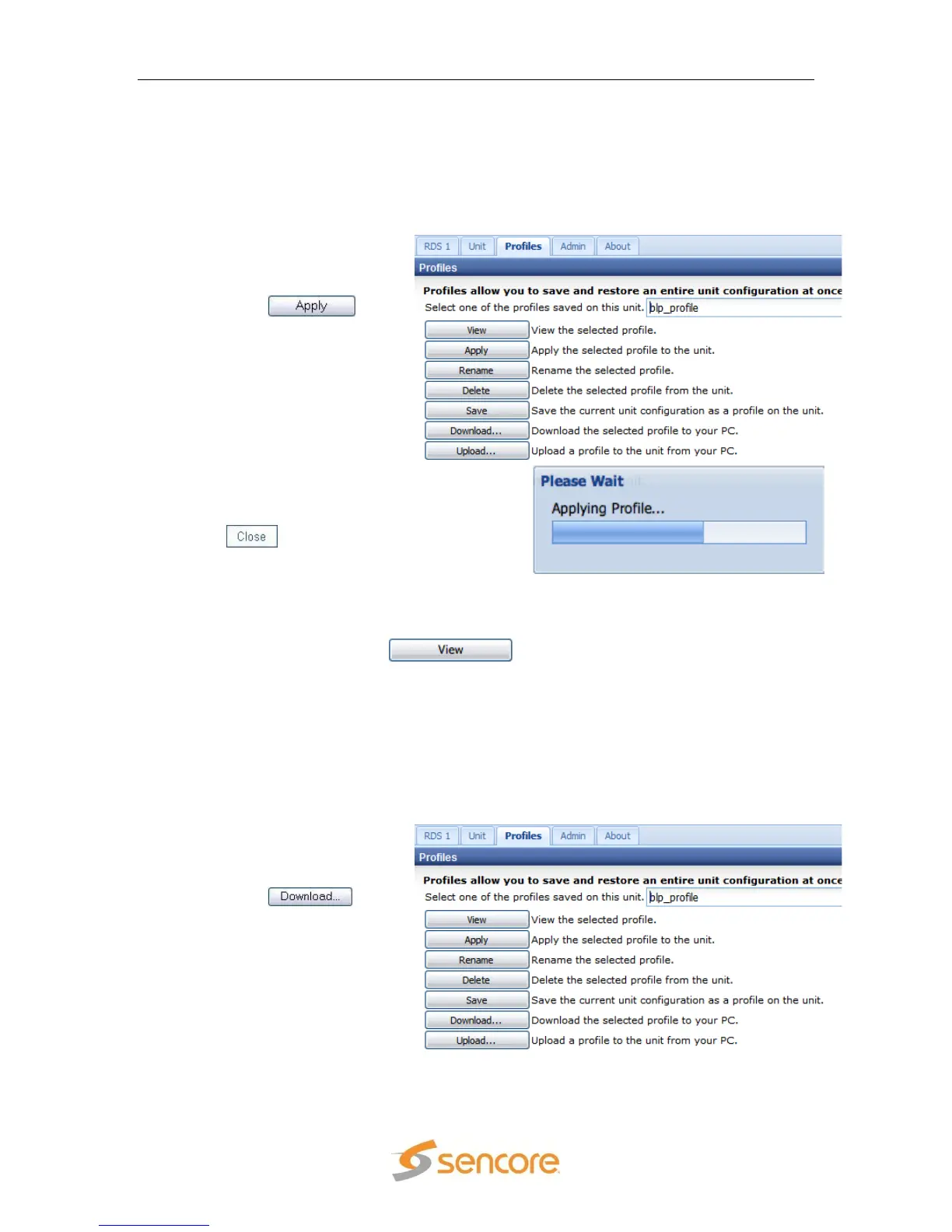
5.5.4 Applying a Saved Profile
Once one or more profiles have been saved in the MRD 3187B it is possible to apply
any of the saved profiles. When the selected profile is applied, the settings that were
saved in that profile will now be applied. To apply a saved profile, use the following
steps:
1. Choose the desired
profile from the drop
down menu.
2. Click the
button.
3. It may take up to a minute to apply
the new profile. When the profile
has been successfully loaded click
the button to close the dialog
box.
5.5.5 Viewing a Saved Profile
To view the settings contained in a saved profile choose the desired profile from the
drop down list then click the button. A new window will appear with
all of the settings contained in that profile.
5.5.6 Downloading a Saved Profile
The MRD 3187B is capable of downloading a saved profile to a local computer. This
option can be extremely useful if more than 24 profiles are needed. Since only 24
profiles can be stored on the MRD 3187B, new profiles can be created on the unit
and then downloaded to the local computer. To download a profile from the MRD
3187B, use the following steps:
1. Choose the desired
profile from the drop
down menu.
2. Click the
button.



 To Next Page