MRD 3187B - User Manual
Page 201 (245)
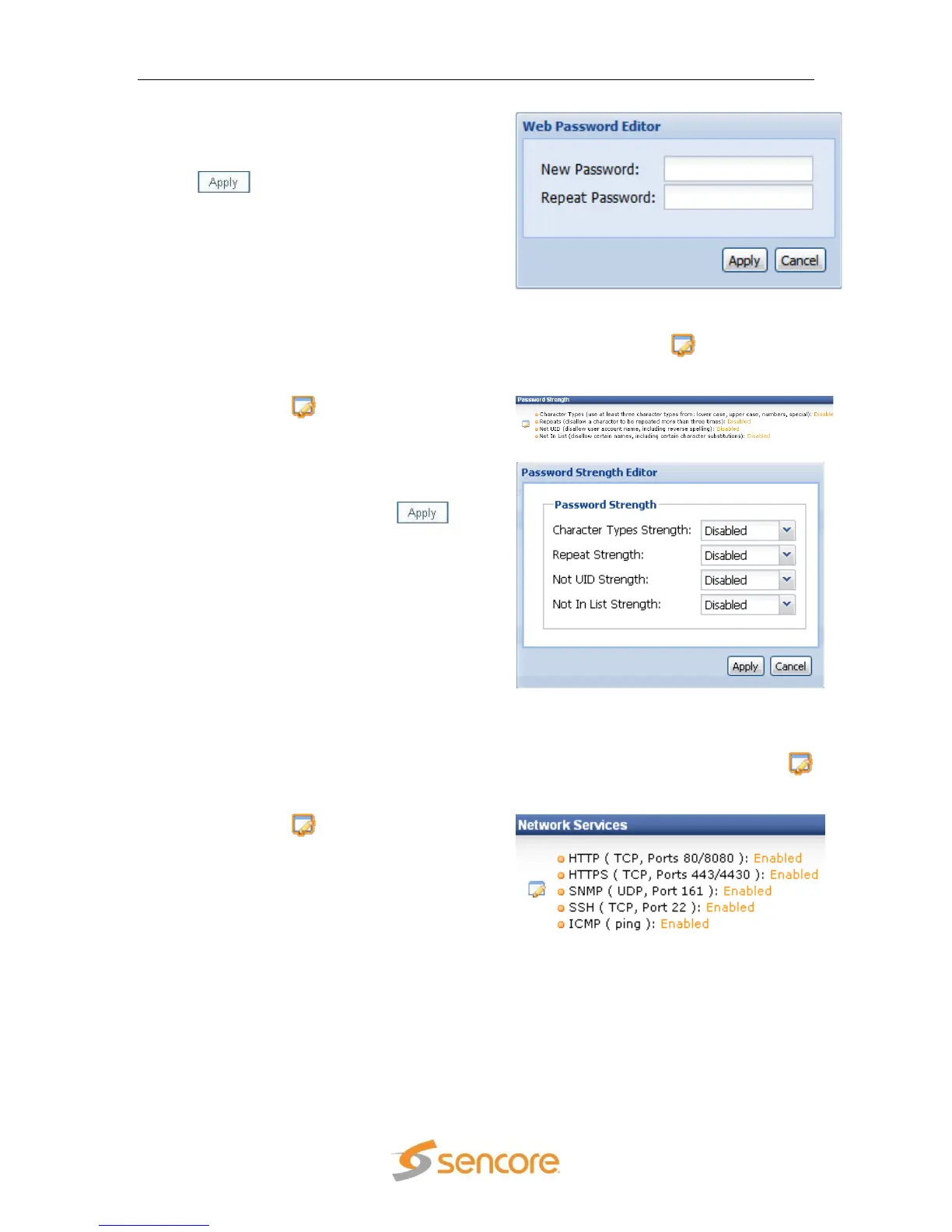
2. A new window will appear in the middle
of the screen. Type the new password
in both of the fields and then click the
button to save the new
password.
5.7 Password Strength
If desired, the password strength for the web client can be increased from the default
value. To change the password strength required, click on the button in the
Password Strength Section. To change any of the password strength settings:
1. Click on the button in the Password
Strength Section to edit.
2. A new window will appear in the middle
of the screen. Change the settings
desired and then click the
button to save the settings.
5.8 Network Services
If desired, the Network Secrity can be increased from the default value by disabling any
or all of the Network Services. To change any of the network services, click on the
button in the Network Services Section. To change any of the network service settings:
1. Click on the button in the Network
Services section to edit.



 To Next Page