MRD 3187B - User Manual
Page 168 (245)
4.25 Network Security
Description: Network Security provides protection from unauthorized manipulation
and configurations of an MRD 3187B when it is connected to the network.
HTTP
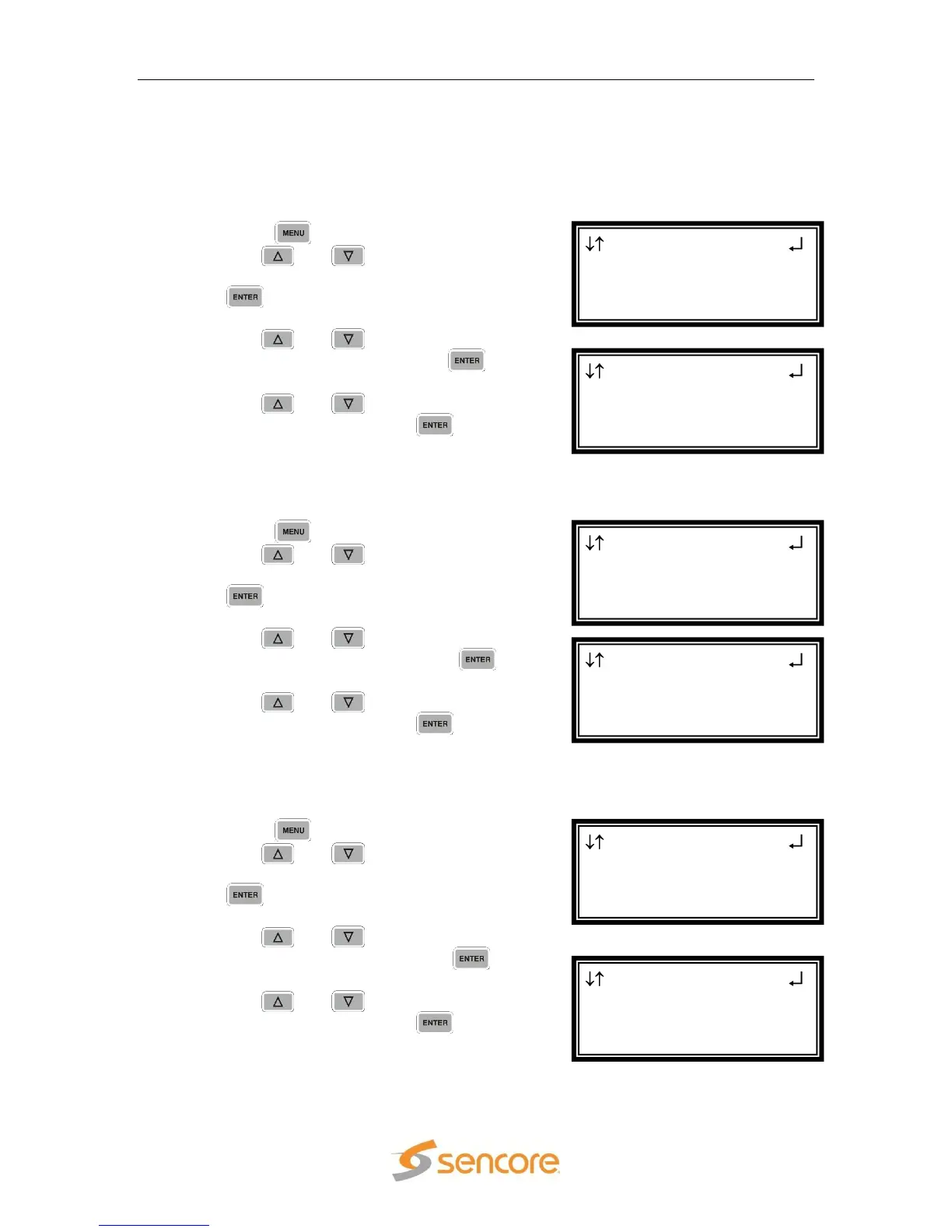
To enable/disable HTTP access to the MRD 3187B with, use the following steps:
1. Press the button.
2. Use the and buttons to move the
cursor to “Network Services”, then press
the button.
3. Use the and buttons to move the
cursor to “HTTP:” then press the
button.
4. Use the and buttons to change
the selection, then press the button
to save the selection.
HTTPS
To enable/disable HTTPS access to the MRD 3187B with, use the following steps:
1. Press the button.
2. Use the and buttons to move the
cursor to “Network Services”, then press
the button.
3. Use the and buttons to move the
cursor to “HTTPS:” then press the
button.
4. Use the and buttons to change
the selection, then press the button
to save the selection.
SNMP
To enable/disable SNMP access to the MRD 3187B with, use the following steps:
1. Press the button.
2. Use the and buttons to move the
cursor to “Network Services”, then press
the button.
3. Use the and buttons to move the
cursor to “SNMP:” then press the
button.
4. Use the and buttons to change
the selection, then press the button
to save the selection.
Network Sercices
HTTP :Enabled
HTTPS:Enabled
►SNMP :Enabled
Menu
Pwd Strength
►Network Services
Network Interface
Network Sercices
HTTP :Enabled
►HTTPS:Enabled
SNMP :Enabled
Menu
Pwd Strength
►Network Services
Network Interface
Network Sercices
►HTTP :Enabled
HTTPS:Enabled
SNMP :Enabled
Menu
Pwd Strength
►Network Services
Network Interface



 To Next Page