CDHD Application Setup
User Manual 145
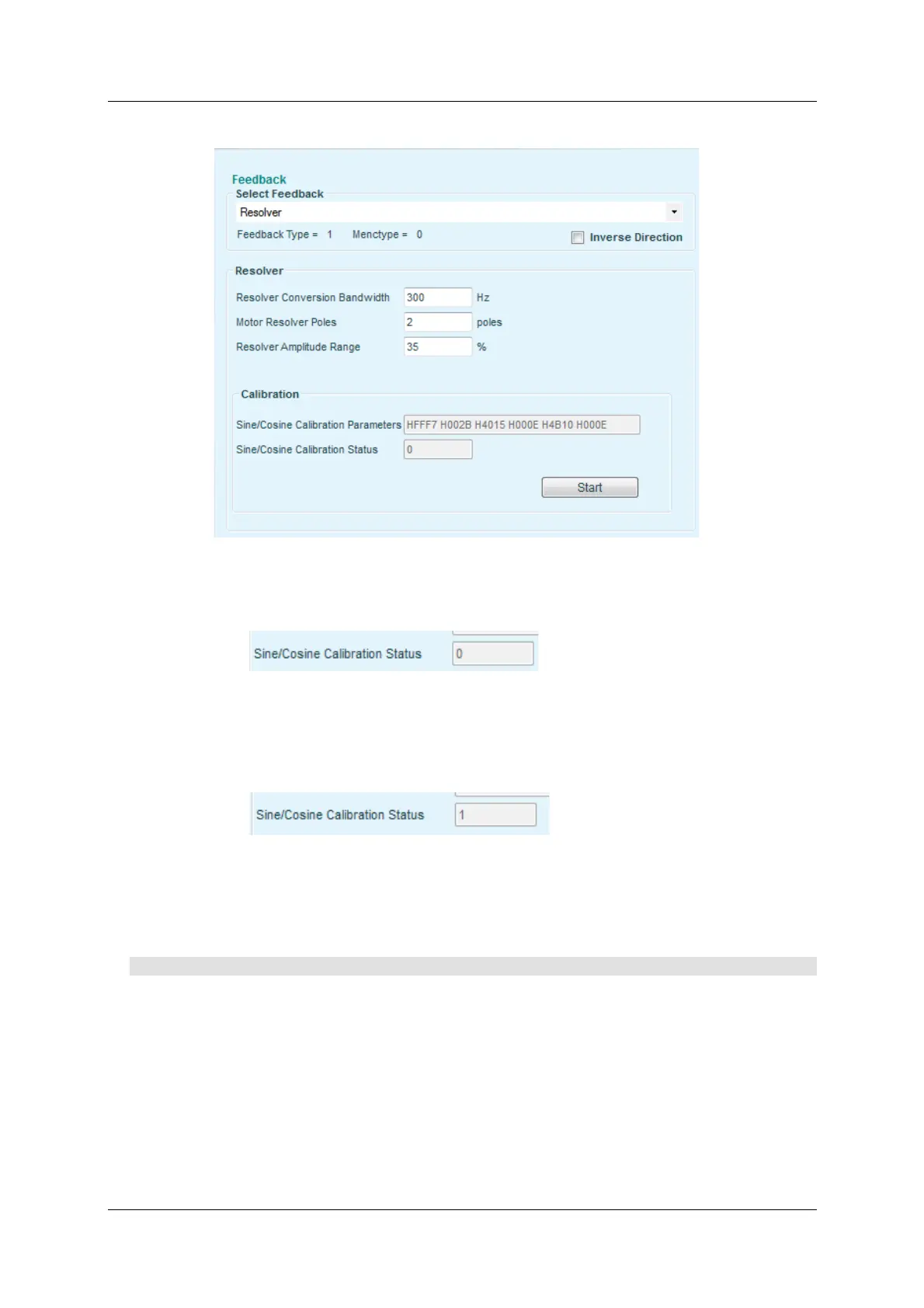
3 . I n the Fee dba ck screen, set t he following:
Figure 6 - 8 .
a. Note that Sine/ Cosine Calibration St atus is 0 .
Figur e 6 - 9 .
b. Press the St a r t button to begin the calibration procedure.
c. Note that Sine/ Cosine Calibration Status changes to 1 .
Figur e 6 - 1 0 .
d. Wait until Sine/ Cosine Calibration Status reverts to 0 .
Calibration is com plete.
Procedu re - Sine Encode r Ca libra tion Usin g Ter m ina l
1 . I n the Terminal interface, enter the sine/ cosine calibration com mand:
SININIT <Enter>
2 . Enter a comm and to run the motor at a low speed, such as 100 rpm ,
according t o the operation m ode of your applicat ion (current , velocity or
position mode). Alternately, m ove the m otor by hand.
3 . Ent er the sine/ cosine calibration st atus comm and:
SININITST <Enter>
4 . Wait until SININITST changes to 1, and then reverts back to 0.



 To Next Page