Motor Set up CDHD
166 User Manual
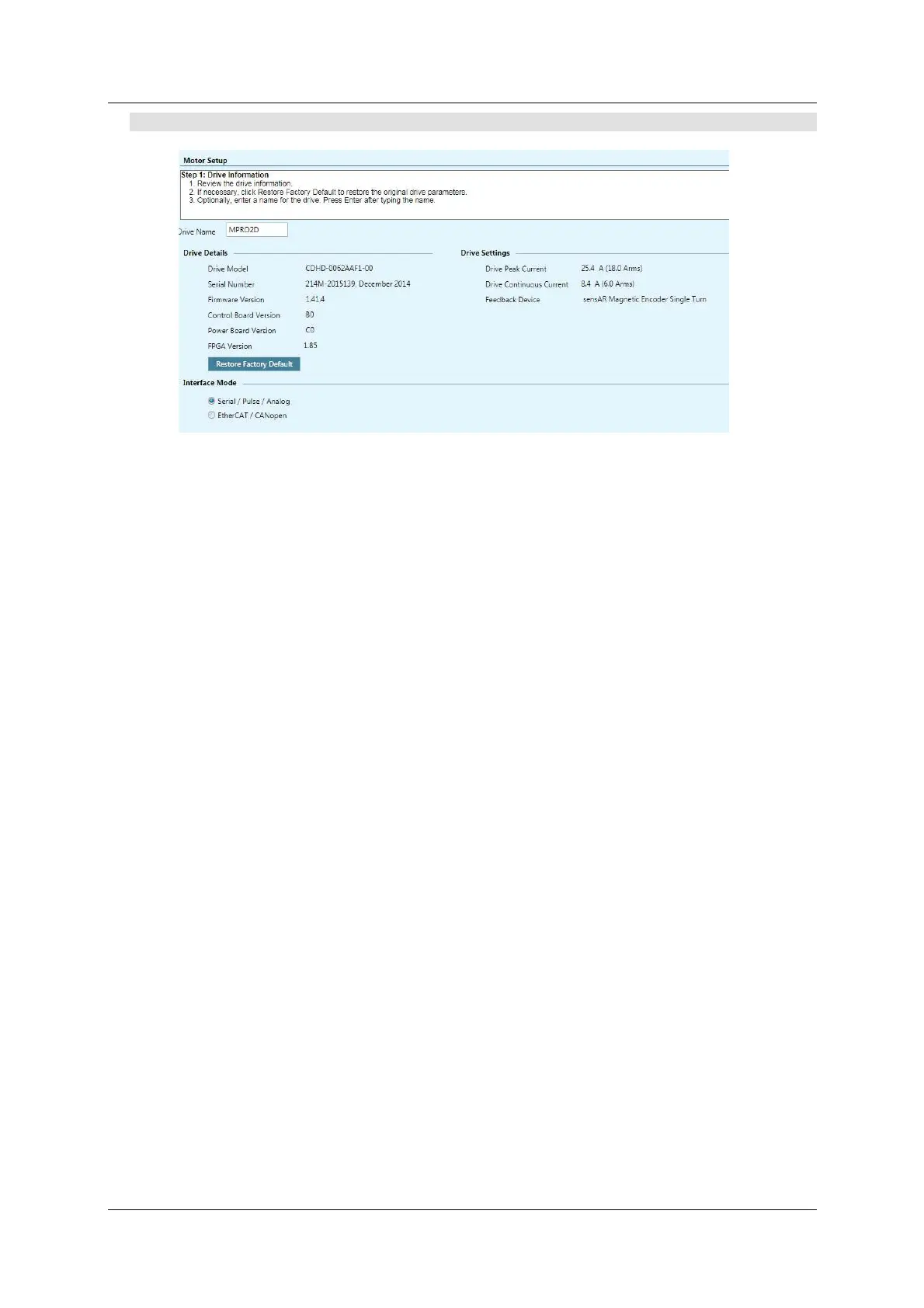
St e p 1 – D r ive I de n t if ica tion
Figur e 7 - 1 . ServoStudio – M ot or Se tup W iza r d – D rive I nform a t ion
1 . Review the drive inform ation.
2 . Enter a nam e for the drive, and press Enter after typing the nam e.
The name field will change from blue to white, indicating the name has been
sent to the drive.
This step also includes an option to restore the drive’s factory settings: Re store
Fa ctor y Defau lt .
This step also shows and allows sett ing the Com m a nd I nt er face Mode:
Se rial/ Pulse / Analog indicates drive is active (Servo On) and m otion
com mands are transmitted via a serial, pulse or analog interface.
COMMODE 0.
Et h er CAT/ CANope n indicates drive is active (Servo On) and m otion
com m ands are transmitted via an EtherCAT/ CANopen interface.
COMMODE 1.
For CDHD AF, EC, EB models, both interface options are available.
For CDHD AP, only EtherCAT/ CANopen option is available.



 To Next Page