CDHD Motor Setup
User Manual 167
St e p 2 – Mot or I den t if ica t ion and I nitializa tion
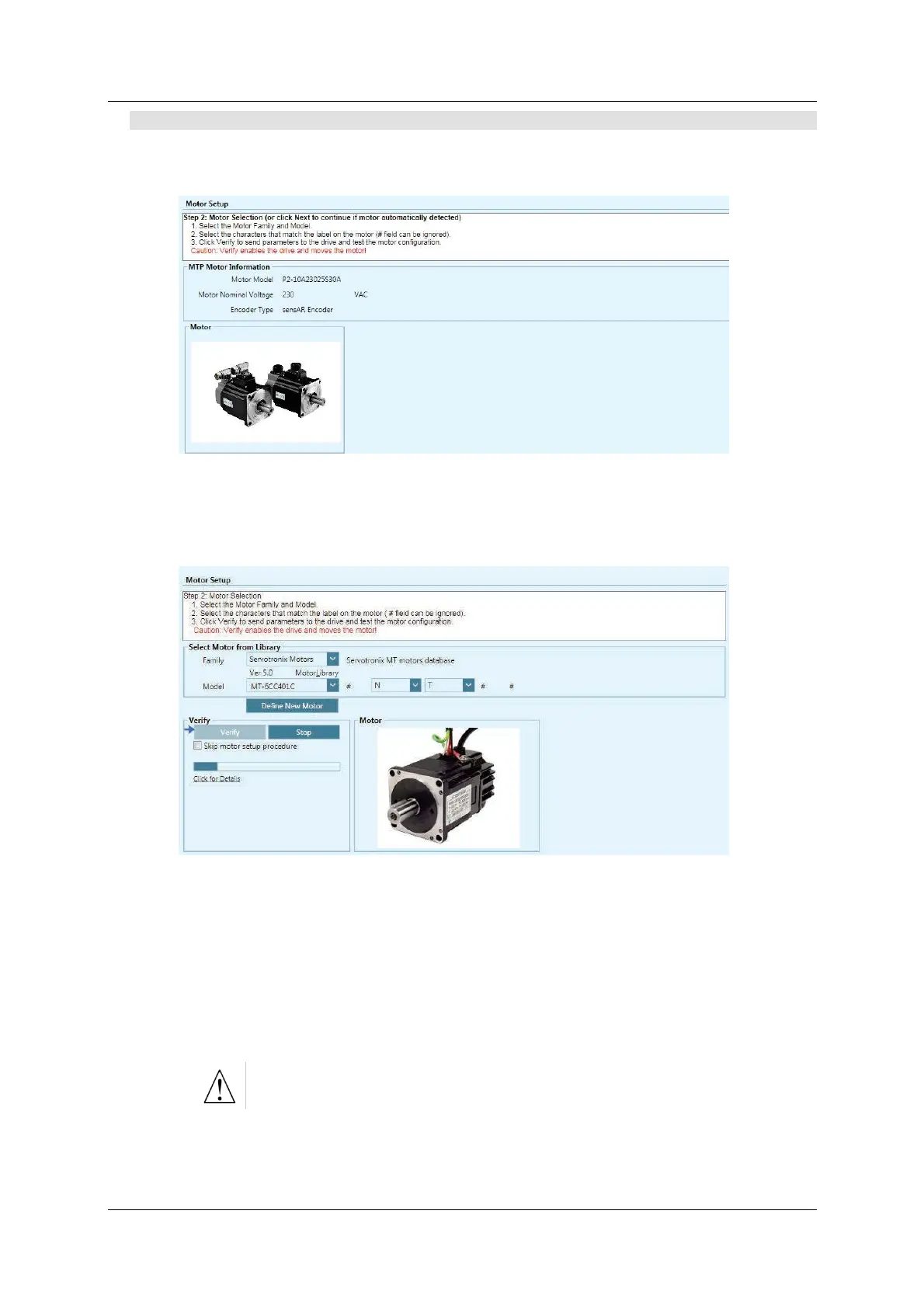
If the drive detects an electronic m otor nameplate, the parameters in this screen
are set autom atically and cannot be manipulated. Click N e x t t o continue.
Figur e 7 - 2 . ServoStudio – M ot or Se tup W iza r d – Ex a m ple 1
I f the drive does not detect an electronic nameplat e, you need t o select a mot or
from the ServoStudio dat abase (library).
Figur e 7 - 3 . ServoStudio – M ot or Se tup W iza r d – Ex a m ple 2
1 . Select the M otor Fam ily
2 . Select the M otor Model.
3 . Select the characters that match the label on the motor (# means the field
can be ignored).
4 . Click Verify to send param eters to the drive and test the m otor
configuration.
Verify enables the drive and m oves the m otor!
If your m otor is not listed in the default set of motor libraries, press Define New
M ot or, and use the
New Motor Wizard to enter the param eters for your
part icular m otor.



 To Next Page