Motor Setup CDHD
168 User Manual
St e p 3 – Cur rent , Velocit y and Posit ion Lim its
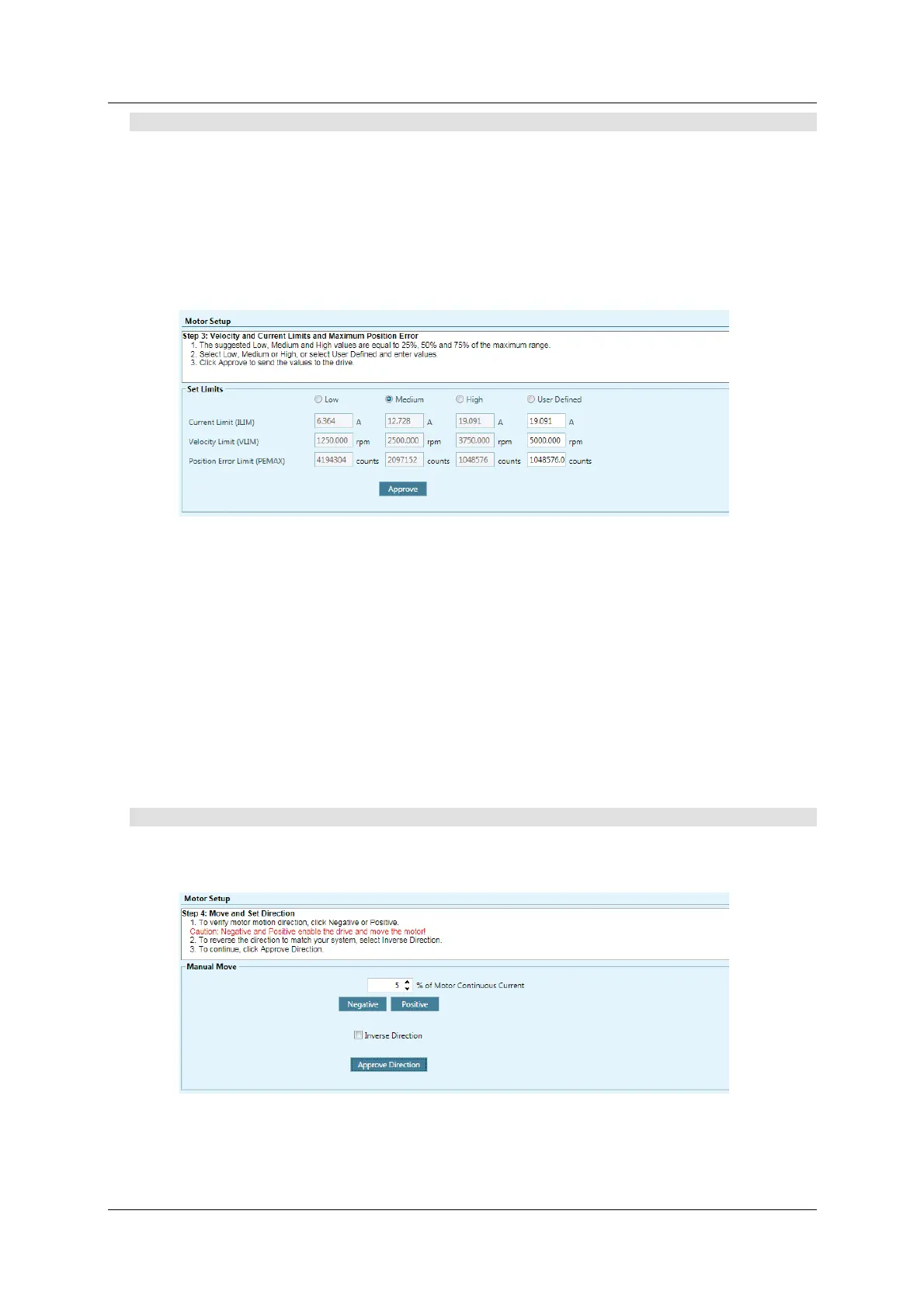
Motor Setup Wizard suggests values for Low, Medium or High current and
velocity limit s, which are rounded to 25% , 50% and 75% , respectively, of the
maxim um range.
N ote: I f the lim its are set too low, the Autotuning wizard might not produce
the optim al result.
The wizard also allows you to set t he position error threshold level, that is, the
m axim um value that will not produce a fault .
Figur e 7 - 4 . ServoStudio – M ot or Setup W iza r d – Lim it s
1 . Do either of the following to set velocity and current lim its, and the position
error lim it :
Select the suggested Low , Me dium or H igh values.
Select User Defined, and enter your preferred values.
2 . Click Appr ove t o send the values to the drive.
I f Current Lim it or Velocity Lim it is set to a user-defined value of 0, it will
prevent m otion from occurring.
If Position Error Limit is set to a user-defined value of 0, no position error lim it is
set, and no faults will be produced.
St e p 4 – Mot or Dir e ct ion
The Motor Setup wizard simplifies the process of defining the rotation direction
for a positive comm and. Otherwise, VarCom instructions are required.
Figur e 7 - 5 . ServoStudio – M ot or Se tup W iza r d – M ove and D ire ct ion
1 . To verify motor motion direction, click N e gat ive or Posit ive .



 To Next Page