Motor Setup CDHD
176 User Manual
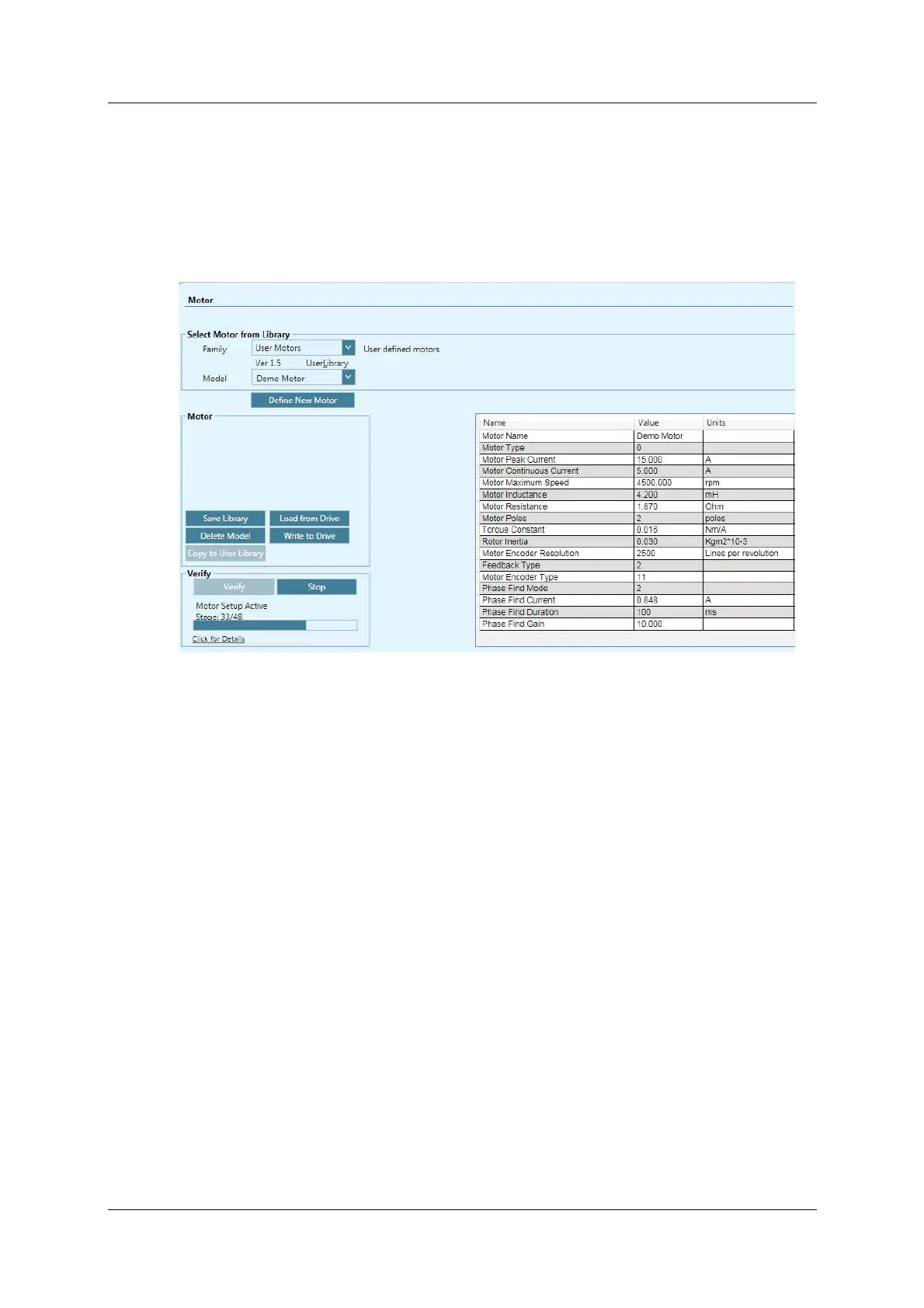
If the New Motor wizard was activated from the M ot or screen, press these
butt ons in the following order:
a. Sa ve Libr a r y to save the set of param et ers to the database.
b. W rite to Drive to send the parameters to the drive.
c. Ve r ify to test the m otor configuration.
d. Wait for the Motor Setup Successful message t o appear.
Figur e 7 - 1 0 . ServoStudio – N ew M ot or – Verify



 To Next Page