CDHD Motor Setup
User Manual 175
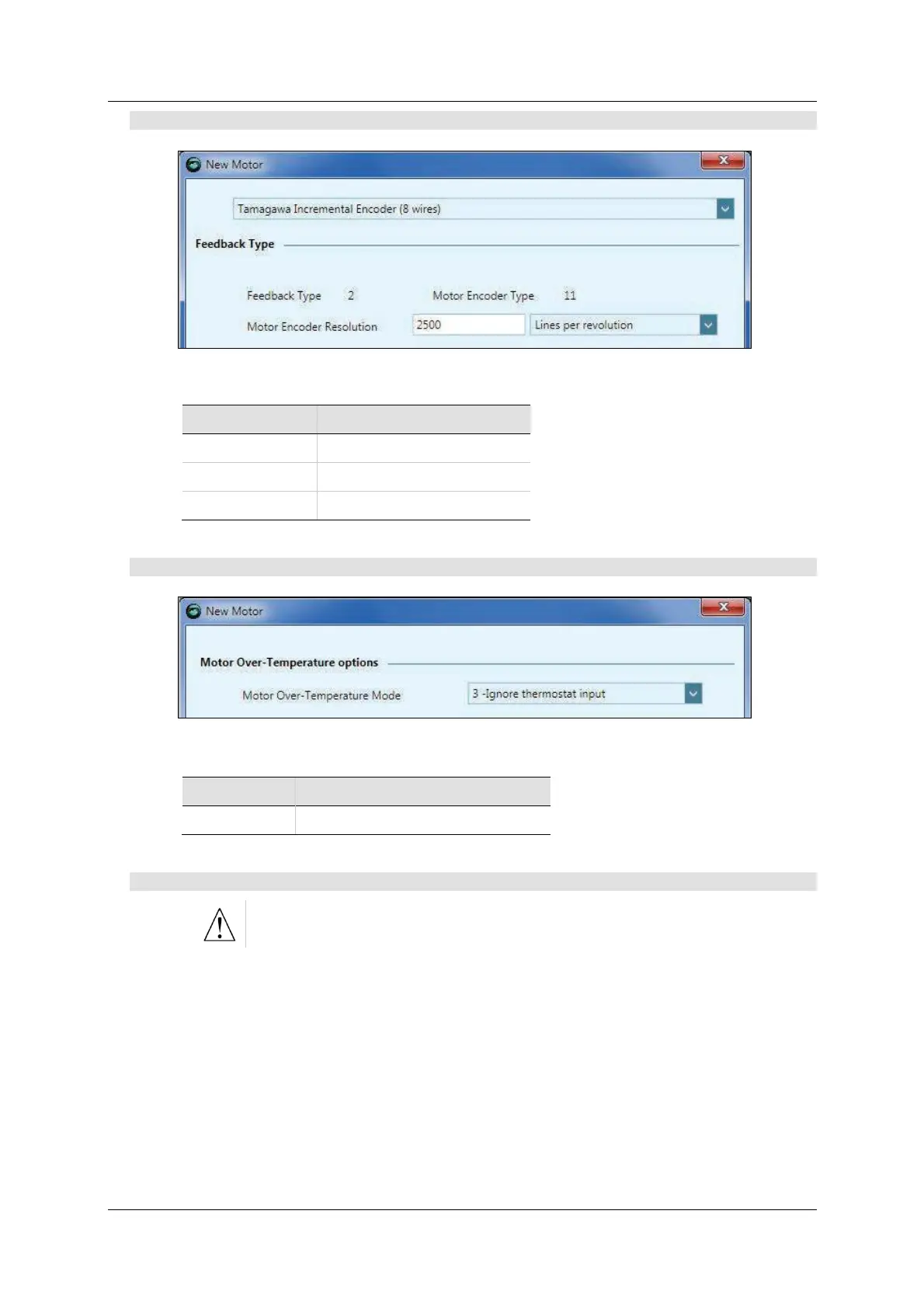
St e p 2 – Mot or Feedback Se lection
Figur e 7 - 8 . ServoStudio – N ew M ot or - Fe edba ck
Description Va r Com
FEEDBACKTYPE Feedback Type
MENCTYPE Motor Encoder Type
MENCRES Motor Encoder Resolution
St e p 3 – The rm a l Protection De finit ion
Figur e 7 - 9 . ServoStudio – N ew M ot or – The r m al Protect ion
Description Va r Com
THERMODE Motor Over- Tem perat ure Mode
St e p 4 – Ve r ify
Verify enables the drive and m oves the m otor!
Do one of the following t o com plete the procedure, according t o where the New
Motor wizard was activated,
If the New Motor wizard was activated from Step 2 of th e Motor Set up
wizard, press Verify to send parameters to the drive and test the m otor
configuration. Wait for the Motor Setup Successful message.
Parameters are not saved to the library when the wizard is activated from
the Motor Setup.



 To Next Page