CDHD Operat ion
User Manual 189
Using ServoStudio, the Pulse signal can be defined on digital input 5
(I NMODE 5 17) and the Direction signal can be defined on digital input 6
(I NMODE 6 18).
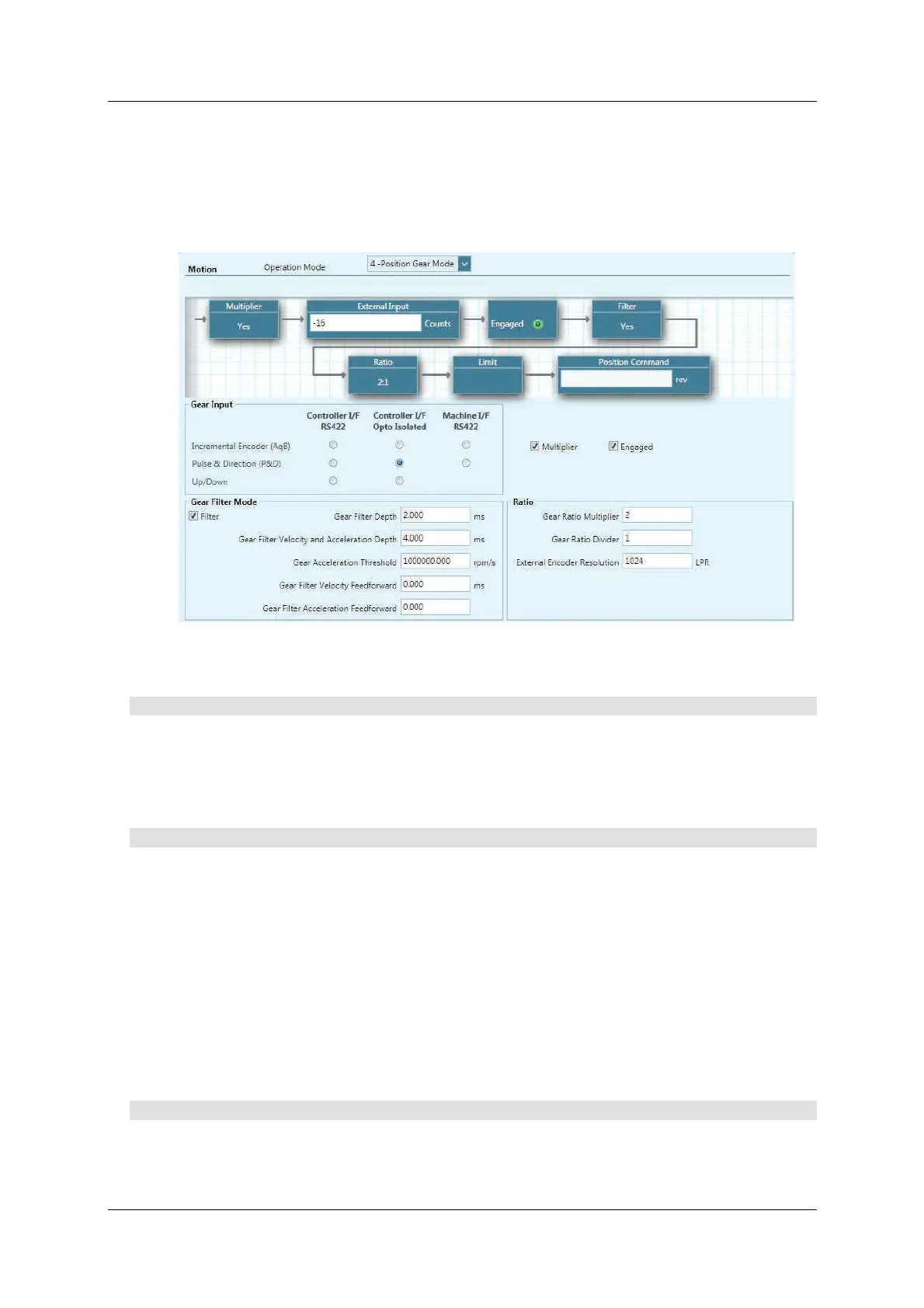
Selecting t he option Pulse & Dire ction ( P& D ) and either Cont roller I / F
Opt o- I sola t e d or Machin e I / F Opto- I sola t ed in the Mot ion– Posit ion Gea r
M ode screen autom atically sets the definitions for digital inputs 5 and 6.
Figur e 8 - 7 . Mot ion Screen Se t t ings for Pu lse and Direction Com m a n ds
Usin g a Single- Ended Signa l
St e p 1 – Set up and Tuning
1 . Run the ServoStudio Mot or Set up W izard, and make sure motor setup is
successfully completed.
2 . Run the ServoStudio Autotuning W izar d, and m ake sure autotuning is
successfully completed.
St e p 2 – Se le ct Pulse an d Direction
1 . I n ServoStudio, go t o Tuning > Motion screen.
2 . Select Operation Mode 4 - Position Gea r Mode.
3 . I n the Gear Input pane:
I f usin g Different ial Signa l:
Select the option Cont roller I / F RS4 22 and Pulse & Direction (P&D).
I f usin g Single - En ded Sign a l:
Select the option Cont roller I / F Opto-I solated and Pulse & Direction
(P&D) . Alternat ely, select M achine I / F Opto-I sola t e d and Pulse &
Direction (P&D). Either of these options autom atically sets the
definitions for digital inputs 5 and 6.
Step 3 – Digital I nput s 5 and 6 Settings ( Single- Ende d Signal only)
1 . Go to Drive Configuration > Digit al I Os screen.
2 . Make sure digital input 5 is set to 1 7 - Pulse signal.



 To Next Page