Machine use
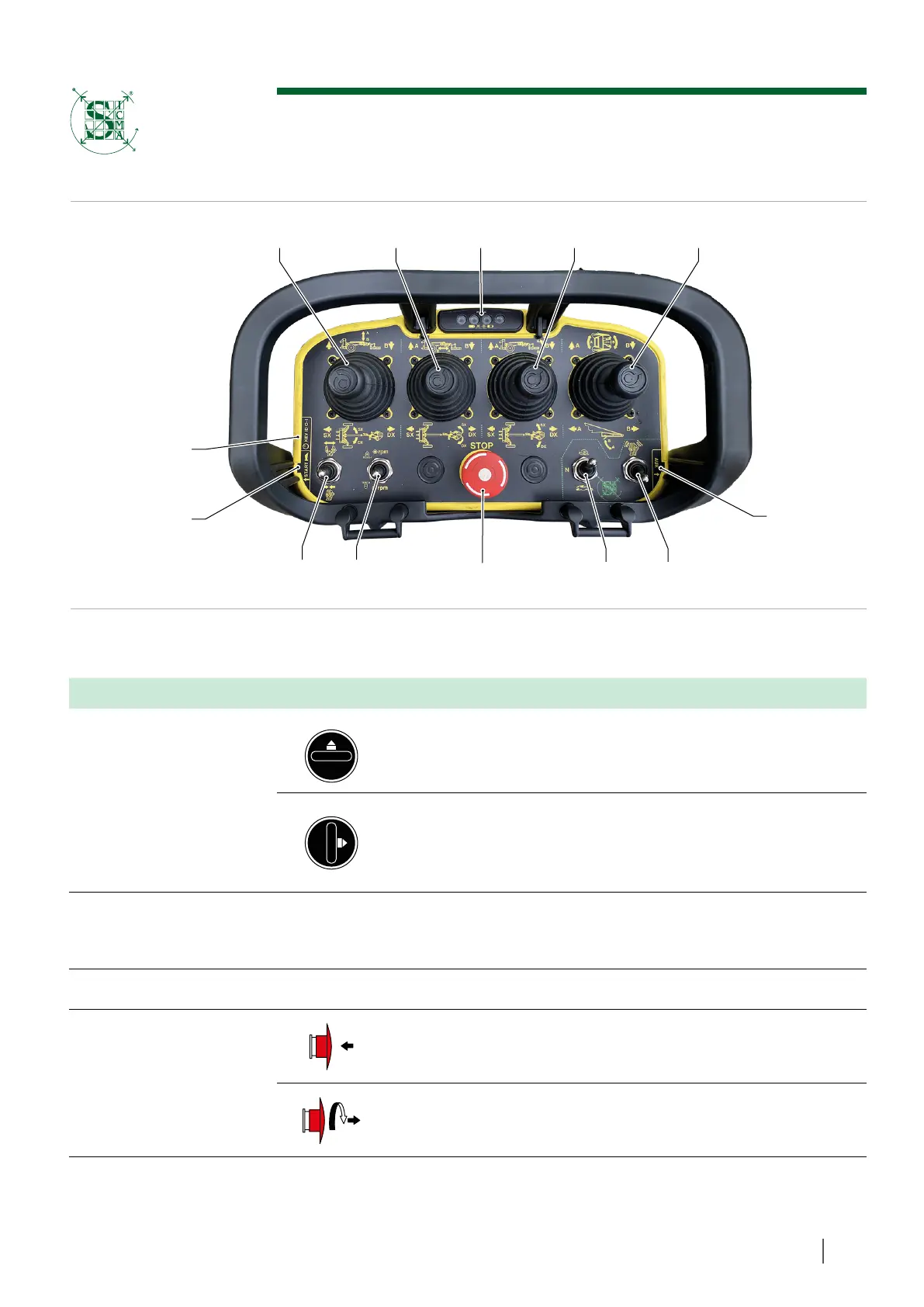
Controls
1312
1110
4
965 7 8
3
2
1
REF. DESCRIPTION POSITION FUNCTION
1
Selector (battery
switch)
By moving the selector to the horizontal position, the remote
control turns off.
By turning the selector by 90°, keeping it vertical, the remote
control turns on.
However, the controls remain disabled until the activation button
(2) is pressed.
2 Push-button -
Remote control activation; once turned on, press twice in se-
quence to establish connection with the wireless base station on
the machine.
3 External aux input - Not used.
4
Emergency
push-button
Press to stop the machine movements immediately (button
pressed and released).
Unlock button (to unlock, turn clockwise and immediately release
the red mushroom button).
Figure 51
85
SICMA S.r.l.



 To Next Page