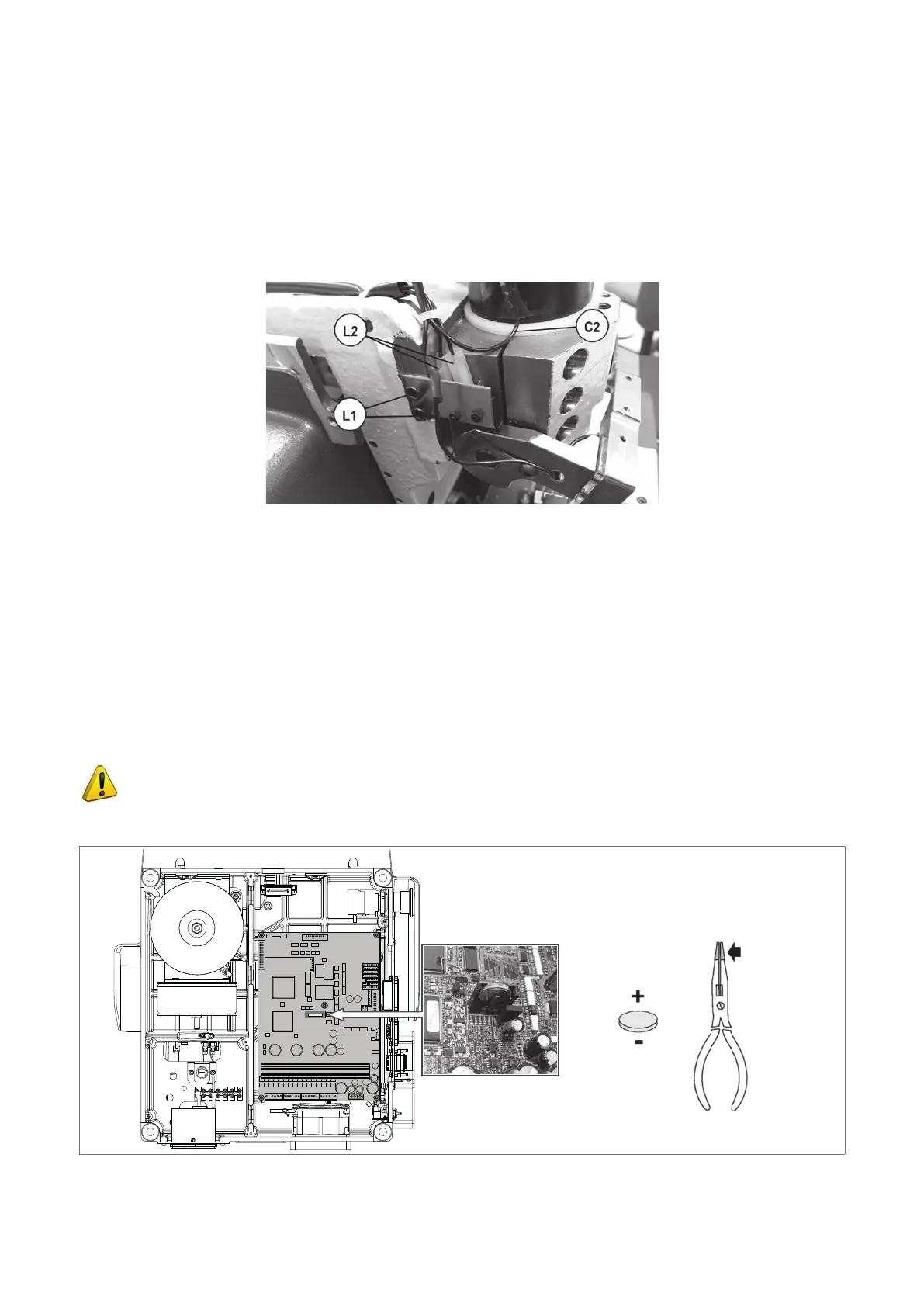
8.17 TRACER TOWER MICROSWITCH REPLACEMENT
1) Gain access to the top compartment (Ch.8.4) and lower the protective shield (V).
2) Loosen the two screws (L1) and remove the microswitch support plate.
3) Disconnect the two wires (L2) on the microswitch.
4) Connect the two wires (L2) to the new microswitch.
5) Secure the support plate with the two screws (L1).
6) Before tightening the two screws (L1) adjust the position of the microswitch and check it with the special test.
Fig. 66
8.18 BATTERY REPLACEMENT
Replacing the battery is a simple operation but must be carried out with care.
1 ) Switch off the machine and disconnect the power lead.
2) Gain access to the bottom compartment (see Ch.8.6).
3) Use pliers with insulated tips to grip the battery and pull it out, taking care to push towards the pressure tab to
remove from its shaped housing.
4) Use the pliers with insulated tips to introduce the new battery, inclining it and pushing against the tab to help it
enter the shaped housing.
5) Close up the machine and connect to the mains.
6) Recongure the date and time on the machine
ATTENTION: risk of explosion if battery is replaced by an incorrect type.
ATTENTION: for UTP version machines use the Date/Time synchronisation procedure (Ch.6.11.2)
DISPOSE OF USED BATTERIES ACCORDING TO THE INSTRUCTIONS (Ch.9 DISPOSAL)
Fig. 67
Operating manual TRIAX PRO
Copyright Silca 2016
97



 To Next Page