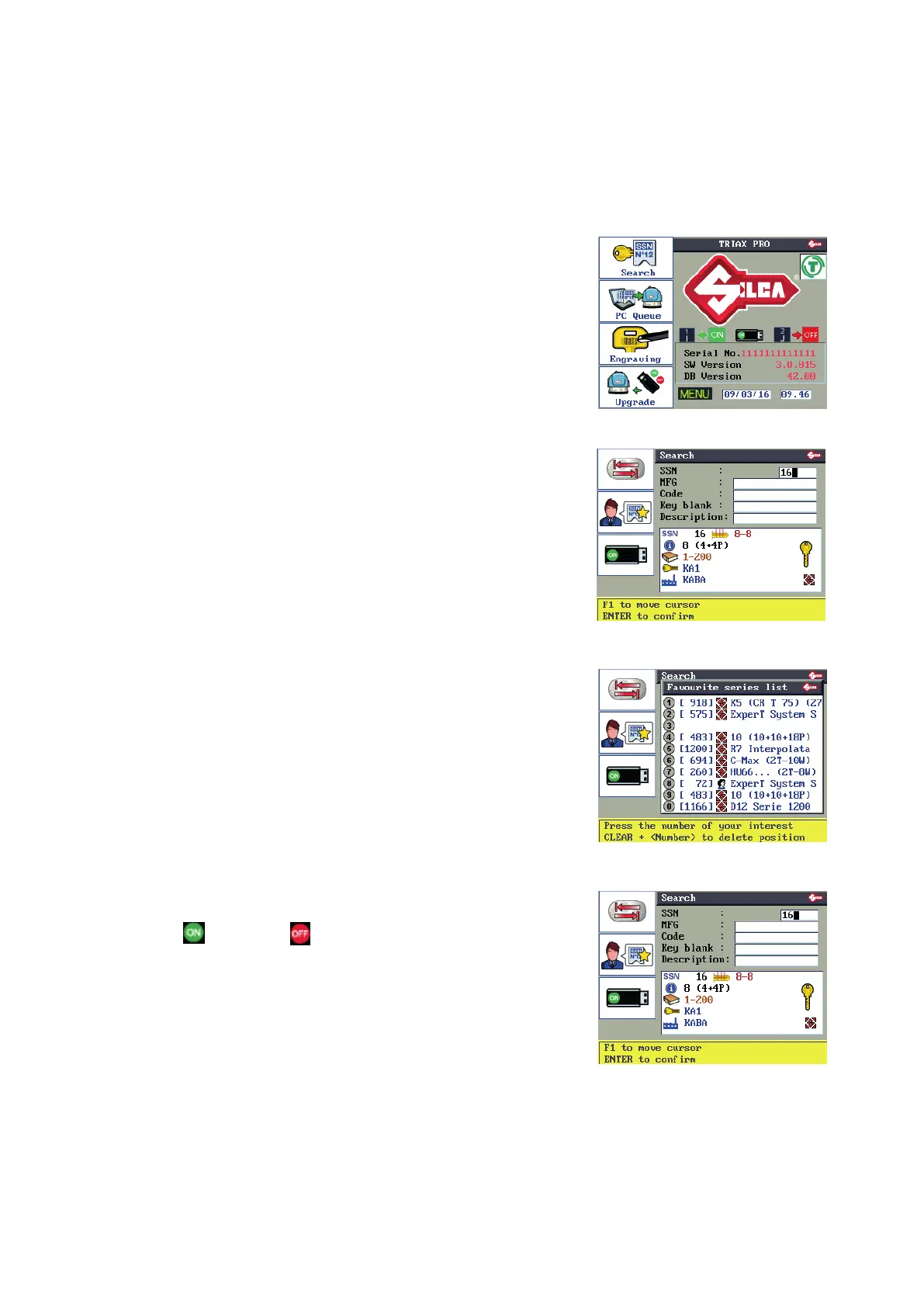
6.3 SEARCHES
This function is the starting point for cutting keys and allows the operator to search for the key and/or system to
be cut.
Select one of the search elds and enter a known parameter, or select the system to be cut from a list of favorite
data cards created by the user.
F1 to access the “Search” menu.
F1
F2
F3
F4
F1 to change the search eld (possible search modes).
-
SSN
-
Make
-
Code
-
Key blank
-
Description
F1
F2
F3
F4
F2 to enter:
“List of Favorite Series”.
A list of frequently used series from which to make a rapid
choice.
This list must be created by the user.
(see Ch.6.5.6)
F1
F2
F3
F4
F3 to enable ( ) or disable ( ) the USB PEN.
Note: Searches by code tables (Silca or User) are possible
only with the USB PEN inserted and enabled.
(see Ch.6.13.9)
F1
F2
F3
F4
Description of graphics in Table 2
Operating manual TRIAX PRO
Copyright Silca 2016
30



 To Next Page