NOTIFICATION OF VARIATION.
This ashing warning symbol appears on the display only after a User Parameter has been edited.
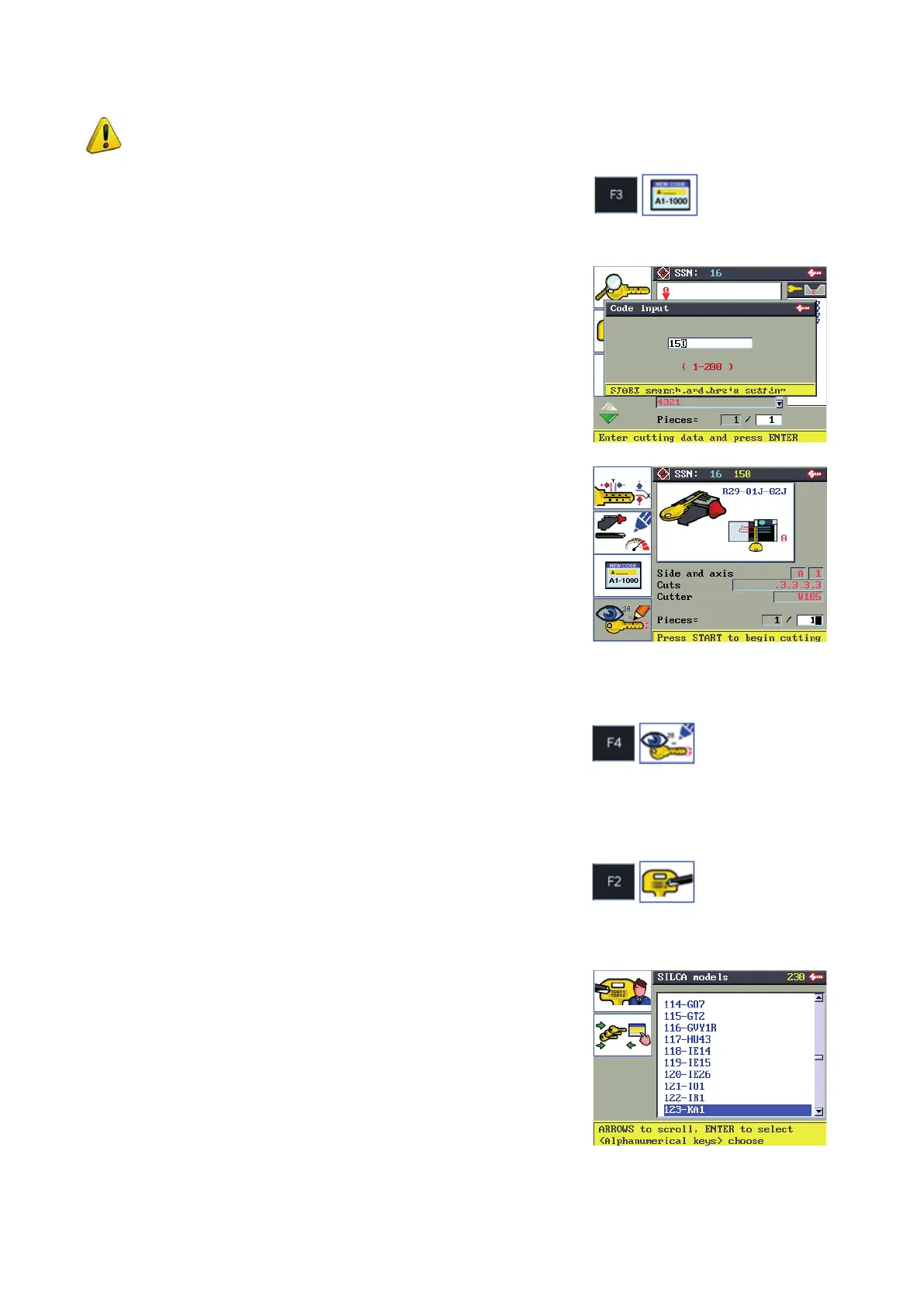
6.5.3 CODE ENTERING
This function is used to enter an indirect cutting code (if there is a code table available for the system in use).
Enter the cutting code into the relative eld.
ENTER to start search.
START to begin cutting.
When cutting is complete press F3 to enter a new code.
6.5.4 DECODING DATA
Function active after decoding. Shows the data obtained from the last decoding operation.
6.5.5 ENGRAVING FROM CURRENT SSN
This function is used to go to the engraving mode. If an engraving template has been associated to the current
SSN it will appear as selected.
F1 to go from Silca templates to User templates.
F2 to highlight the SILCA key blanks associated to the SSN
system in use.
F1
F2
F3
F4
Operating manual TRIAX PRO
Copyright Silca 2016
38



 To Next Page