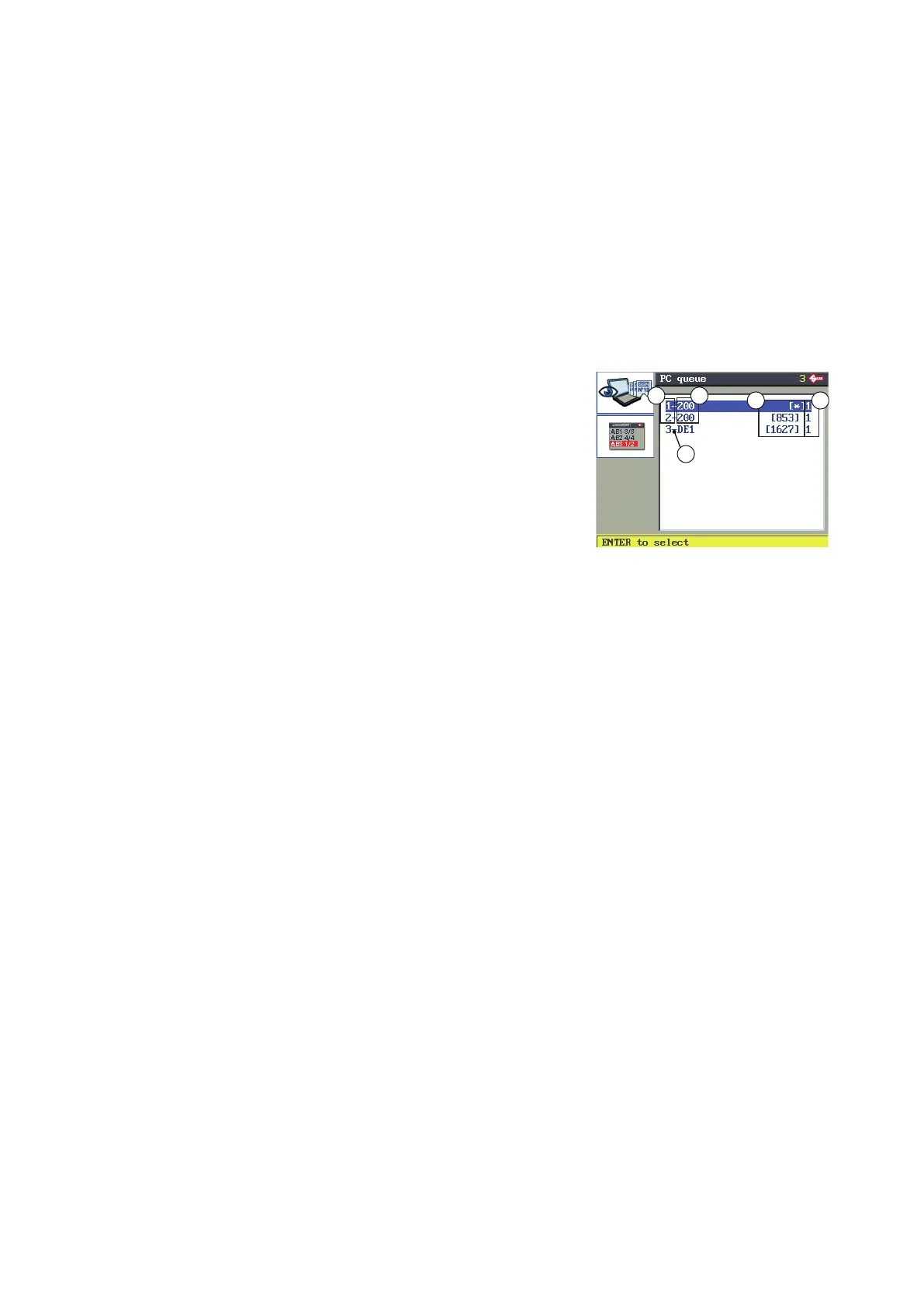
6.7 PC QUEUE FUNCTION
THIS FUNCTION IS AVAILABLE ONLY WHEN USING THE MACHINE CONNECTED TO A PC
The TRIAX PRO key-cutting machine can be used with the SILCA KEY PROGRAMS program. This program can
be used to send both cutting and engraving jobs.
The jobs transmitted by the PC are read only and cannot be edited manually. Each line transmitted corresponds
to a cutting (or engraving) step for one or more keys.
For every cutting operation transmitted the number of pieces to work is set. When cutting is nished for the
number of set pieces a “+” sign indicates that the cycle is over.
From the initial display press F2 to enable the PC QUEUE function.
F1 to view the data for the selected job (key blank and/or
customer notes).
F2 to select the rst job in the queue not yet started or not
fully completed due to an interruption.
F1
F2
The data received from the PC are presented in the form of a list, for example:
1. number of jobs received
2. cutting codes received /Silca engraving template
3. [*] engraving jobs or a number indicating the SSN
4. number of pieces to do
5. “+” indicates that the job HAS BEEN COMPLETED.
6. “-” indicates that the job HAS NOT BEEN COMPLETED.
PROCEDURE
1) select the job to be done and press ENTER.
2) see the relevant chapters (cutting and engraving) for the sequence of operations.
Cutting data received from the PC program cannot be edited manually.
Engraving data received from the PC program cannot be edited with the exception of:
• engraving depth
• key thickness.
In any case editing is not saved.
A job queue can be interrupted or the machine switched off. When starting again go to the “PC Queue”
function to retrieve all the data in the queue (including the piece counter for each operation.
Operating manual TRIAX PRO
Copyright Silca 2016
44



 To Next Page