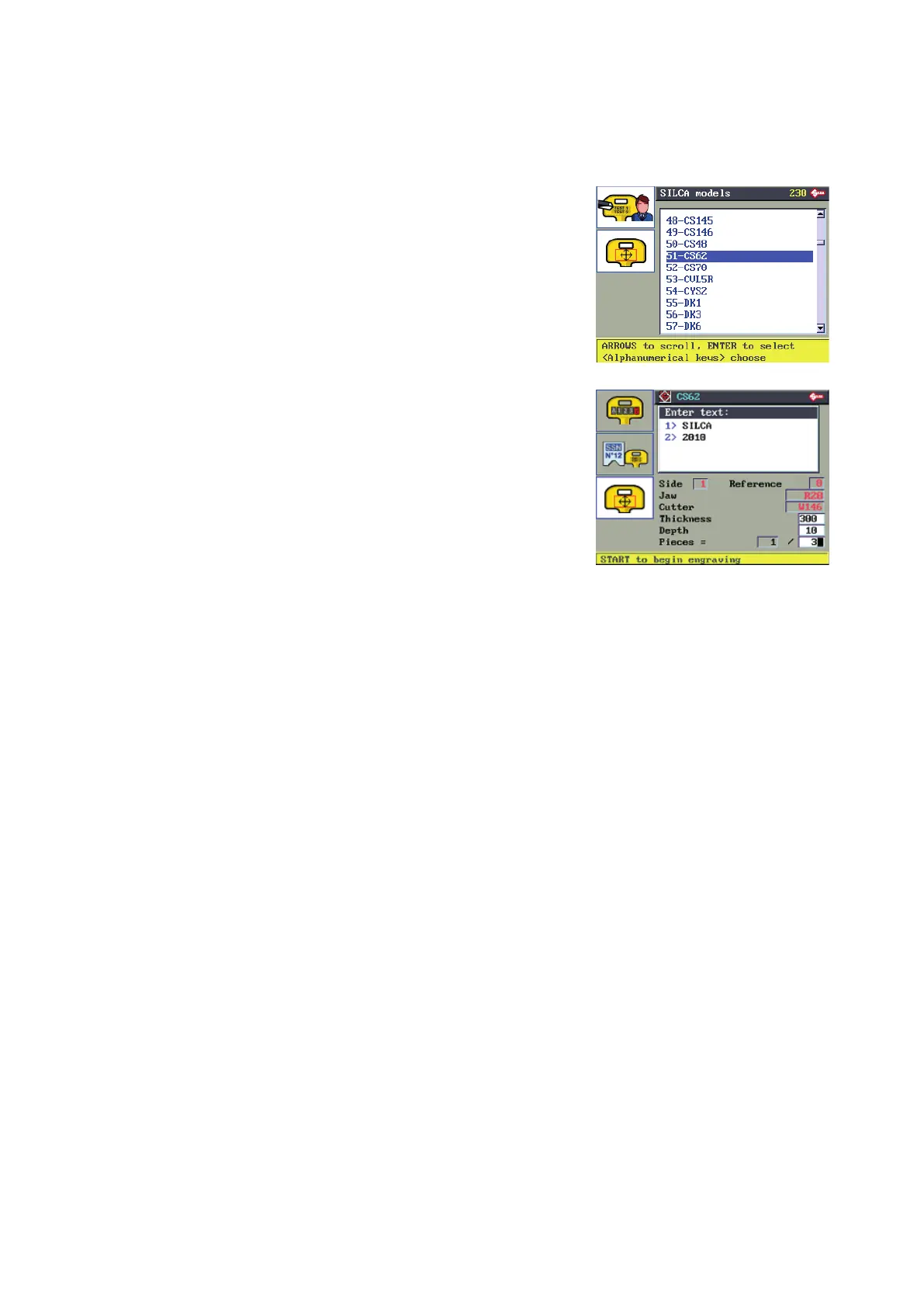
6.8.4 ENGRAVING: SILCA TEMPLATES
From the list of Silca templates press a button with a letter of the alphabet to move selection to the templates
whose names begin with that letter.
Shift + arrow keys to scroll the list quickly.
ENTER to select the template.
Example:
Name of template: CS62
Text to enter: 1> SILCA
2> 2010
Enter the text only with alphanumerical keys.
Up and down arrow keys to move the cursor between the 2 lines.
Press ENTER.
Side: front(1)/back(2) engraving side
Reference: reference for key engraving (0)
Clamp name of clamp to use
Cutter name of cutter to use
Thickness*: key or medal thickness (100/mm)
Depth*: engraving depth (100/mm)
Pieces*:
number of pieces to do
In the Thickness, Depth and Pieces (jobs) elds the value can be edited. Pay attention to the instructions in Ch.
6.8.2.1 ENGRAVING DEPTH: METHOD’
The data can be edited but not saved.
Prepare the key-cutting machine for engraving in the way described on the display.
Press START to begin engraving.
Operating manual TRIAX PRO
Copyright Silca 2016
49



 To Next Page