6.5 FUNCTION BUTTONS (CUTTING FLOW)
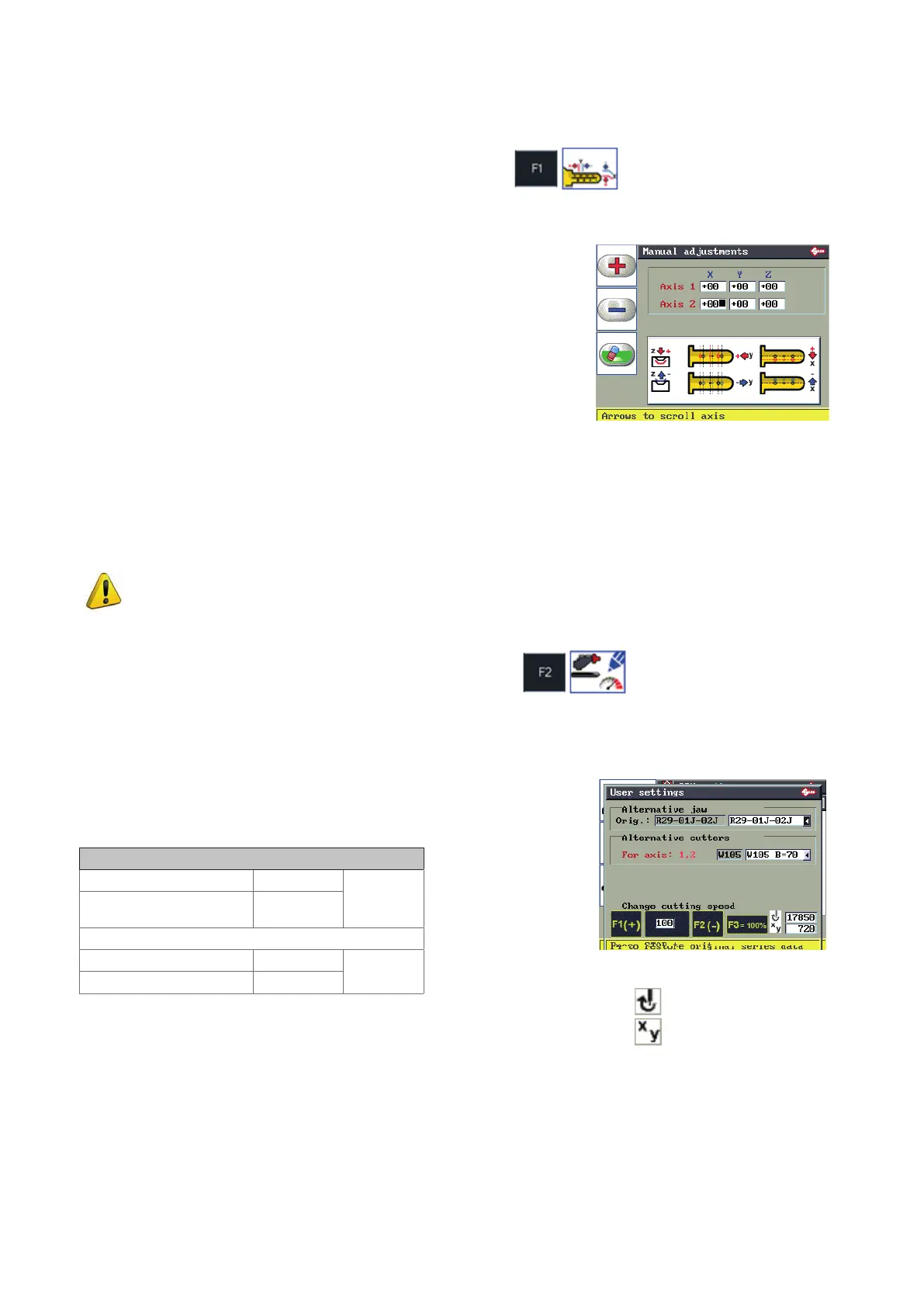
6.5.1 MANUAL ADJUSTMENTS
This function is used to make adjustments to the SSN in use.
• F1 for positive values (+).
• F2 for negative values (-).
• F3 to delete the edited adjustments.
• R/h arrow key to move from eld to eld (X; Y; Z)
• Up-down arrow keys to move from axis to axis (axis 1 - axis 2 - … )
F1
F2
F3
Positive value of X: moves cut to right of axis.
Negative value of X: moves cut to left of axis.
Positive value of Y: takes cut closer to STOP 0.
Negative value of Y: takes cut away from STOP 0.
Positive value of Z: makes cut deeper.
Negative value of Z: makes cut less deep.
Adjustment values for X, Y, Z (-30 to +30 hundredths of mm)..
NOTIFICATION OF VARIATION
This ashing warning symbol appears inside the Manual Adjustment icon only when manual
adjustments have been entered.
6.5.2 USER PARAMETERS
This function is used to select a clamp or cutter alternative to those provided by Silca. It is also used to vary
working speed (option recommended for OEM users).
Not all Silca Serial Numbers (SSN) will show these parameters.
Change cutting speed
To change cung speed and consequently the number of spindle revs, set
a reducon or increase percentage with keys F1 and F2.
Cutting speed
*Cutting speed 600
+00%
Spindle speed (rpm)
13000
For example, a 10% reduction gives:
540
-10%
14300
(*) variation in the advancing speed of the carriages during the key cutting stage only.
Key F1: to increase the percentage value
Key F2: to decrease the percentage value
Key F3: to reset the Silca default values
Key F4: to reset the User Parameters for clamps and cuers
This funcon assigns a value predened by Silca to all the User Parameters
in the series.
Spindle speed
Carriage movement speed
Note: OEM users see also Ch.6.14.6 OEM MODE [PAGE 5/5].
Operating manual TRIAX PRO
Copyright Silca 2016
37



 To Next Page