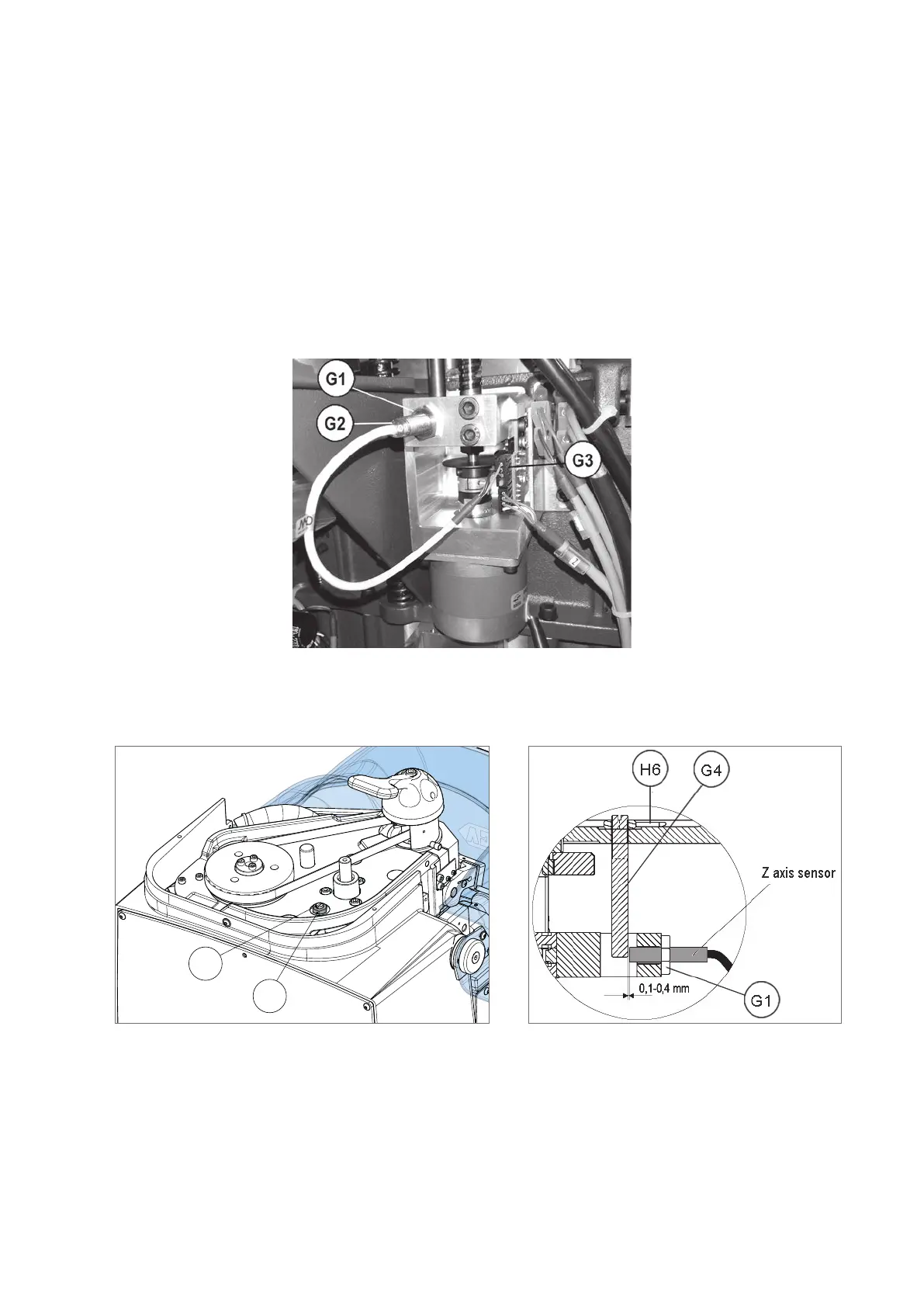
8.10.2 REPLACING SENSOR FOR VERTICAL AXIS (Z)
1 ) Switch off the machine and disconnect the power lead.
2) Gain access to the rear compartment (Ch.8.5).
3) If necessary, gain access to the top compartment (Ch.8.4).
4) Disconnect the sensor connector (G3) from the circuit board.
5) Loosen the nut (G1), unscrew the sensor from the plate and remove.
6) Place the new sensor (G2) in position, screw down until it almost touches the pin (G4) and secure with the nut
(G1).
7) Connect the sensor connector to the circuit board.
8) Replace the rear metal plate and belt cover.
Fig. 49
Drawing references for SENSOR REPLACEMENT AND REGULATION (see MACHINE MACHINE ZEROS).
Fig. 50 Fig. 51
Operating manual TRIAX PRO
Copyright Silca 2016
89



 To Next Page