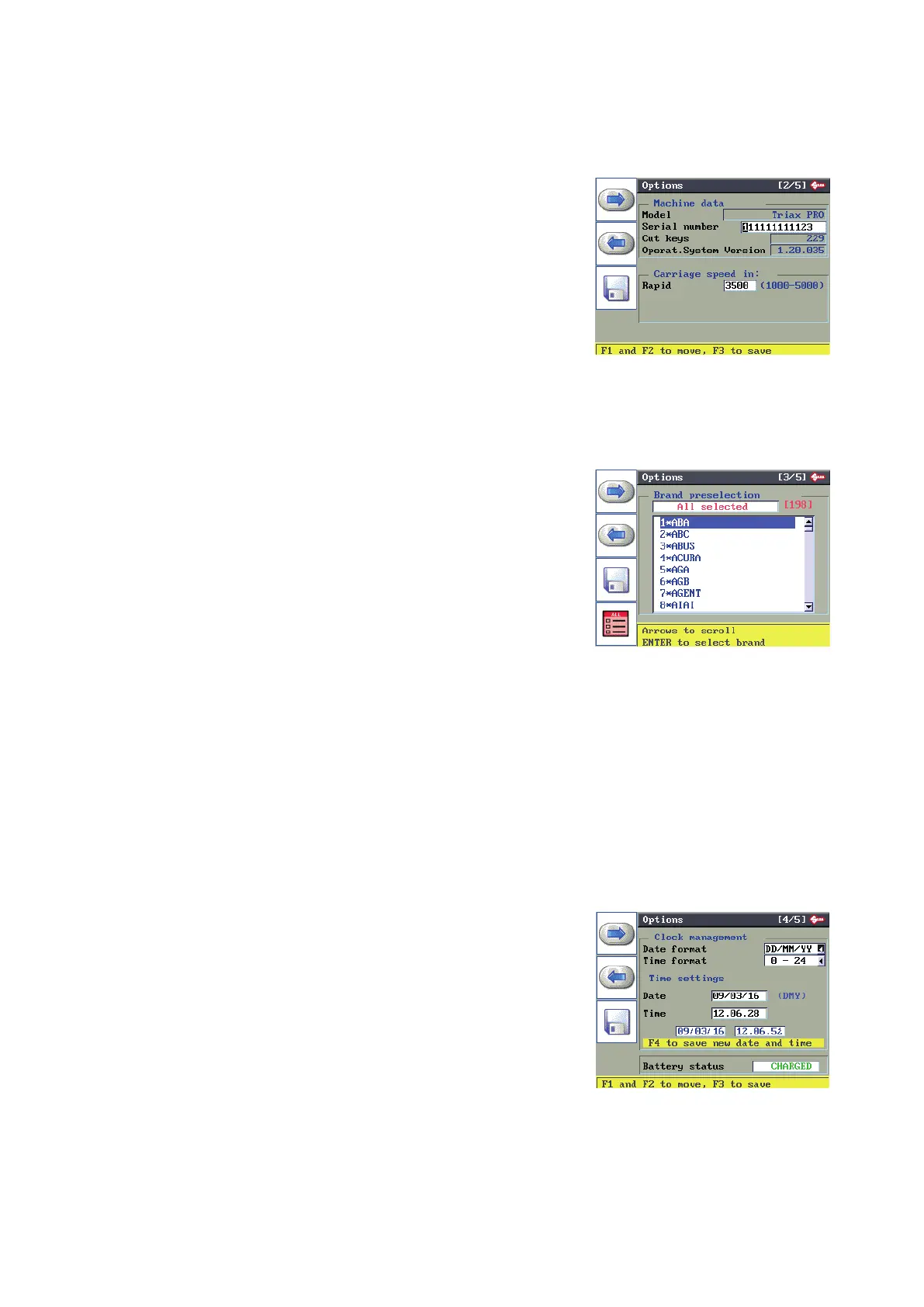
6.14.3 MACHINE OPTIONS [PAGE 2/5]
The display shows: Machine data
Model: machine model.
Serial number: the serial number shown on the ID plate on the back of
the machine.
Keys cut: cutting done.
O.S. version: version of machine Operating System.
Carriage speed
Rapid velocity: the speed with which the carriages go towards the
cutting area before starting to cut. The set speed is for ideal conditions,
but the operator can change it to a minimum of 1000 and a maximum
of 5000.
6.14.4 MACHINE OPTIONS [PAGE 3/5]
Used to lter searches by code through selection of the most
important makes.
In this way the number of SSNs involved in the search can
be reduced.
Operators can create their own partial lters.
F4 to enable or disable all makes.
Press “CLEAR” to cancel the selection.
[193] - total number of makes
[4/193] - partial number of makes (selected by user)
The standard machine setup enables searches through all
makes as soon as one is selected.
F1
F2
F3
F4
6.14.5 MACHINE OPTIONS [PAGE 4/5]
The display shows: Clock
Date and time formats: use the arrow keys (r/h-l/h) to select the format
required for the DATE (DD/MM/YY by default, or MM/DD/YY or YY/MM/
DD) and TIME (0 – 24 by default or am – pm).
Press ENTER to conrm.
Preset date and time: use the up/down arrow keys to enter the eld to
be edited. Use the arrow keys (r/h-l/h) to go to the item to be edited. Edit
by using the numerical keys and press ENTER to conrm. For overall
validation of the edited string press F4. The same data in the preset
section will also be shown in the lower part of the screen.
Battery status: CHARGED
Automatically reads battery status: charged or discharged. The battery
is used for the date function only.
Operating manual TRIAX PRO
Copyright Silca 2016
70



 To Next Page