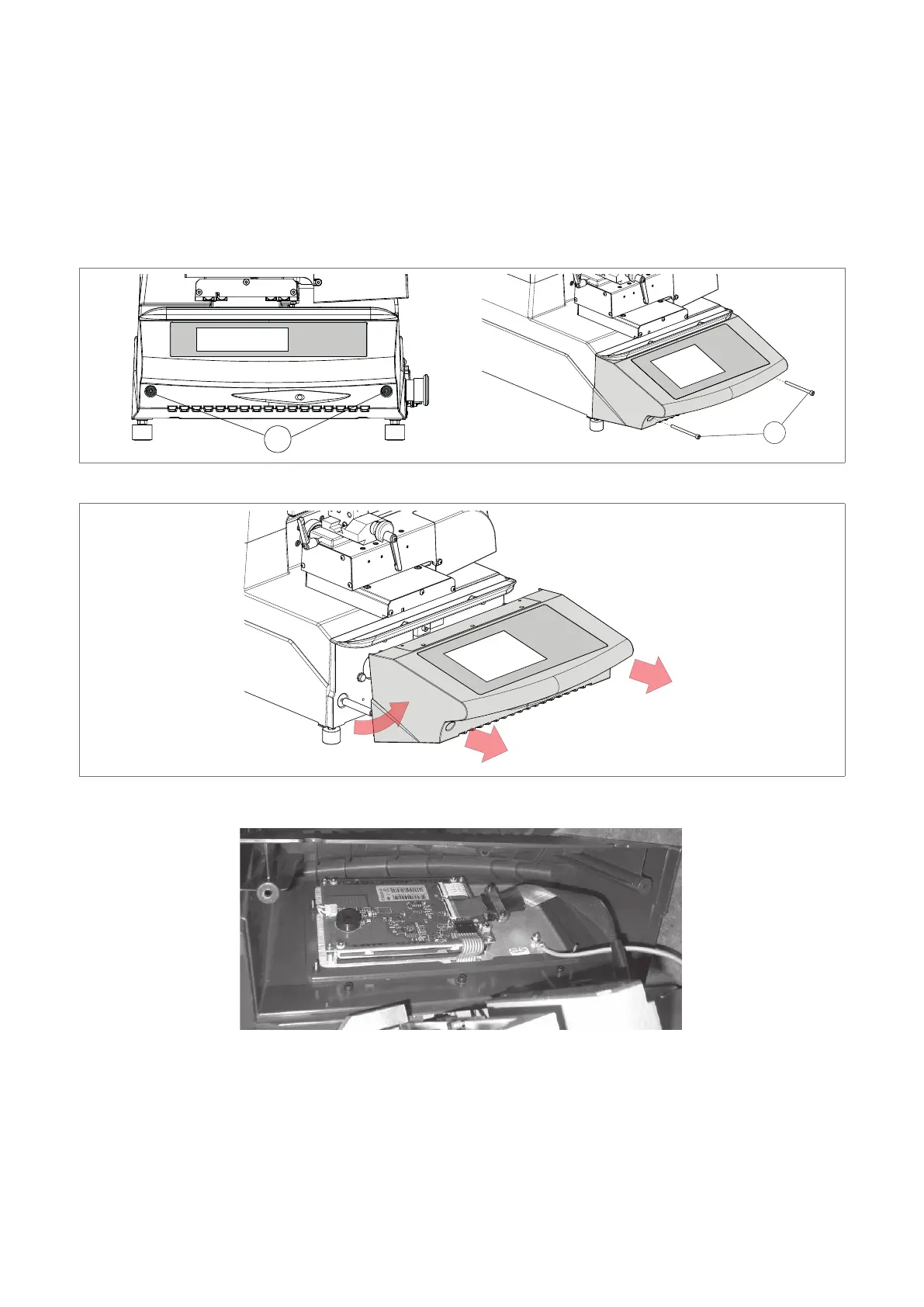
8.9 KEYPAD/DISPLAY REPLACEMENT
1 ) Switch off the machine and disconnect the power lead.
2) Loosen the 2 xing screws (F1) and remove the display stand.
3) Detach the cable and earth wire from the keypad .
4) Loosen the keypad xing nuts and remove the keypad from its stand.
5) Fit the new keypad/display by repeating the operations described above, in reverse order.
F1
Fig. 44
Fig. 45
Fig. 46
Operating manual TRIAX PRO
Copyright Silca 2016
87



 To Next Page