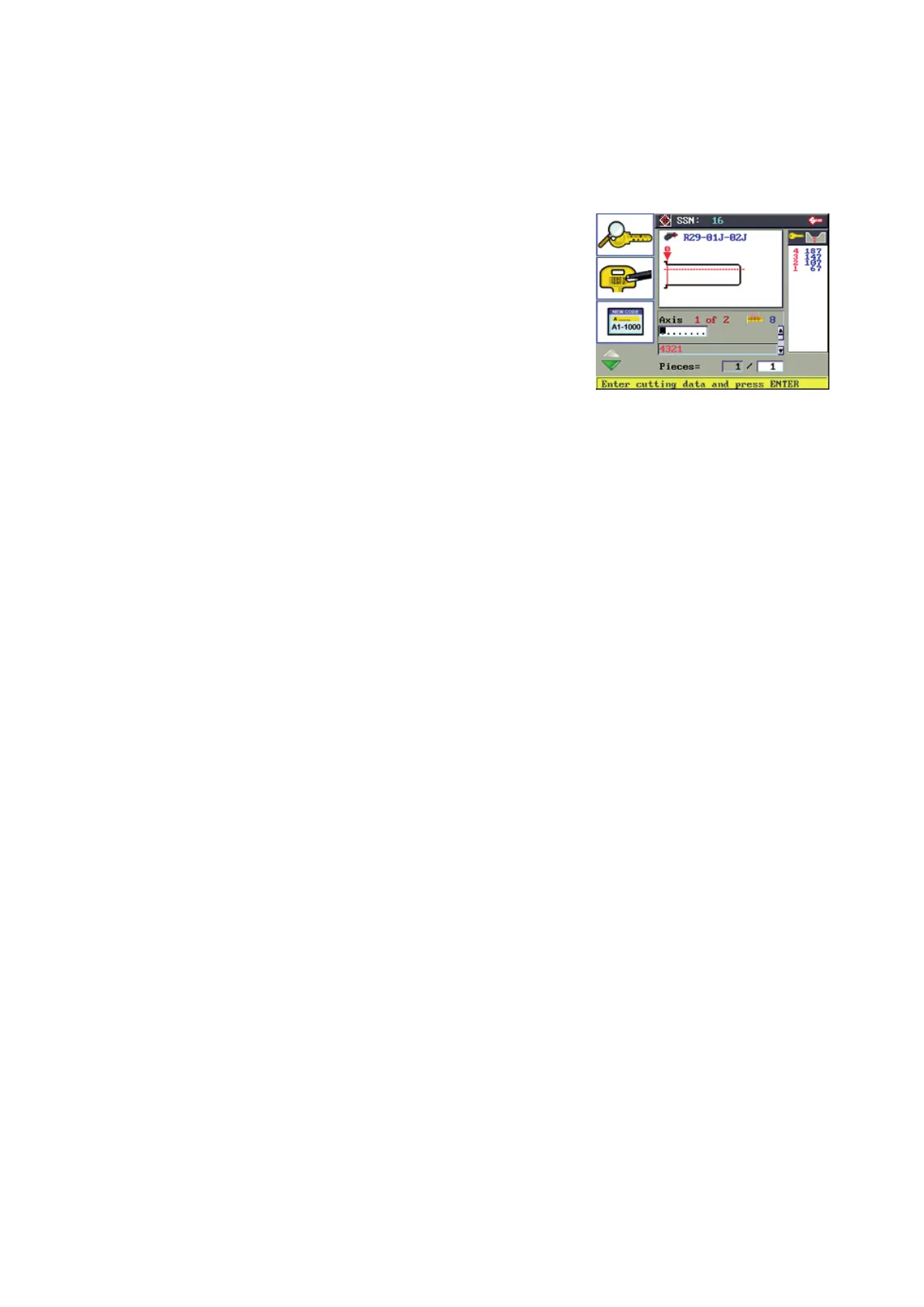
6.4.2.2 KEY CUTTING BY ENTERING CUTS
From the Search Menu in use enter the cuts into the cut eld (see Table 1).
Only the depth symbols allowed by the SSN in use will be valid.
F1 Key decoding function
F1
F2 Engraving function
F2
F3 Code entry function
F3
F4 to access other function buttons
F4
(see Ch.6.5)
INDICATIONS on Display
SSN:
Silca Serial Number associated to type of key.
Clamp:
Clamp R29-01J-02J to use for securing the key.
Axis:
Cutting axis viewed
Positions of cuts:
Maximum number of positions of cuts for the axis shown.
Cuts:
(........) eld for entering cuts for the axis shown
Depth symbols and values:
Symbols for depths admitted with relative values (1/100 mm) for the axis shown.
Pieces:
Number of keys to cut.
PROCEDURE for entering cuts
With the cursor in the cut eld, use:
L/H-R/H arrow key to skip a position.
Up-down arrow key to change cutting axis.
CLEAR button to delete the value entered (cursor to the far left deletes the whole eld; cursor to the far right
deletes the last value entered only; cursor in intermediate position deletes the value it is on).
After entering the cuts for all the axes included in the SSN in use, set the number of pieces (keys to cut).
Press ENTER to continue.
INDICATIONS on display and key-cutting PROCEDURE
For the full cutting ow see paragraph 6.4.2.1.
Operating manual TRIAX PRO
Copyright Silca 2016
35



 To Next Page