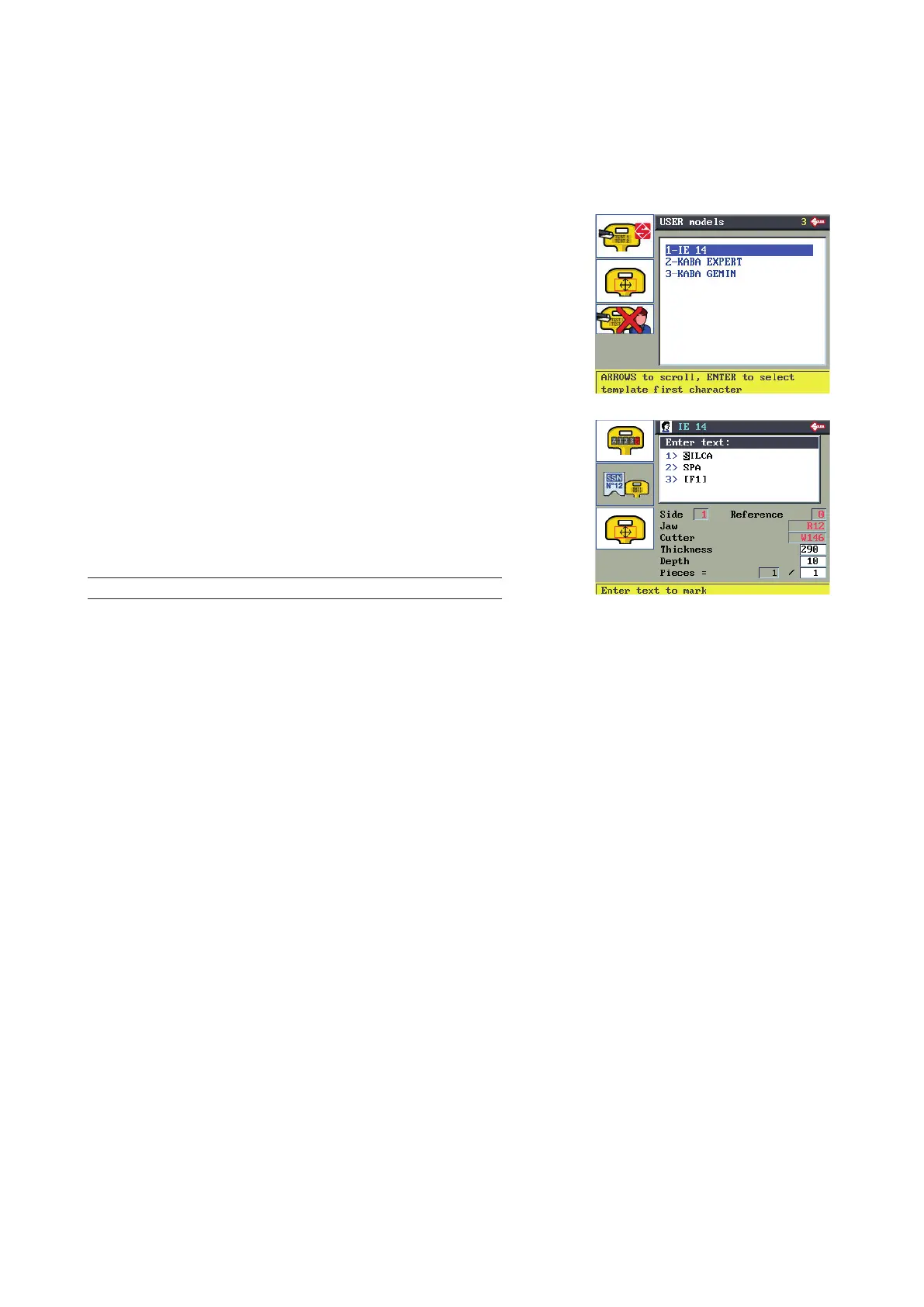
6.8.5 ENGRAVING: USER TEMPLATES
The key-cutting machine can be used without a PC but with limitations. To use all the potential available it is
advisable to use the special function included in the Triax Engraving Program (provided with the machine) and
Silca Key Programs.
Shift + arrow keys to scroll the list quickly.
ENTER to select the template.
F3 to delete the selected user model.
F1
F2
F3
Example:
Name of template: IE 14
Text to enter: 1> SILCA
2> SPA
3> [F1]
F1 for counter function (3>[F1]) (see Ch.6.8.5.1-a)
NOTE: use only alphanumerical keys to edit the text.
F1
F2
F3
Up and down arrow keys to move the cursor between the 3 lines.
Press ENTER.
Side: front(1)/back(2) engraving side
Reference: reference for key engraving (0)
Clamp name of clamp to use
Cutter name of cutter to use
Thickness*: key or medal thickness (100/mm)
Depth*: engraving depth (100/mm)
Pieces*:
number of pieces to be done.
In the Thickness, Depth and Pieces elds the value can be edited. Pay attention to the instructions in Ch.6.8.2.1
ENGRAVING DEPTH: METHOD’.
The data can be edited but not saved.
Operating manual TRIAX PRO
Copyright Silca 2016
50



 To Next Page