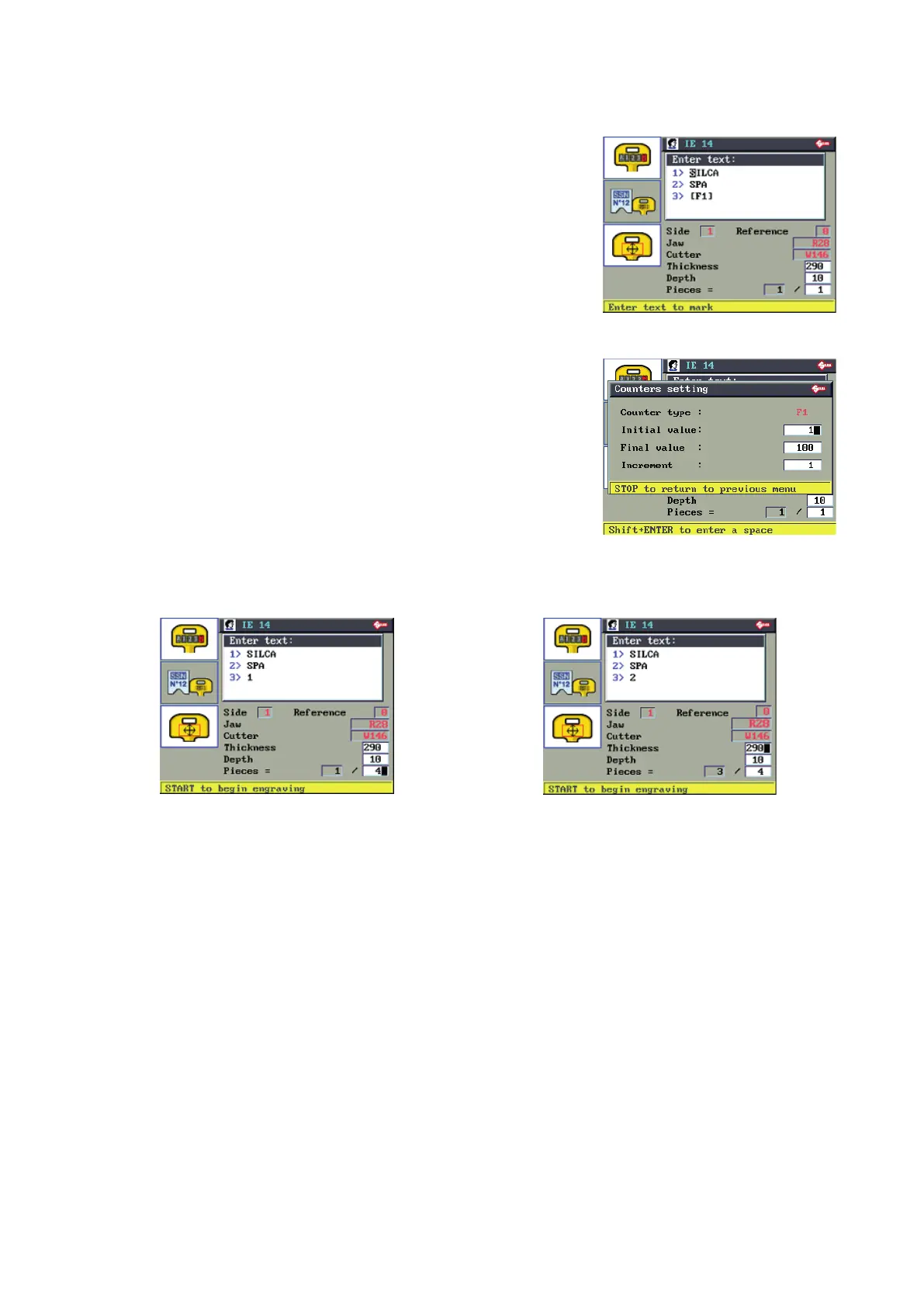
6.8.5.1-a COUNTER FUNCTION
F1 for counter function (3>[F1]): the values can be set when the cursor
is in the eld for the counter function.
Example:
Type of counter: F 1
Initial value: (1), initial value of counter.
Final value: (100), nale value of counter.
Increase: (1), step increase of counter.
Check all the counter values then press STOP.
Prepare the key-cutting machine for engraving in the way described on the display.
Press START to begin engraving.
Example:
With the Pieces value set above 1 the third line of the
text will show on the counter the numerical value to
engrave.
Example:
In the next jobs the numerical value to engrave on
the third line is increased by the amount set in the
counter function.
Operating manual TRIAX PRO
Copyright Silca 2016
51



 To Next Page