6.11 UTP UPDATE AND CLOCK SYNCHRONISING
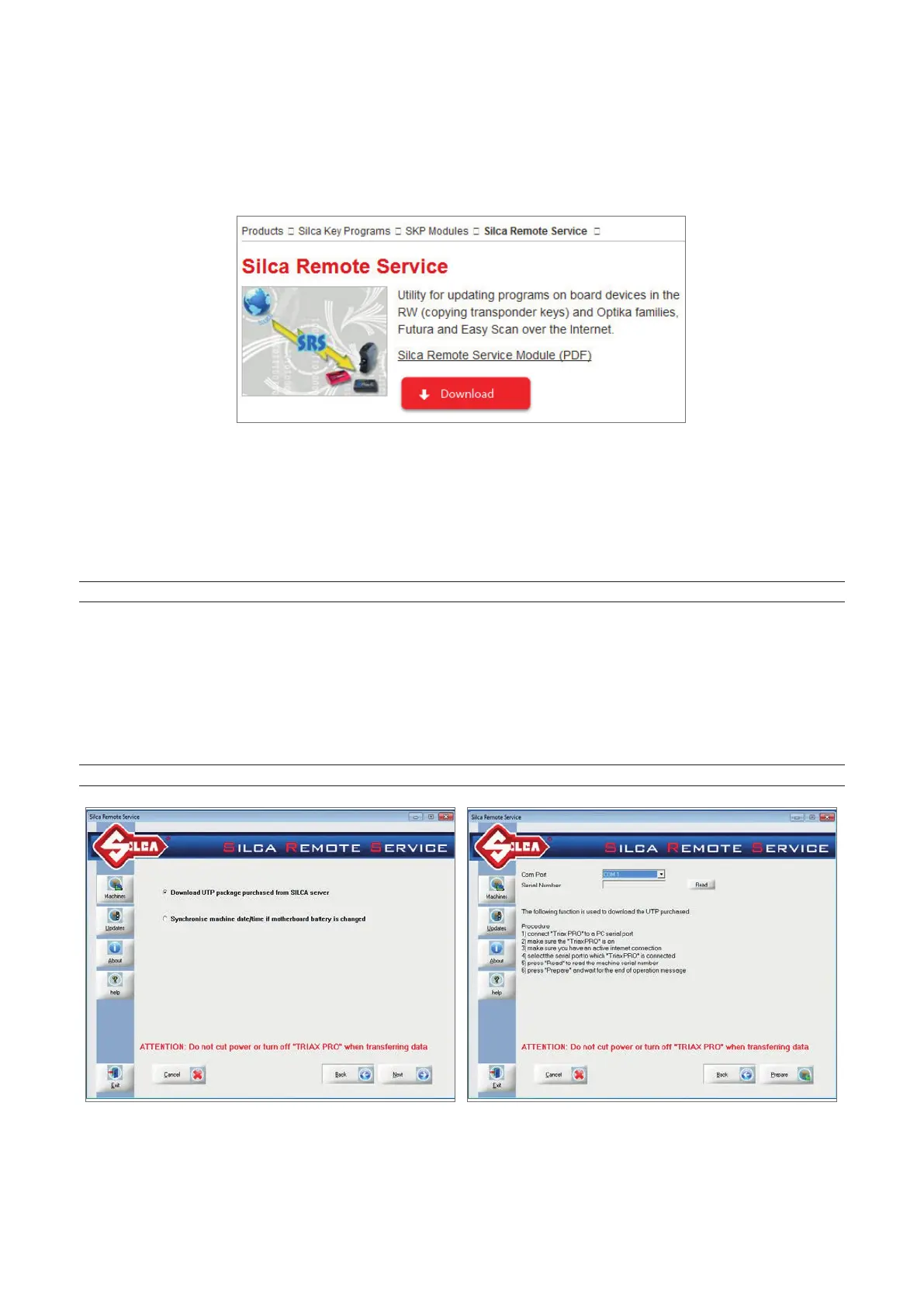
An internet connection and the Silca Remote Service (SRS) program are required. If necessary the Silca Remote
Service program can be downloaded from the Silca website www.silca.biz. Select the menu: Products -> Silca
Key Programs -> SKP Modules -> Silca Remote Service.
After installing the SRS program you can:
• Download the UTP package purchased from the Silca server
• Synchronise machine Date/Time when the mother board battery is replaced
6.11.1 DOWNLOAD THE UTP PACKAGE
NOTE: do not turn the machine off during data transfer. The machine must be on.
-
Connect a PC serial or USB cable to the key-cutting machine.
-
Start the SRS program and select the machine model, click on “Next”.
-
Click on the function “Download UTP package purchased from Silca server” and then “Next”.
-
Select the communication port (COM) and click on “Read”; the machine serial number will appear in the Serial
Number eld.
-
Click on the “Prepare” button and wait a few minutes for the operation to end.
-
Go to the OPTIONS => UTP SETTINGS menu and check that the UTP update has been successful.
NOTE: to check that the UTPs have been downloaded into the machine see Ch. 6.14.2 and Fig. 34
Operating manual TRIAX PRO
Copyright Silca 2016
55



 To Next Page