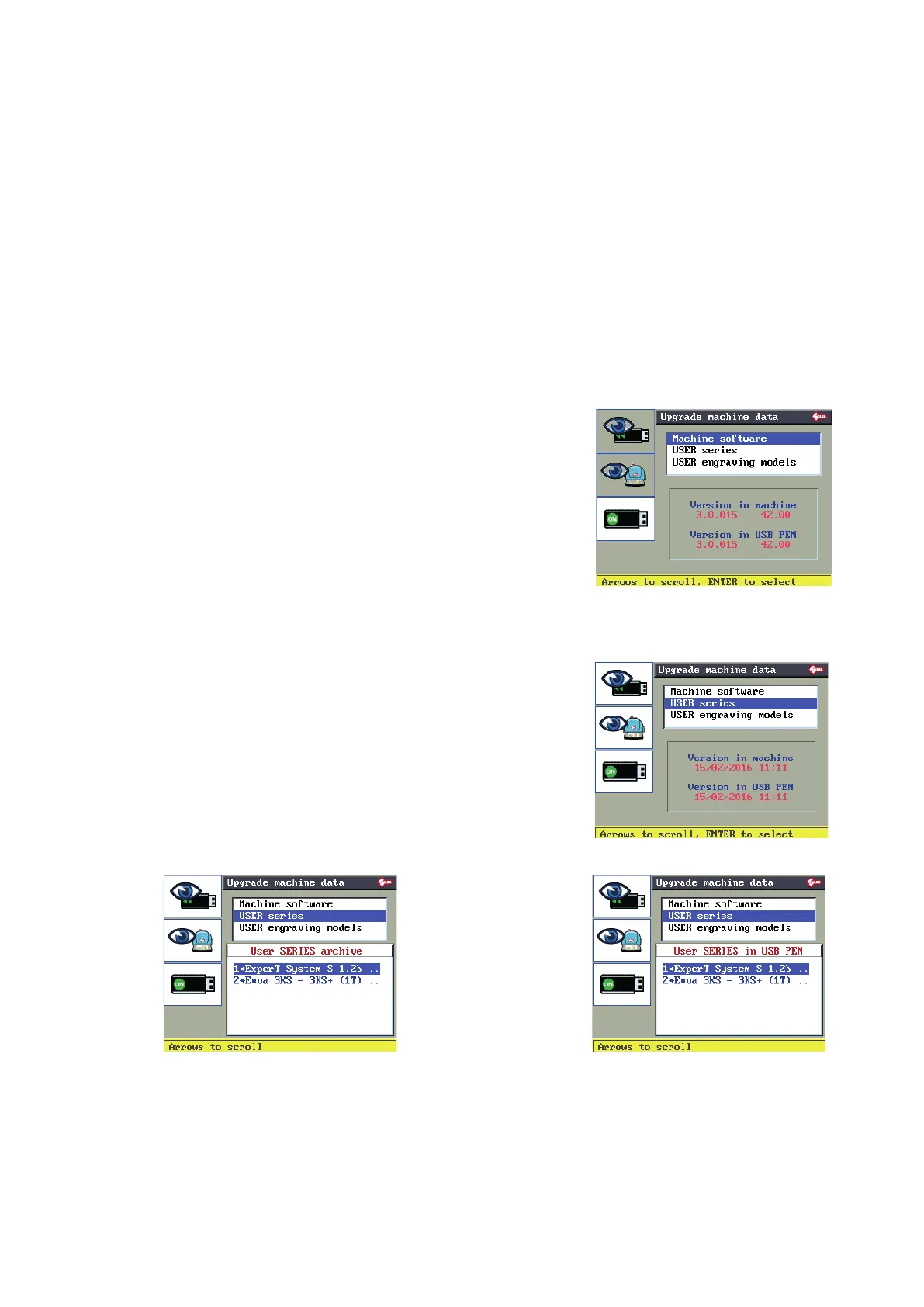
6.9 MACHINE DATA UPDATE
This function is used to update machine data with a USB PEN.
In this way the operator saves time for this operation.
Machine data can be updated with a USB PEN if it is inserted and on (ON status).
The following can be updated:
• Machine software
• USER Series
• User engraving templates
Scroll with the up-down arrow keys to select the required eld.
6.9.1 Machine software
Check that the version on the USB PEN is more up-to-date
than the version on the machine.
Press ENTER.
When the machine is being updated the display will go off
for a few seconds and then come back on.
Wait until data downloading is nished.
The machine will restart from the initial display.
F1
F2
F3
6.9.2 USER series
F1 to view the USER series on the USB PEN.
F2 to view the USER series on the machine.
F1
F2
F3
F1
F1
F2 F2
F3 F3
Operating manual TRIAX PRO
Copyright Silca 2016
52



 To Next Page