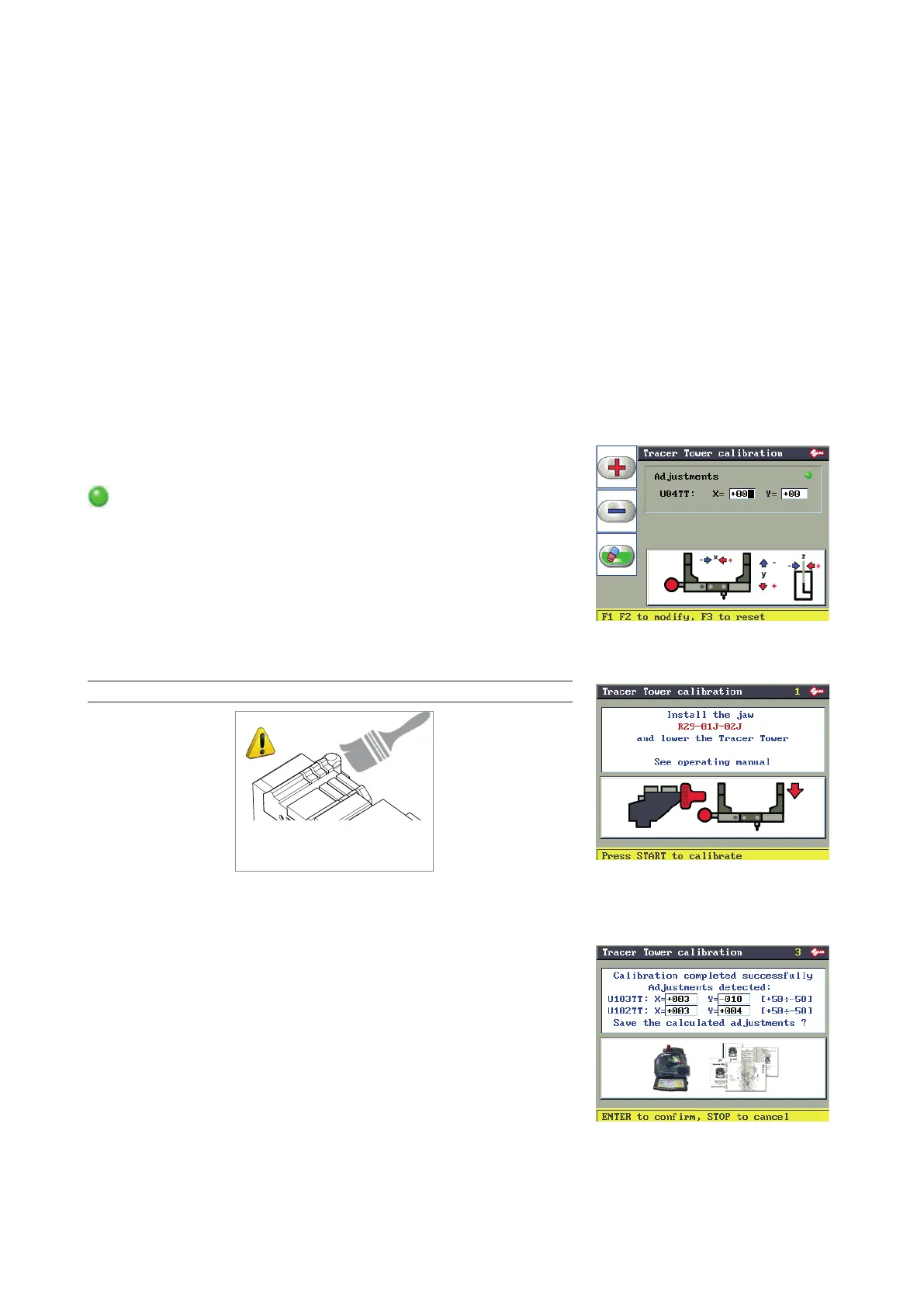
6.12.4 AUTOMATIC CALIBRATION OF TRACER TOWER DEVICE
The TRACER TOWER decoding device holds the tracer point 04TT.
This tracer point is used by TRIAX PRO, as a stand-alone or with a PC, to decode almost all the systems/locks
known by Silca S.p.A.
Use of the TRACER TOWER speeds up and simplies the cutting of original keys.
The operator can avoid:
• searching for and choosing the appropriate decoder;
• replacing the cutter with a tracer point to start decoding;
• replacing the tracer point with the cutter when decoding is over, to prepare for cutting the key.
The machine program is prepared to perform calibration and decoding with either the TRACER TOWER or a
tracer point tted in the place of the cutter.
Simply enable or disable the TRACER TOWER from the “OPTIONS” menu.
The TRACER TOWER must be CALIBRATED before use.
The TRACER TOWER calibration procedure is carried out only with clamp R29 already calibrated.
Manual adjustments and settings from -30 to +30 hundredths of mm.
GREEN: indicates that the Tracer Tower is calibrated.
Press START to proceed.
Set clamp R29, lower the Tracer Tower.
NOTE: Carefully clean clamp R29.
ATTENTION!
Eliminate swarf from the
calibration plate and clamp.
START to proceed with calibration.
When calibration is nished the display will show the differences in the
values read.
Calibration will be accepted only if the size of the variations is between
+50 and -50 hundredths of millimetre.
ENTER to conrm
STOP to cancel
Operating manual TRIAX PRO
Copyright Silca 2016
61



 To Next Page