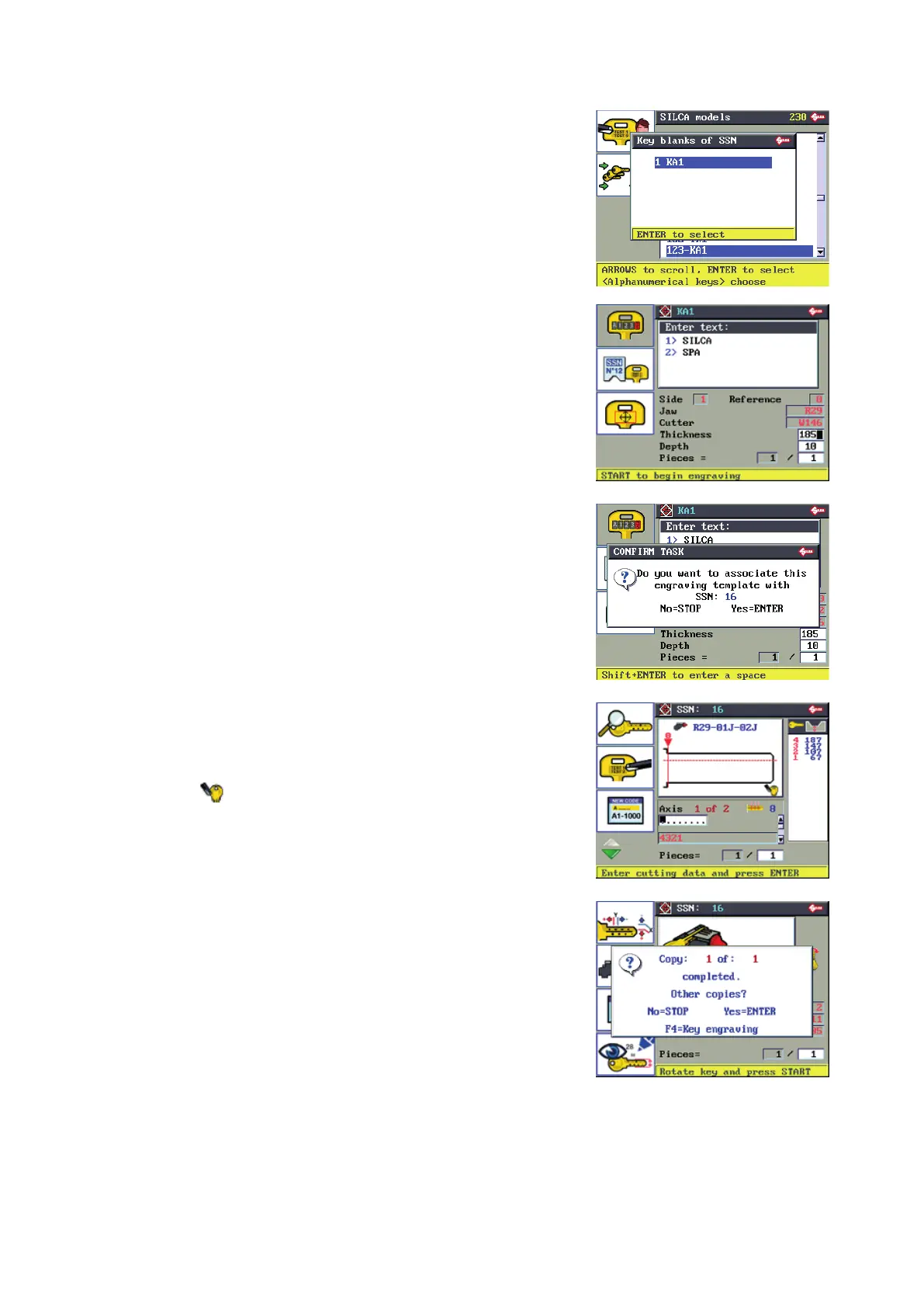
View SILCA key blanks that can be used for engraving and are
associated to the SSN in use.
ENTER to access the engraving function (see ENGRAVING).
F2 to associate the current engraving template to the SSN
in use.
The same button can also be used to disconnect the current
engraving template from the SSN in use.
F1
F2
F3
F4
A special icon ( ) indicates that an engraving template has been
associated to the current SSN.
The advantage of this association:
F4 to proceed with engraving the associated template after completing
the key cutting cycle.
Operating manual TRIAX PRO
Copyright Silca 2016
39



 To Next Page