Chapter 4 Keys
228
Key Setting Operations Using Menus
2
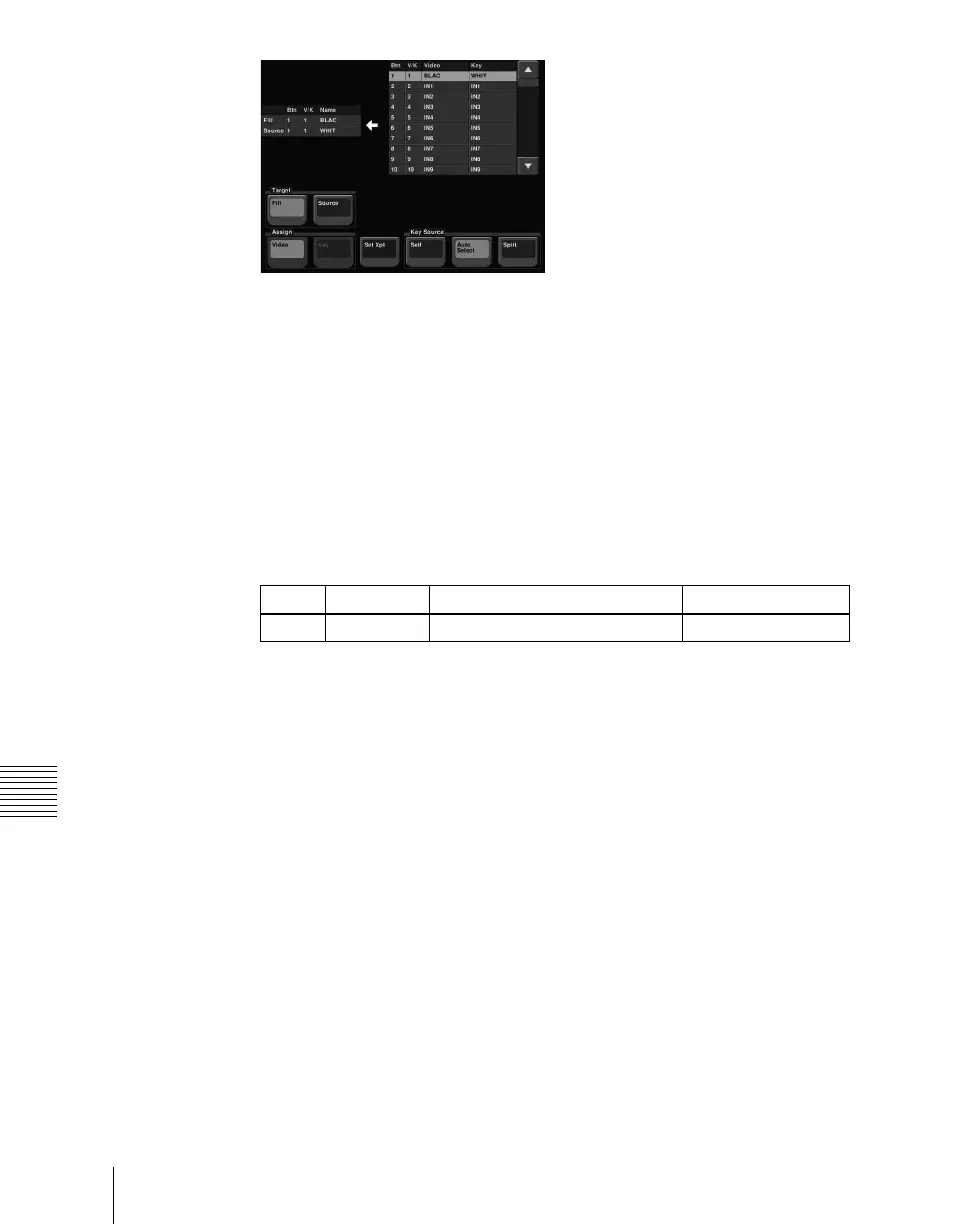
In the <Target> group, press [Source].
3
In the <Key Source> group, select the key source selection mode (Self,
Auto Select, or Split).
See step 5 in “Selecting Key Fill and Key Source” (page 226).
4
If you selected [Split], using any of the following methods, select the key
source signal.
• Press directly on the list on the right.
• Press the arrow keys to scroll the reverse video cursor.
• Turn the knob.
5
In the <Assign> group, select the video signal or key signal from the V/K
pair to assign to the key source.
6
Press [Set Xpt].
This selects the key source signal.
Selecting key fill
For example, to select the key fill for M/E-1 key 1, use the following
procedure.
1
In the M/E-1 >Key1 >Type menu status area, press "Fill."
The Signal Select menu appears.
2
In the <Target> group, press [Fill].
3
Select the fill signal from the list on the right.
4
Press [Set Xpt].
Knob Parameter Setting Values
1 No Button number 1 to 128



 To Next Page