Chapter 11 DME Operations
641
DME Special Effect Operations
The Defocus effect is enabled. You can adjust the defocusing of video and
key signals with the knobs.
Notes
On the MVE-8000A, the Defocus and Glow effects cannot be enabled at
the same time. The effect which was turned on most recently is enabled.
3
In the <Defocus Mode> group, select the signal to which to apply the
defocus effect.
Video/Key: Video signal and key signal
Video: Video signal only
Key: Key signal only
Notes
“Key” can be selected only when the MVE-8000A/MVE-9000 is
connected through an SDI interface.
4
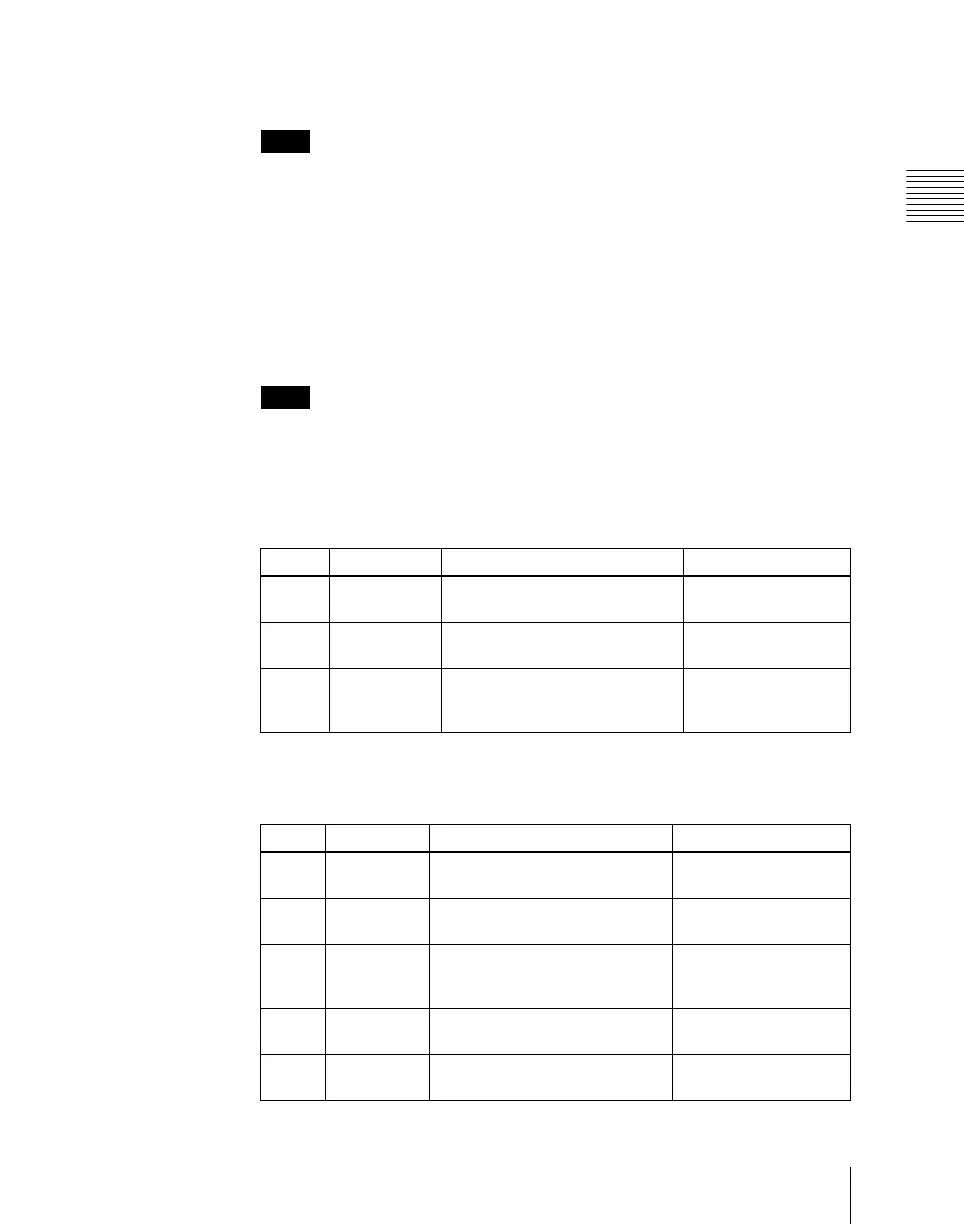
Set the parameters.
• When Video/Key is selected (with DME dedicated interface)
• When Video/Key is selected (with SDI-interfaced MVE-8000A/
MVE-9000)
Knob Parameter Adjustment Setting values
1 H Horizontal defocusing of video
and key signals
0.00 to 100.00
2 V Vertical defocusing of video and
key signals
0.00 to 100.00
3 All Horizontal and vertical
defocusing of video and key
signals
H value shown
Parameter group [1/2]
Knob Parameter Adjustment Setting values
1 V/K H Horizontal defocusing of video
and key signals
Video H value shown
2 V/K V Vertical defocusing of video and
key signals
Video V value shown
3 V/K All Horizontal and vertical
defocusing of video and key
signals
Video H value shown
4 Video All Horizontal and vertical
defocusing of video signal
Video H value shown
5 Key All Horizontal and vertical
defocusing of key signal
Key H value shown












 To Next Page