Chapter 11 DME Operations
693
DME Special Effect Operations
Adjusting the density of the foreground
You can adjust the density of the foreground image to be translucent so that the
background shows through, making it easier to position the corners.
Notes
This setting is not saved in a key frame or snapshot.
1
In the Corner Pinning menu, set [Video Through] to On.
2
Turn the knob to adjust the following parameter.
Adjusting the zoom
You can enlarge the image around the corner being adjusted, to allow fine
positioning of the corner.
Notes
• This setting is not saved in a key frame or snapshot.
• This function is only enabled when combine is set.
• When all four corners are being positioned, this function cannot be used.
1
In the Corner Pinning menu, press [Zoom Enable], turning it On.
2
Turn the knob to adjust the following parameter.
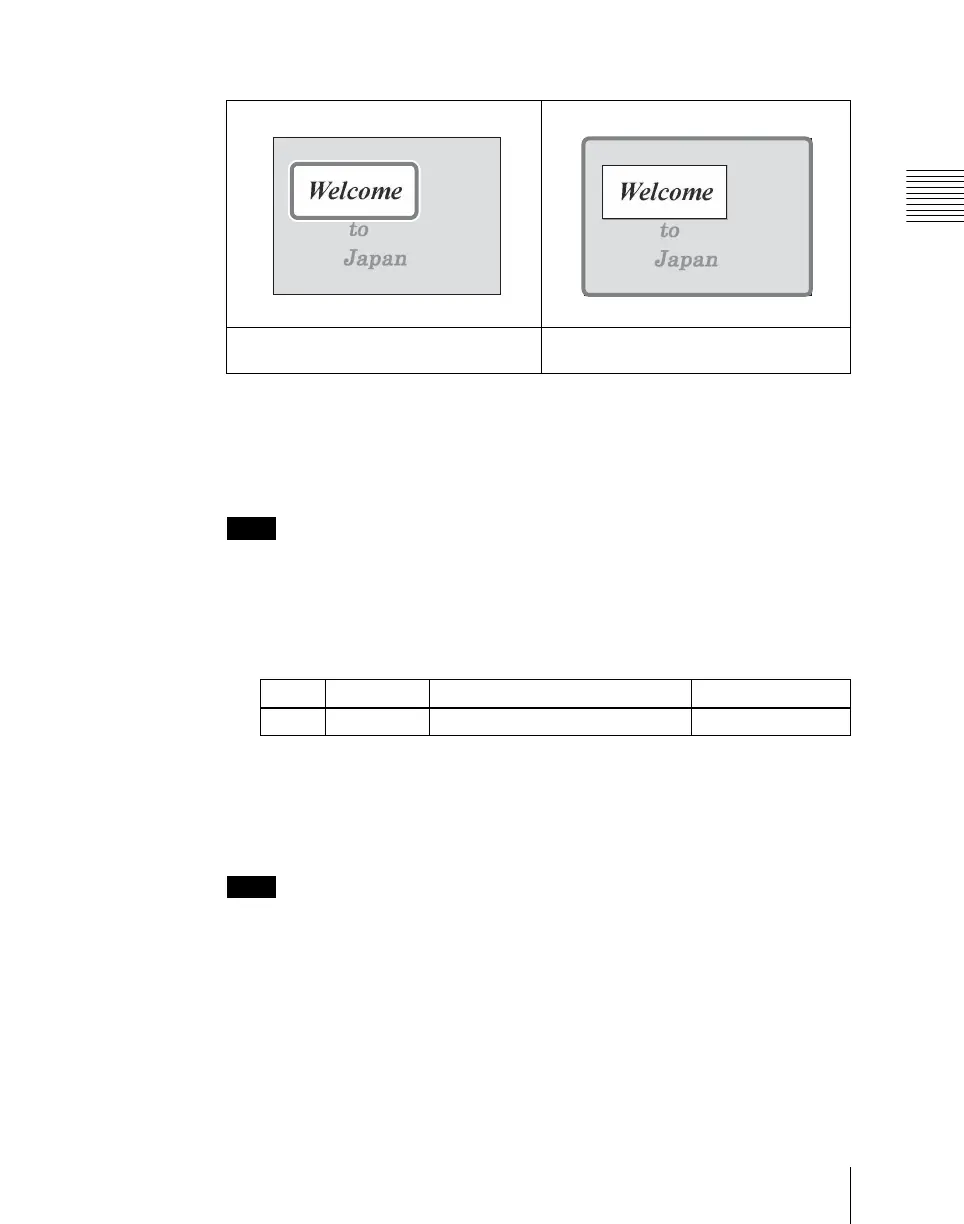
(The bold frame shows the area used for positioning.)
Area positioned by pinning when Crop Link
is On
Area positioned by pinning when Crop
Link is Off
Knob Parameter Adjustment Setting values
4 Density Image density 0.00 to 100.00












 To Next Page