Chapter 11 DME Operations
696
DME Special Effect Operations
b) You can make the Lighting effect more effective by adjusting [Total Ambient] to lower the
brightness of the entire image. This setting is used both by this effect and by the
Spotlighting effect.
Notes
The Total Ambient parameter is not supported on the MVE-8000/8000A.
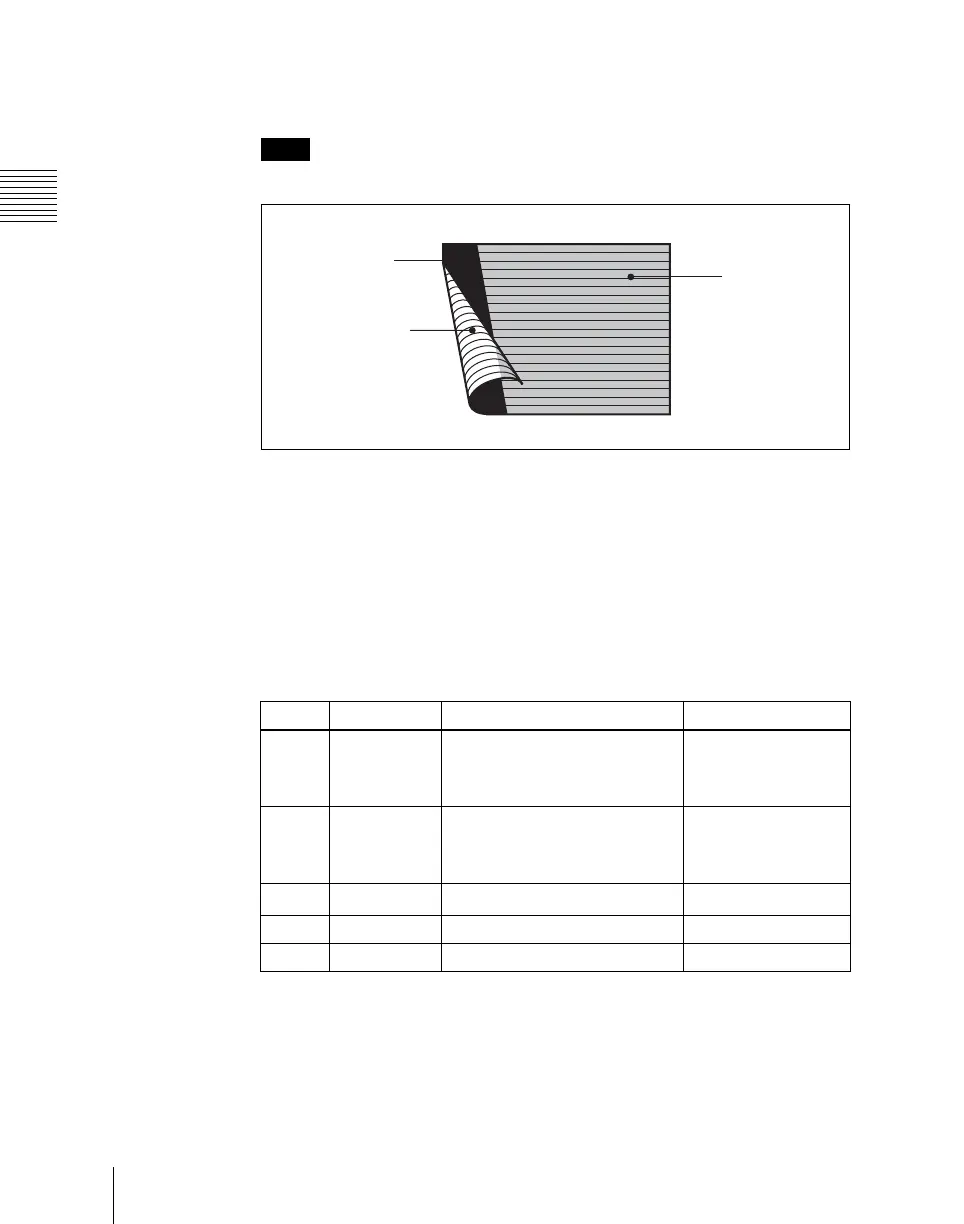
The three regions for which the light intensity can be set
Setting the bar shape of the highlight area
When you select [Bar] or [Preset] in step 3 of “Applying the Lighting effect”
(page 694), use the following procedure to set the shape of the bar.
1
Turn [Light Modify] on.
2
Adjust the following parameters.
a) For SD 4:3
b) For SD 16:9
c) For HD 4:3
d) For HD 16:9
e) There are some nonlinear effects for which Angle cannot be used.
Highlight area
Ambient area
Shade area
Knob Parameter Adjustment Setting values
1 X X-value of bar center point
–8.00 to +8.00
a) b)
–24.00 to +24.00
c)
–32.00 to +32.00
d)
2 Y Y-value of bar center point
–6.00 to +6.00
a)
–4.50 to +4.50
b)
–18.00 to +18.00
c) d)
3
Angle
e)
Angle of bar –8.00 to +8.00
4 Width Width of bar 0.00 to 100.00
5 Soft Softness of edges 0.00 to 100.00



 To Next Page