Chapter 11 DME Operations
636
DME Special Effect Operations
a) When a minus value is specified, the picture is extended in the vertical direction. When a
plus value is specified, the picture is extended in the horizontal direction.
• When turning [Angle] on in the <Rotation> group and slanting the
pattern
a) –1.00 is one rotation in counterclockwise direction. +1.00 is one rotation in clockwise
direction. 0.00 is no rotation.
• When turning [Speed] on in the <Rotation> group and rotating the
pattern at a specified speed
a) –100.00 is four rotations per second in counterclockwise direction. +100.00 is four
rotations per second in clockwise direction. 0.00 is no rotation.
Notes on applying a mask effect with a DME (only when using the
MVE-9000)
In the <Mask> group of the DME >Video Modify >Mask menu, if [Effect Gp1]
and [Effect Gp2] are simultaneously set to On, then the border or beveled edge
is also masked.
The following explains this with the example of using a circular mask pattern.
m
Knob Parameter Adjustment Setting values
1 Angle Rotation angle of pattern
–8.00 to +8.00
a)
Knob Parameter Adjustment Setting values
1 Speed Rotation speed of pattern
–100.00 to +100.00
a)
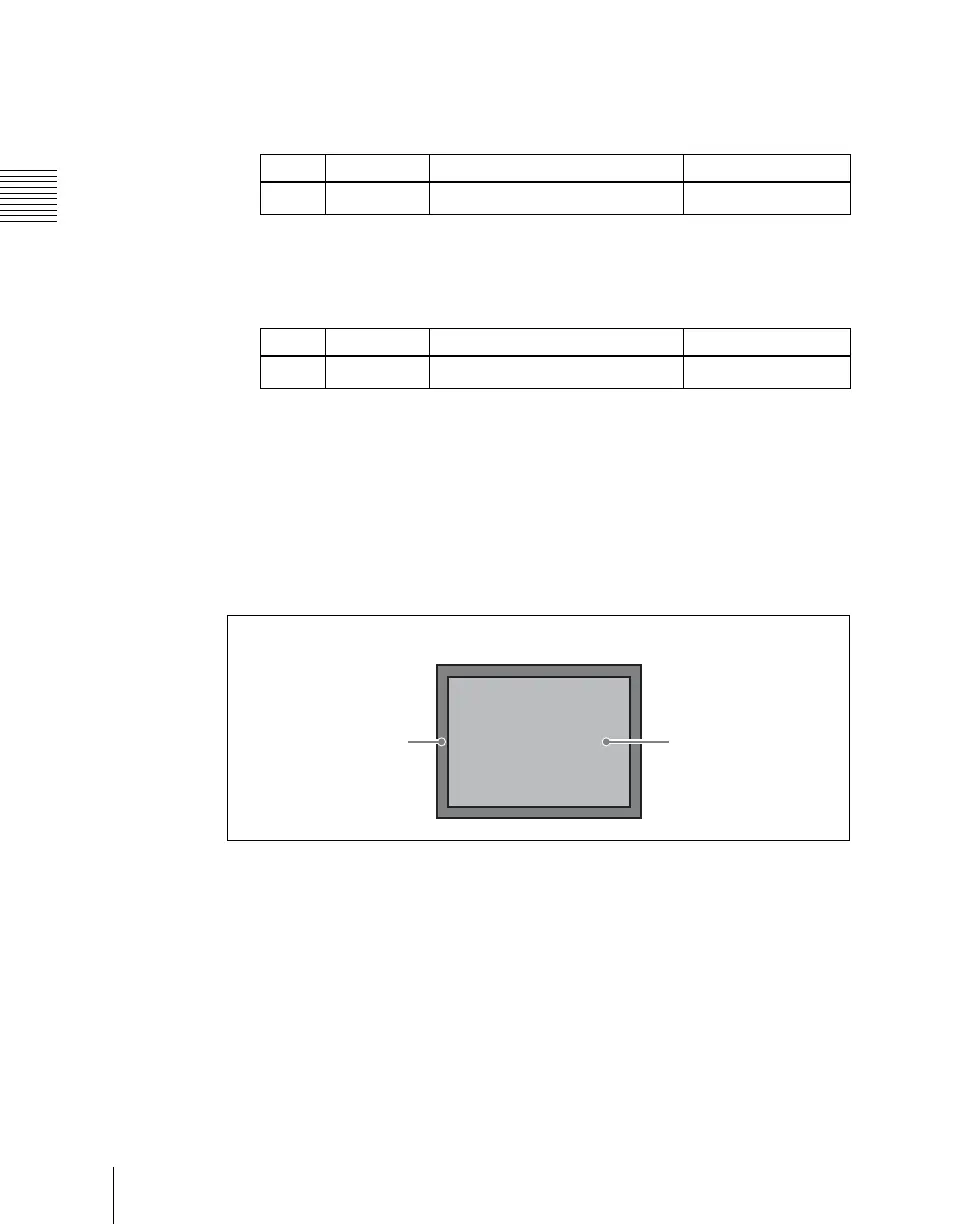
Image 1: Image before applying mask
Border or
beveled edge
Image with
‘Mono(chrome)’ or
‘Defocus’ applied





 To Next Page