Chapter 11 DME Operations
724
Global Effect Operations
a) Setting for SD 4:3, SD 16:9
b) Setting for HD 4:3, HD 16:9
3
In the <Ch1 Shadow Source> group, select the shadow source signal.
Video: Select Ch2 video input as the shadow.
Flat Color: Select a matte color as the shadow.
4
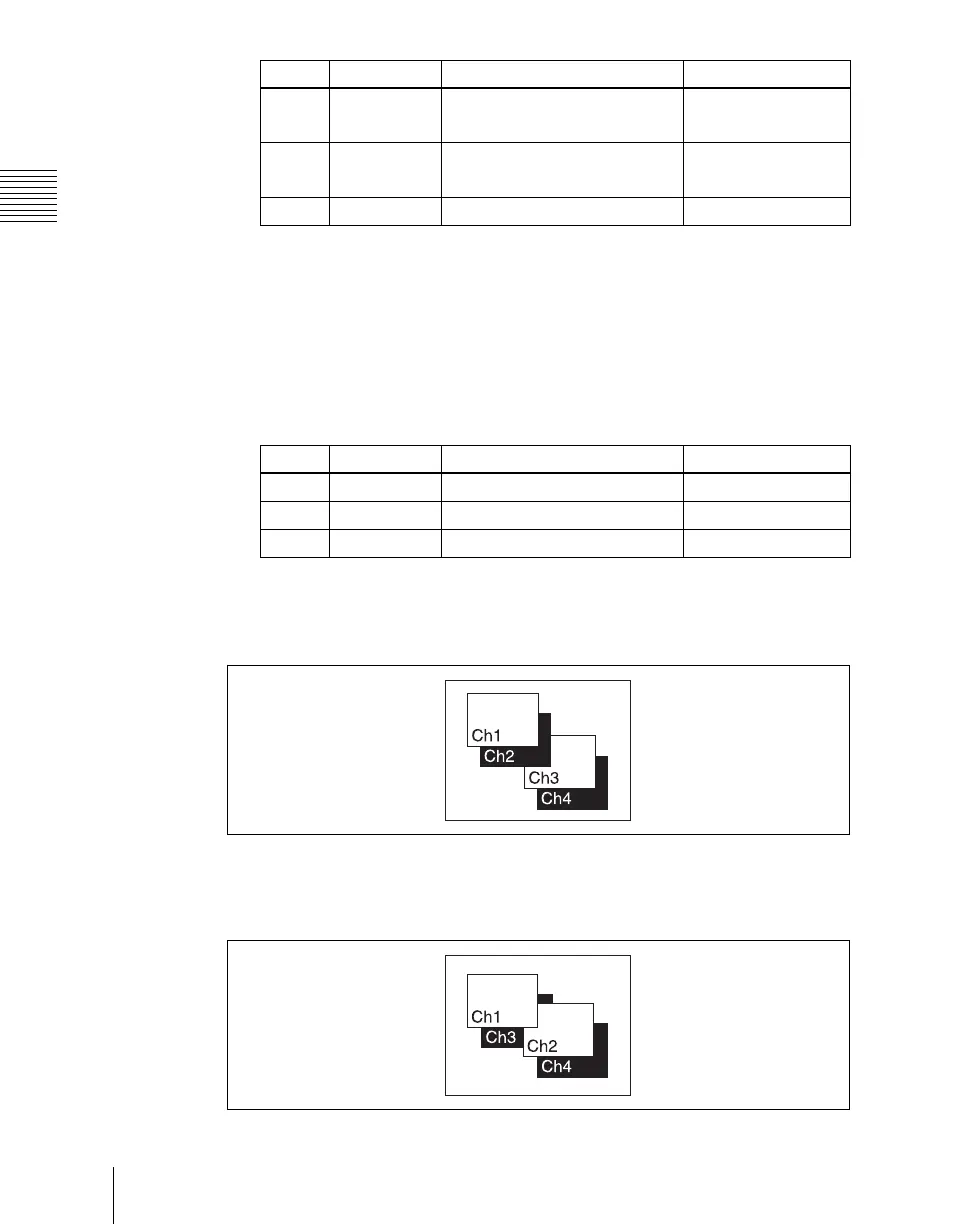
When you select Flat Color in step 3, adjust the parameters.
To combine the video images after applying a shadow
Use the Combiner function to select channel 1 + channel 2 and channel 3 +
channel 4, then turn [Ch 1 Shadow] and [Ch 3 Shadow] on.
To apply a shadow after combining the video images
Use the Combiner function to select channel 1 + channel 2 + channel 3 +
channel 4, then turn [Ch 1 + Ch 2 Shadow] on.
Knob Parameter Adjustment Setting values
1 Position H Horizontal shadow position
–8.00 to +8.00
a)
–32.00 to +32.00
b)
2 Position V Vertical shadow position
–8.00 to +8.00
a)
–32.00 to +32.00
b)
3 Density Density of shadow 0.00 to 100.00
Knob Parameter Adjustment Setting values
1 Luminance Luminance 0.00 to 100.00
2 Saturation Saturation 0.00 to 100.00
3 Hue Hue 359.99 to 0.00





 To Next Page