Chapter 13 Keyframe Effects
822
Path Setting
4
If you selected Spline as the path type, set the following parameters, using
the knobs.
Changing the path type for Hue
1
Press the Hue path type indication for the item that you want to change.
2
Turn knob 1 to change the Hue path type.
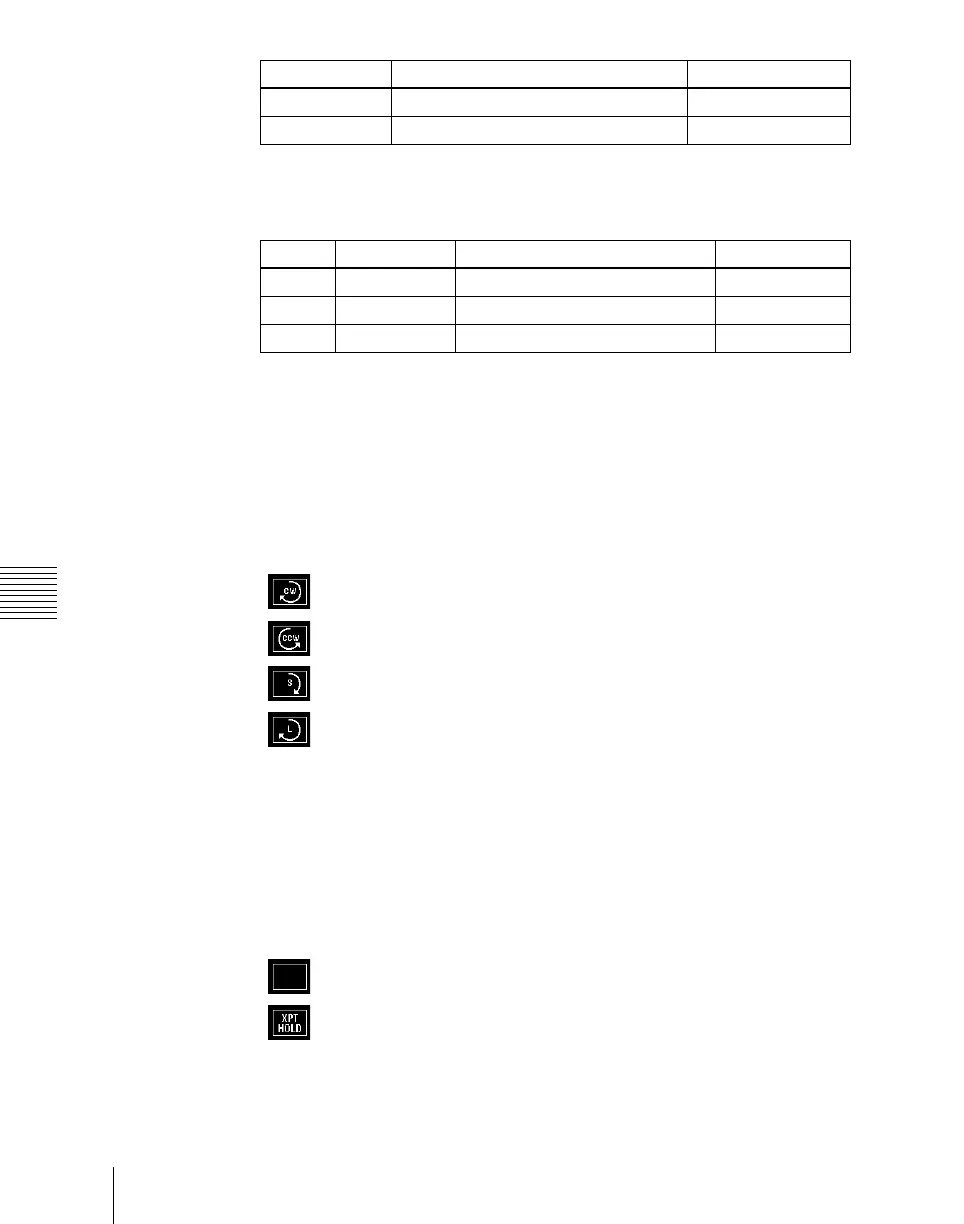
The path type indications shown in the menu represent the change in hue
as seen on a Vectorscope.
CW: Rotate clockwise.
CCW: Rotate counterclockwise.
Short: The hue changes in whichever of the clockwise and
counterclockwise directions is shorter.
Long: The hue changes in whichever of the clockwise and
counterclockwise directions is longer.
Changing the path type for Xpt
1
Press the Xpt path type indication for the item that you want to change.
A path selection window appears.
2
Press the indication for the desired path type, to select it.
Xpt Hold off: When replaying a keyframe, change the inputs to the
settings saved in memory.
Xpt Hold on: When replaying a keyframe, do not change the
inputs.
Curve setting Hue change Xpt change
OFF Does not change Hold
Step Changes as with the Step setting Is not affected
Knob Parameter Adjustment Setting values
1 Tens Spline interpolation tension –4.00 to +4.00
2 Bias Spline interpolation bias –4.00 to +4.00
3 Cont Spline interpolation continuity –4.00 to +4.00














 To Next Page