Software Interface 107
2005995 Rev O – 210712
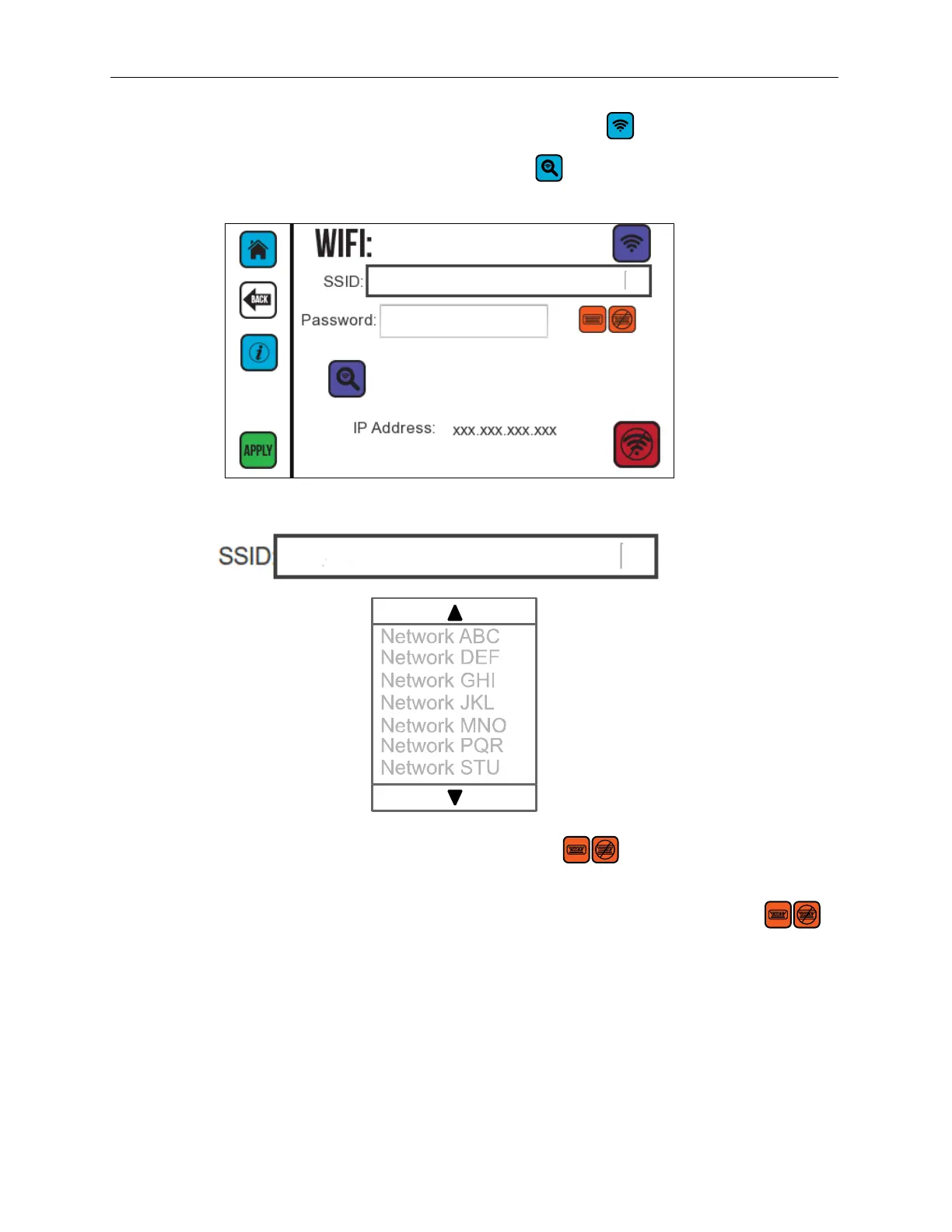
4. On Settings Screen Two, select the Wireless button .
5. On the WIFI Screen, select the Scan button . The Printer detects the available
wireless networks.
6. In the SSID box, select a network from the list of available wireless networks.
7. If there is a security code for the network, select to use the onscreen
keyboard to enter the password.
8. After entering the correct password select the Onscreen Keyboard button
to close the keyboard.
9. Select APPLY to connect to the network.



 To Next Page