108 Software Interface
2005995 Rev O – 210712
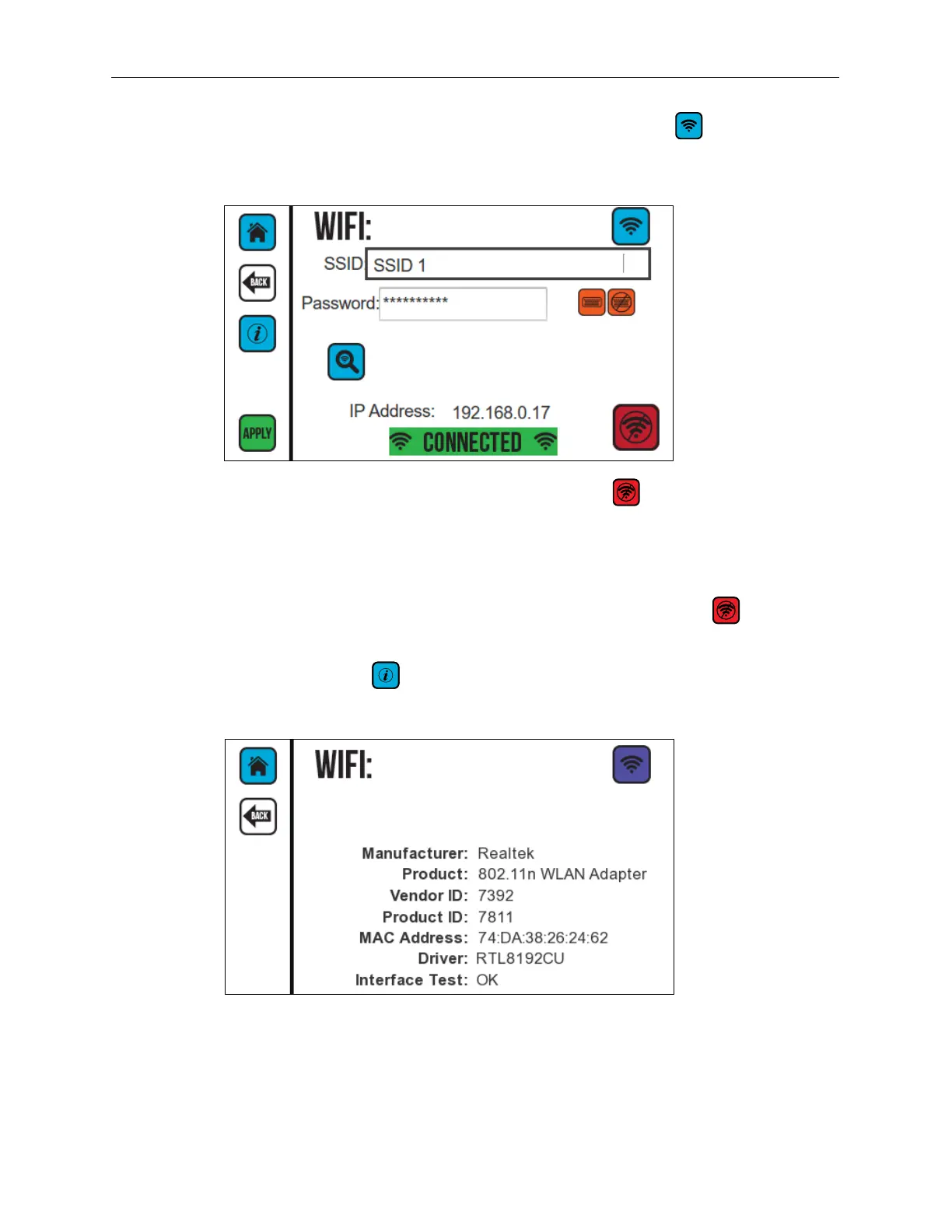
When successfully connected to the wireless network, the Connected button is
available and the IP address for the CoPilot 500 Controller is displayed. The password is not
displayed after the Controller successfully connects.
To end the wireless connection, select the Disconnect button before removing the
Wireless USB Adapter from the USB Port on the Controller.
To resume wireless, insert the Wireless USB Adapter, and select APPLY. The SSID and
password from the previous session are used once a wireless connection is established.
To restore LAN operation using the Ethernet, select the Disconnect button , then plug in
an Ethernet Cable, and then restart the Controller.
Select the Information button to display information about the current Wireless
Adapter.
If the following screen is displayed, the Controller has determined that the Adapter is
incompatible and cannot be used.



 To Next Page