122 Maintenance
2005995 Rev O – 210712
Items Needed to Flush the Printhead (Bag Ink System):
• Non-Abrasive, Lint-Free Wipes
• Bag of Internal Flush Fluid Appropriate for the Ink Used (see “Inks and Fluids” on page 133)
• Waste Ink Receptacle
To Flush the Printhead (Bag Ink System):
1. Power down the system (see “Powering Off” on page 118).
2. Remove the Ink bag from the Ink Tray, and insert a bag of appropriate internal flush fluid
instead.
3. Place a container suitable for capturing ink under the Printhead Purge Tube.
4. Remove the Cap from the Printhead Purge Tube.
5. Fold one or more non-abrasive, lint-free wipes and hold them gently against the front of
the Nozzle Face.
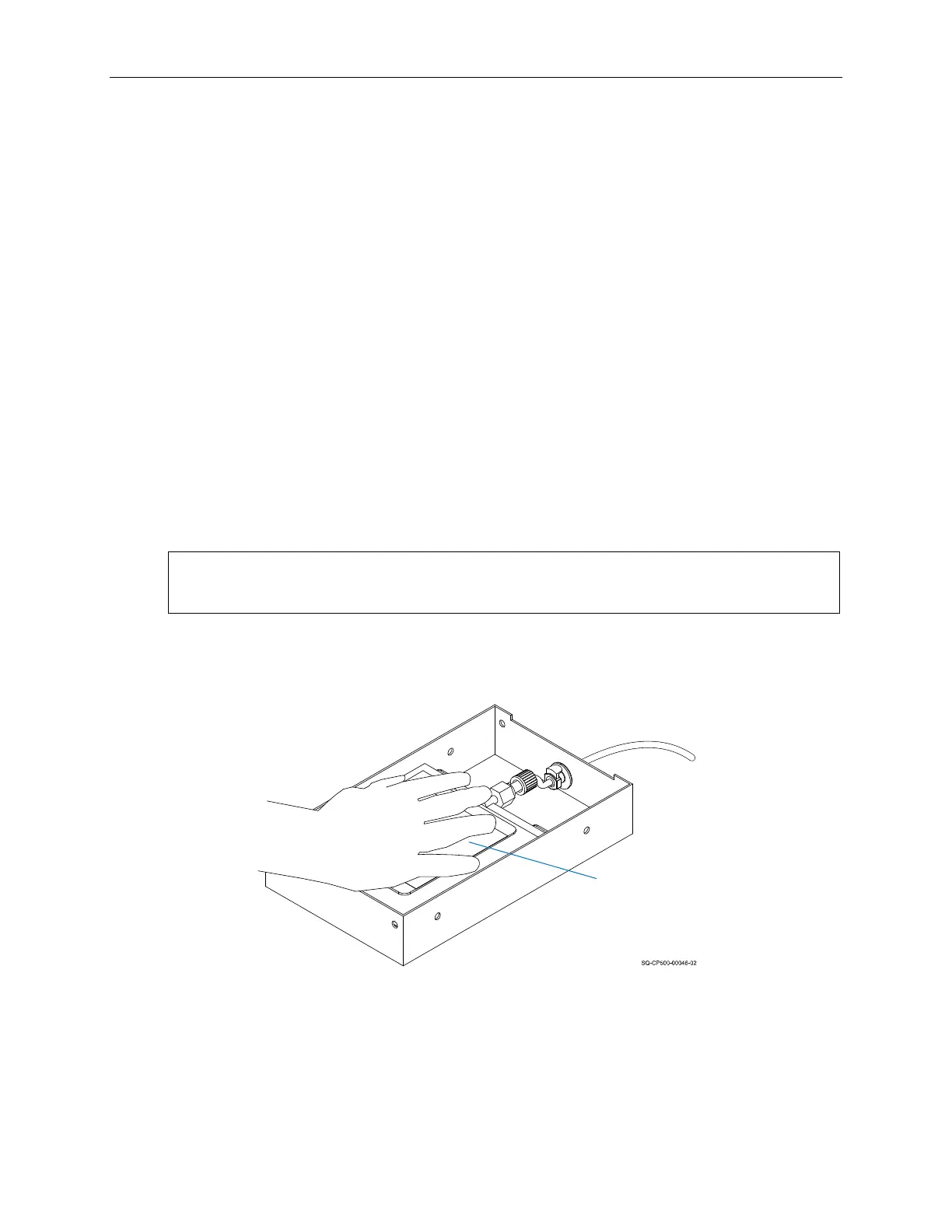
6. Gently but firmly press down on the Flush Bag until the fluid coming out of the Purge
Tube is clear and free of ink.
IMPORTANT: Be sure to have the wipe in place before applying pressure to the Flush
Bag, and be sure to release the pressure before removing the wipe.
7. While continuing to press gently but firmly on the Ink Bag, replace the Cap on the
Purge Tube. This seal must be tight.
8. Continue to press the Ink Bag until the fluid coming out of the Nozzle Face is clear
and free of ink.
Pressing the Flush Bag
Flush
Bag



 To Next Page