124 Maintenance
2005995 Rev O – 210712
6. Disconnect the Purge Tube from the Printhead.
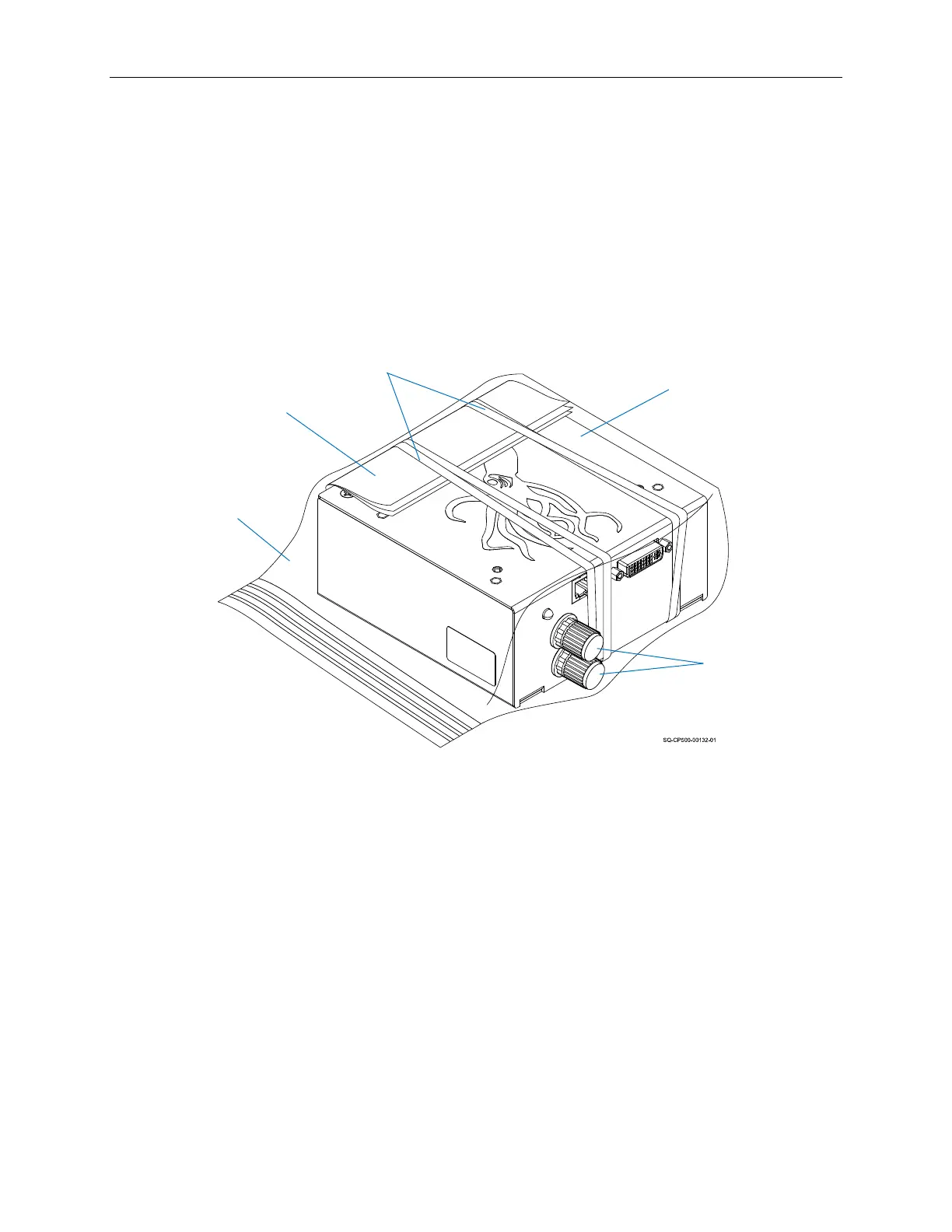
7. Use the appropriate Caps from the Cap Kit to seal the Purge Tube Nozzle and Ink Line
IN Nozzle.
8. Fold two non-abrasive, lint-free wipes, hold them so that they cover the entire Nozzle
Face, and secure them in place with two rubber bands.
9. Place the Printhead in a resealable plastic bag.
10. Remove as much air as possible from the bag and seal it.
Items Needed to Prepare a CoPilot 500 Ink Reservoir for Shipping or Storage:
• Non-Abrasive, Lint-Free Wipes
• 2 Quarts of Internal Flush Fluid (see “Inks and Fluids” on page 133).
• Large Waste Ink Receptacle
To Prepare a CoPilot 500 Ink Reservoir for Shipping or Storage:
1. Remove the Ink Cartridge from the top of the Ink Reservoir.
2. Disconnect the Ink Line from the Ink Reservoir.
3. Cap the Reservoir Vent Tube.
4. Cap the Ink Line.
Printhead
Flushed of
All Fluids
Printhead Ready for Storage or Shipping
Resealable
Plastic Bag with
Air Removed
Caps
(P/N 2006023) on
Ink Line IN Nozzle
and Purge Line
Nozzle
Non-abrasive,
Lint-free Wipes
Rubber Bands



 To Next Page