40 Installation and Setup
2005995 Rev O – 210712
2. Ensure that the Printhead is properly aligned to the Ink Reservoir (see “Printhead
Height Relative to Ink Reservoir or Ink Pan” on page 47).
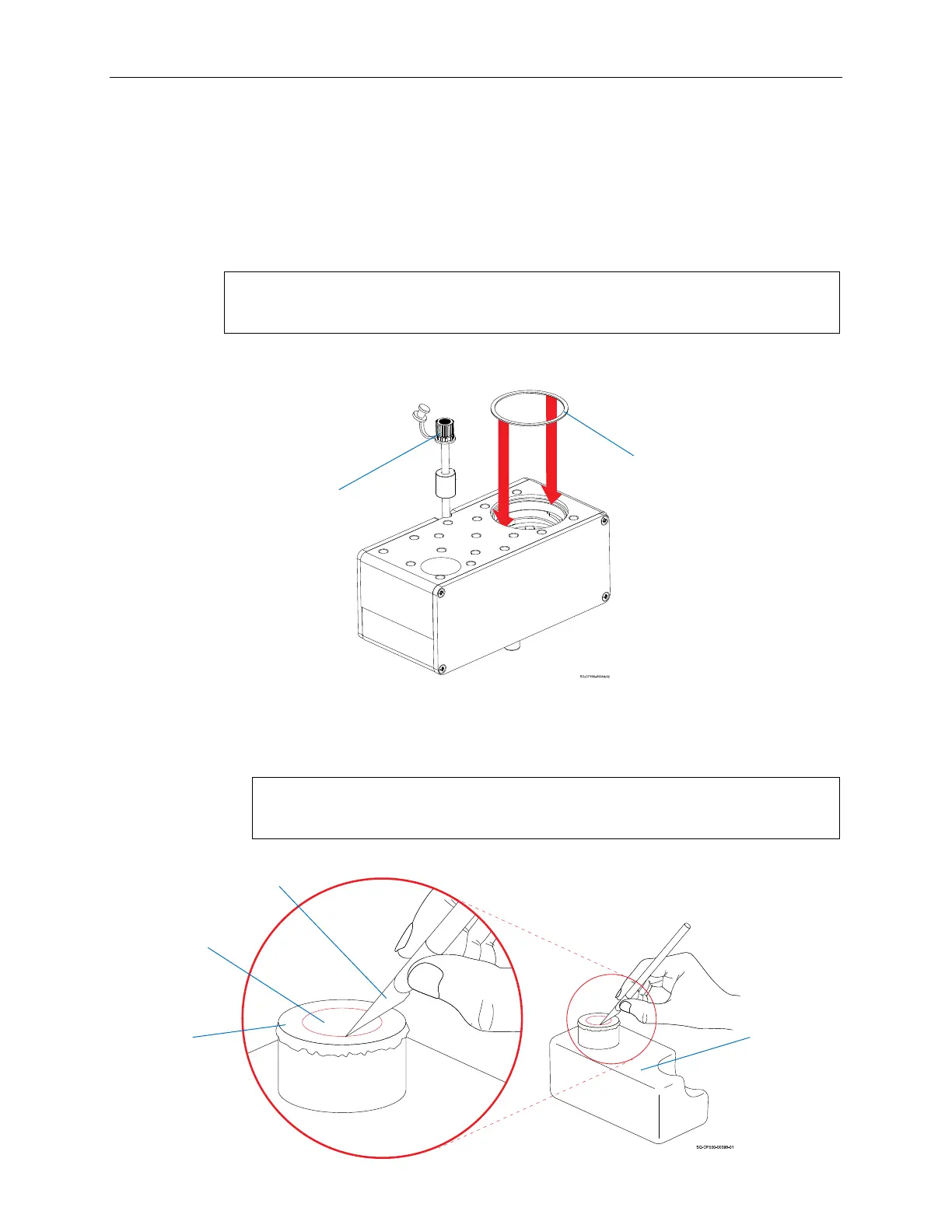
3. Ensure that the Ink Reservoir Vent Tube is uncapped for printer operation.
4. Ensure that the Ink Reservoir O-Ring (Part Number 2006088 for Oil, 2006094 for
Solvent) is in place to complete the seal between Ink Cartridge and Ink
Reservoir.
NOTE: If the O-Ring is missing, the Printhead will have difficulty staying
primed, resulting in poor print quality, and will leak profusely.
5. Install a new Ink Cartridge onto the Ink Reservoir
a. Use a sharp knife to remove the foil seal from the center section of the new
Ink Cartridge so that the Ink Release Valve operates properly.
NOTE: It is important to remove all foil from the opening of the Ink
Cartridge so that the Printhead receives the correct amount of ink.
Reservoir Cap
O-Ring
O-Ring Placement
Foil
Seal
Removing the Foil Seal
Opening
Sharp
Knife
Underside of
Ink Cartridge



 To Next Page