Installation and Setup 41
2005995 Rev O – 210712
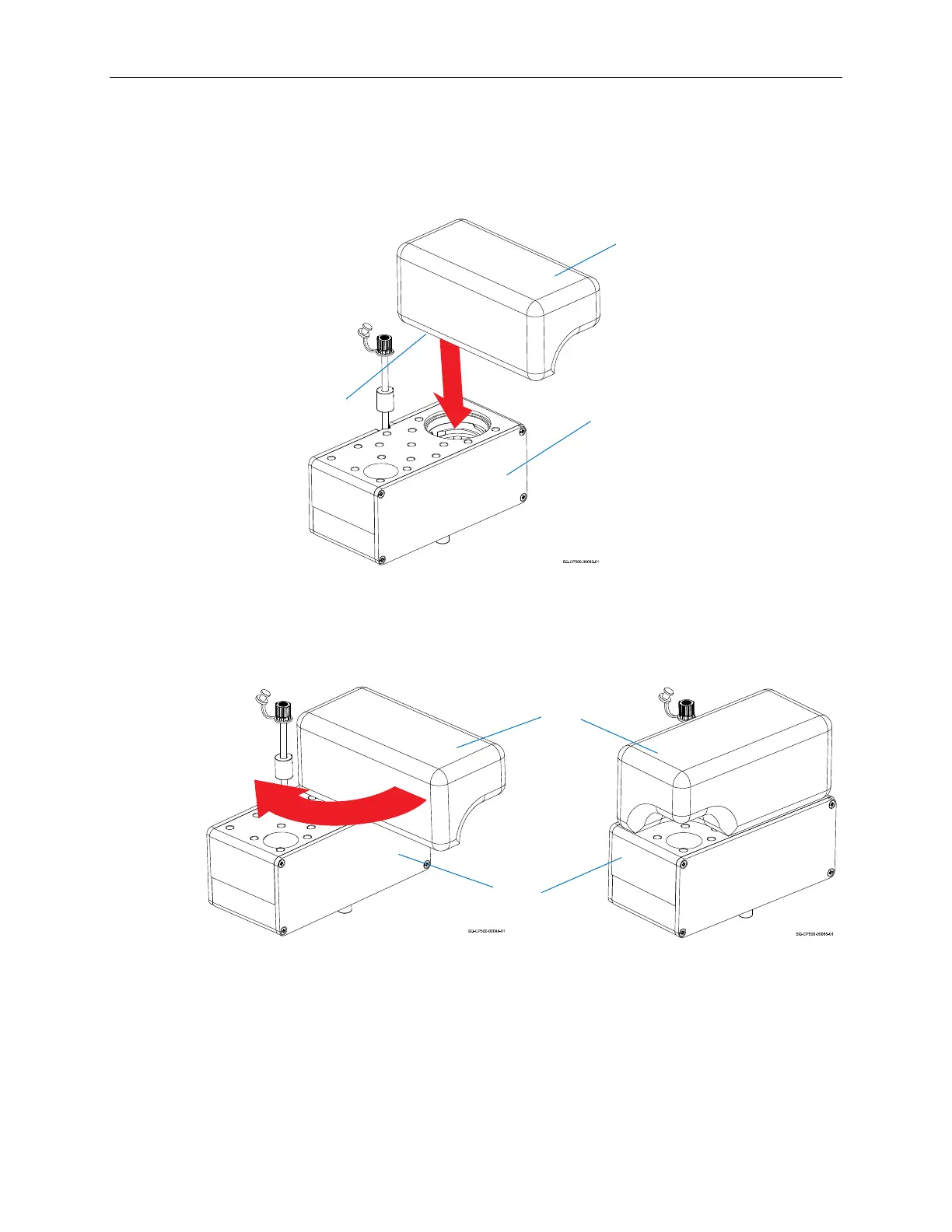
b. Aligning the Cartridge at a right angle to the Ink Reservoir, lower the Ink
Cartridge onto the Ink Reservoir.
c. Rotate the Ink Cartridge 90° clockwise to thread it down into the seat of the
Ink Reservoir.
d. Once the Ink Cartridge is properly in position, ink will fill the Ink Reservoir.
6. Connect the Printhead and Ink Reservoir, making sure that the Inline Check Valve
(Part Number 2002057 for Oil, Part Number 2002058 for Solvent) is attached snugly
to the Printhead and Ink Supply Line.
Ink Reservoir
Ink Cartridge
Lowering the Ink Cartridge onto the Ink Reservoir
Foil
Rotating the Ink Cartridge
Ink Cartridge
Ink Reservoir



 To Next Page