Safety Instructions Product Safety Signs
Page 2
© Copyright 2020 Stratasys. All rights reserved.
• Warnings and Cautions precede the paragraph to which they pertain.
• Notes
follow the relative paragraph.
Product Safety Signs
Stratasys makes every effort to ensure that our printers are safe and reliable at all times.
However, there will be times when you must access areas of the printer where potentially high
voltages, hot temperatures, and/or moving mechanical components could cause severe injury.
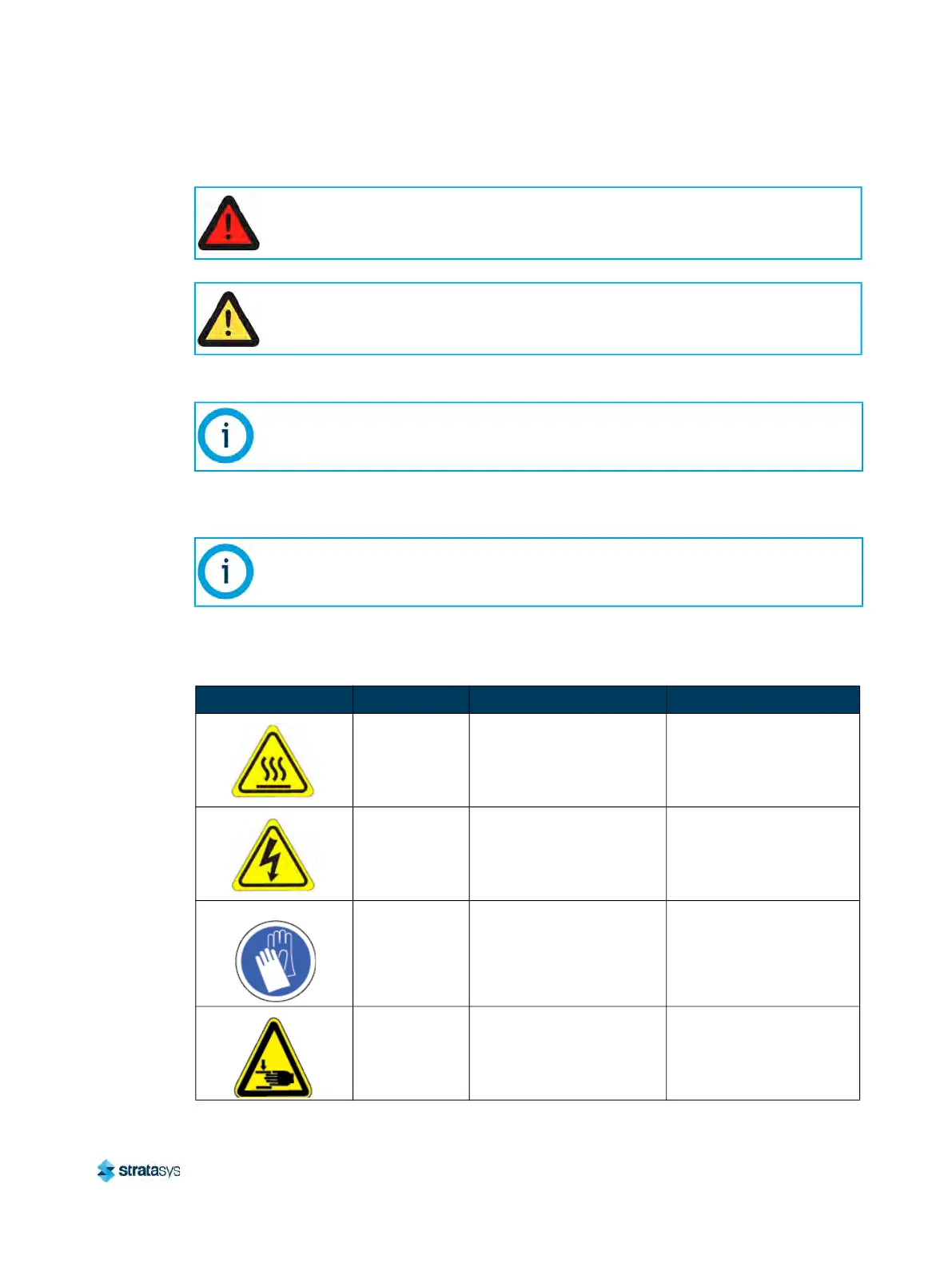
Warning:
Indicates a potentially hazardous situation which, if not avoided, may result in injury
or death.
Caution:
Indicates a situation which, if not avoided, could result in damage to equipment.
Indicates additional information relative to the current topic.
Always read and adhere to safety statements, and be aware of the following safety
signs when you see them on the printer.
Warning Symbols Meaning Location Comments
Hot surface Oven
Risk of burns. Do not touch
th
is surface after printing.
High voltage
Rear Panel and Electrical
Pa
nel
Risk of electric shock.
Gloves Oven
Safety gloves approved for
hi
gh temperatures must be
worn in locations where
this symbol is displayed.
Moving parts Oven
Risk of injury from moving
p
a
rts.













 To Next Page