Tip Calibration Manual Tip Calibration
Page 133
© Copyright 2020 Stratasys. All rights reserved.
Manual Tip Calibration
Tip offset values are the distance between the model and support tips in the X, Y and Z
directions. Accurate tip offset values ensure that support toolpaths are accurately located in
reference to model toolpaths. Inaccurate tip offset values can cause part quality issues, such
as support material embedded in a part or improperly supported parts.
Manual Tip Calibration sets the X, Y and Z distance between the model and support tips. This
ca
libration requires you to analyze a calibration part once it’s built, and manually supply the
printer with correction values, as needed, in order to calibrate the printer.
To Perform a Manual Tip Calibration:
1. Print a calibration part; you will analyze this part in order to determine correction values.
a
. Place a new substrate onto the platen and lock the substrate into its build position by
l
ifting up on the substrate ejection handle.
b. N
avigate to T
ools > Calibration > Tip Calibration. Press the Start button for the Manual
Tip Calibration option (see Figure 3 (page 130) for button location).
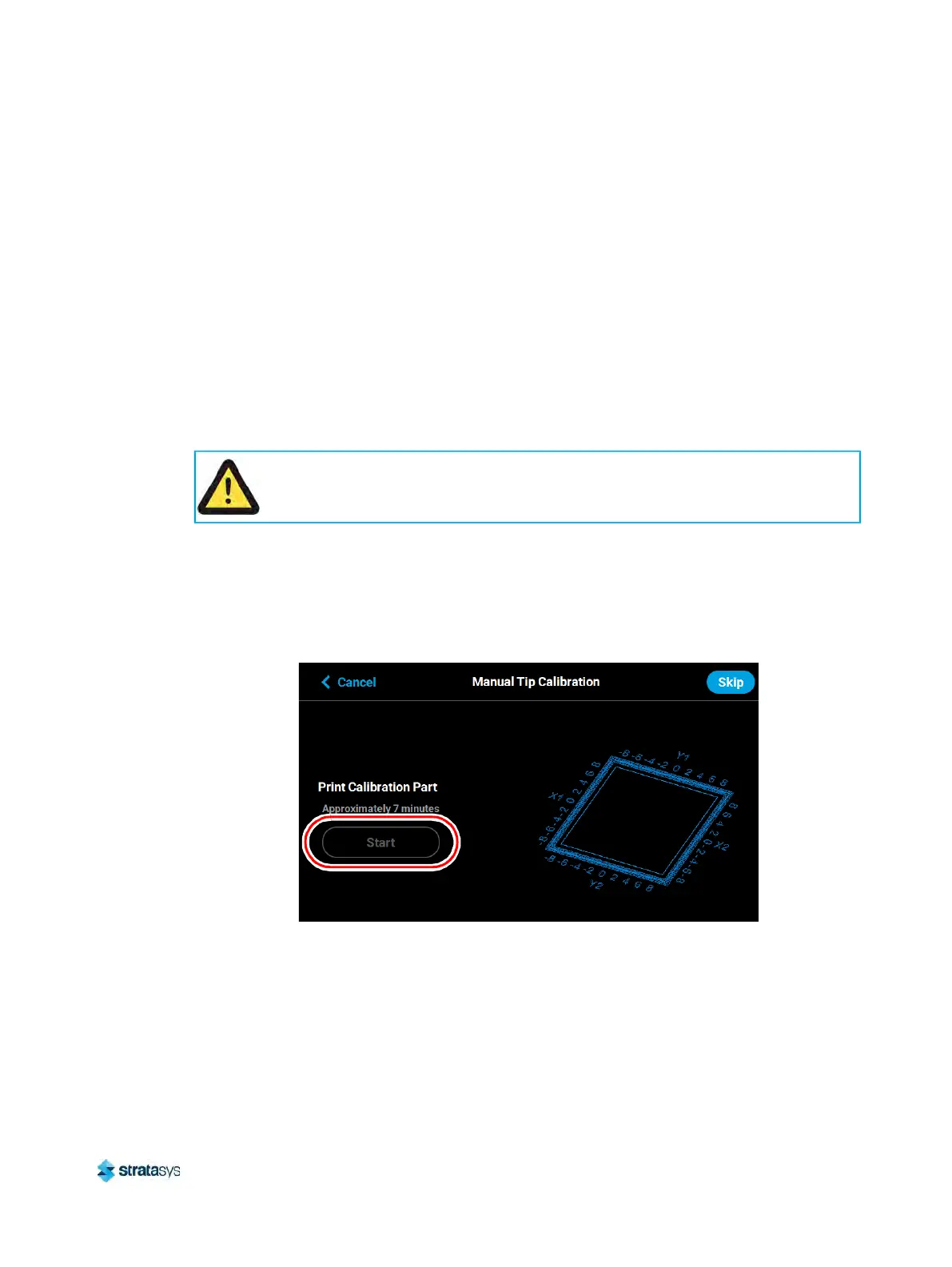
c. The Print Calibration Part page will be displayed (as shown in F
igure 8) and the printer
will automatically select the calibration part. Press the St
art button.
Figure 8: Print Calibration Part Page
d. If your printer’s part placement setting is On (see “
Part Placement” (page 74)), the Part
Placement page will display. The calibration part location is fixed and can not be
mo
ved. Press the Print button (pressing the Clear button will clear the display,
removing all "ghost box" items).
e. The calibration part will begin the print process and display the current status on the
U
ser Interface. "HEATING" or “COOLING” is followed by "PREPARING" and then
“PRINTING“.
Caution:
Always wear gloves when installing the substrate. Hand oils on the substrate surface
will result in poor part adhesion.













 To Next Page