Customer Replaceable Units Oven Light
Page 181
© Copyright 2020 Stratasys. All rights reserved.
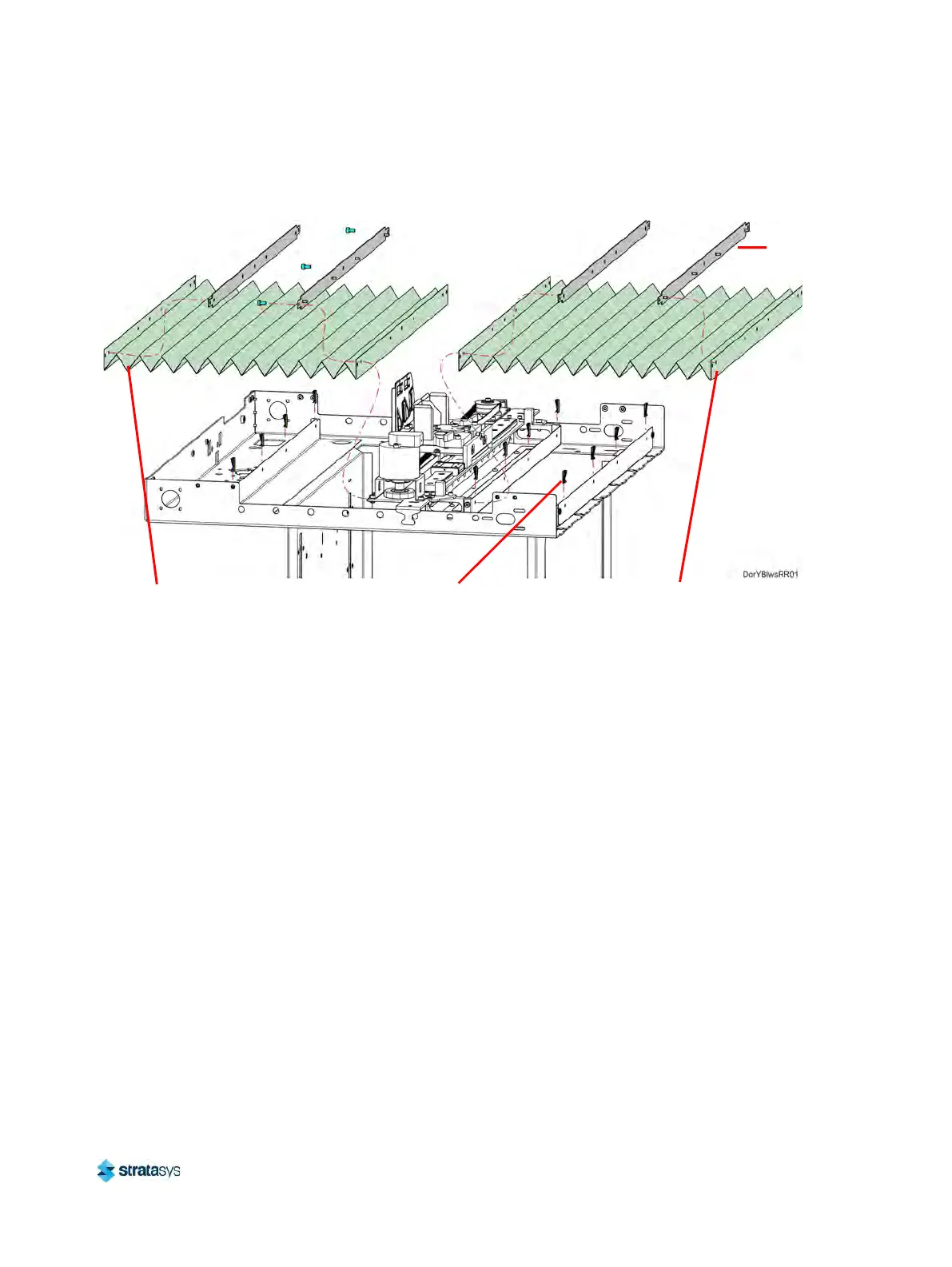
d. Retain the Y bellows retainers for re-installation.
Figure 34: Y Bellows Detail
Installing the Y Bellows
1. Transfer the Y bellows retainers to the new Y bellows.
2. Move the X bridge to the front of the gantry enclosure.
3
. Install the front and rear clips (8) that secure the front Y bellows assembly to the X bridge
a
nd oven frame. See Figure 34.
4. Install the rear clips (4) that secure the back Y bellows assembly to the rear of the oven
f
rame. See Figure 34.
5. Using a 3 mm hex wrench, install the screws (3) that secure the back bellows retainer to
t
he back of the X bridge assembly tray. See Figure 34.
Oven Light
Required Tools
• 3 mm hex wrench
• Small flathead screwdriver
Removing the Oven Light
1. Power OFF the printer. See “Powering OFF the Printer” (page 159).
2. Open the oven door.
3
. Remove the top gasket pins on both sides of the oven light above the oven enclosure.
T
emporarily displace the top of the oven door gasket to access the oven light.
Front Y Bellows
Back Y Bellows
Clips (12)
Retainer (4)













 To Next Page