Overview Navigation Menu
Page 35
© Copyright 2020 Stratasys. All rights reserved.
Navigation Menu
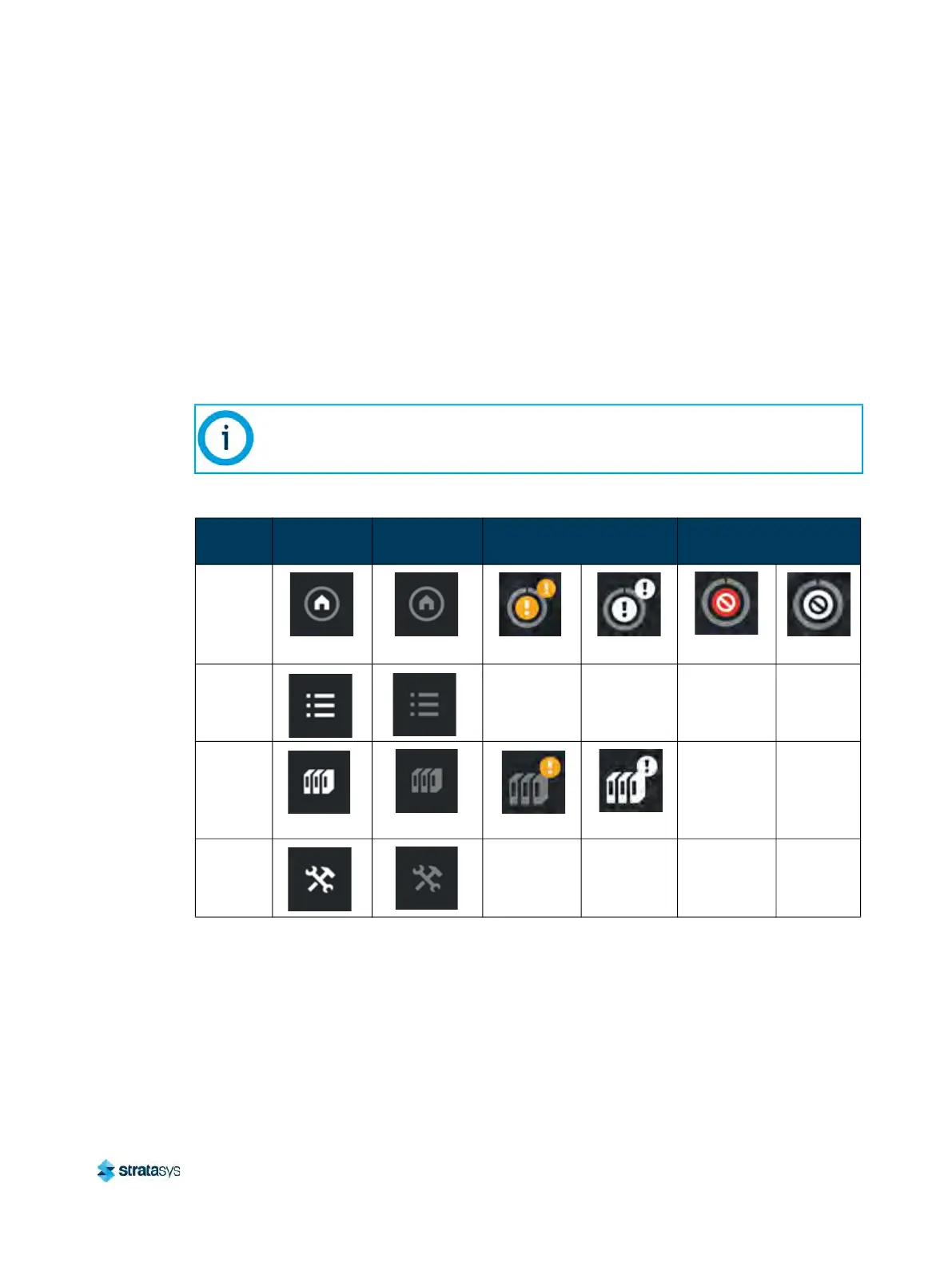
The Navigation Menu provides one-touch access to the Build, Queue, Materials, and Tools
functions of the printer (see Figure 1 for details). The User Interface is broken up into several
pages of related functionality. Selecting a button from the Navigation Menu will open the
bu
tton's corresponding page, allowing you to perform tasks within that page. If a page contains
sub-pages, additional buttons corresponding to these items will be displayed within the page’s
Display Area.
The buttons in the Navigation Menu are mutually exclusive, meaning only one button may be
se
lected at a time. In some cases, a notification badge will be displayed within the button
indicating a warning related to the functionality of the corresponding page. Buttons can appear
as follows:
The bottom-most button in the Navigation Menu is non-functional.
Table 1: Navigation Menu - Button States
Button
Name
Selected
State
Unselected
State
Warning State Error State
Build
Button
Unselected
Selected
Unselected Selected
Queue
Bu
tton
N/A N/A N/A N/A
Materials
Bu
tton
Unselected
Selected
N/A N/A
Tools
Bu
tton
N/A N/A N/A N/A













 To Next Page