Working with the Tools Page Power
Page 93
© Copyright 2020 Stratasys. All rights reserved.
Power
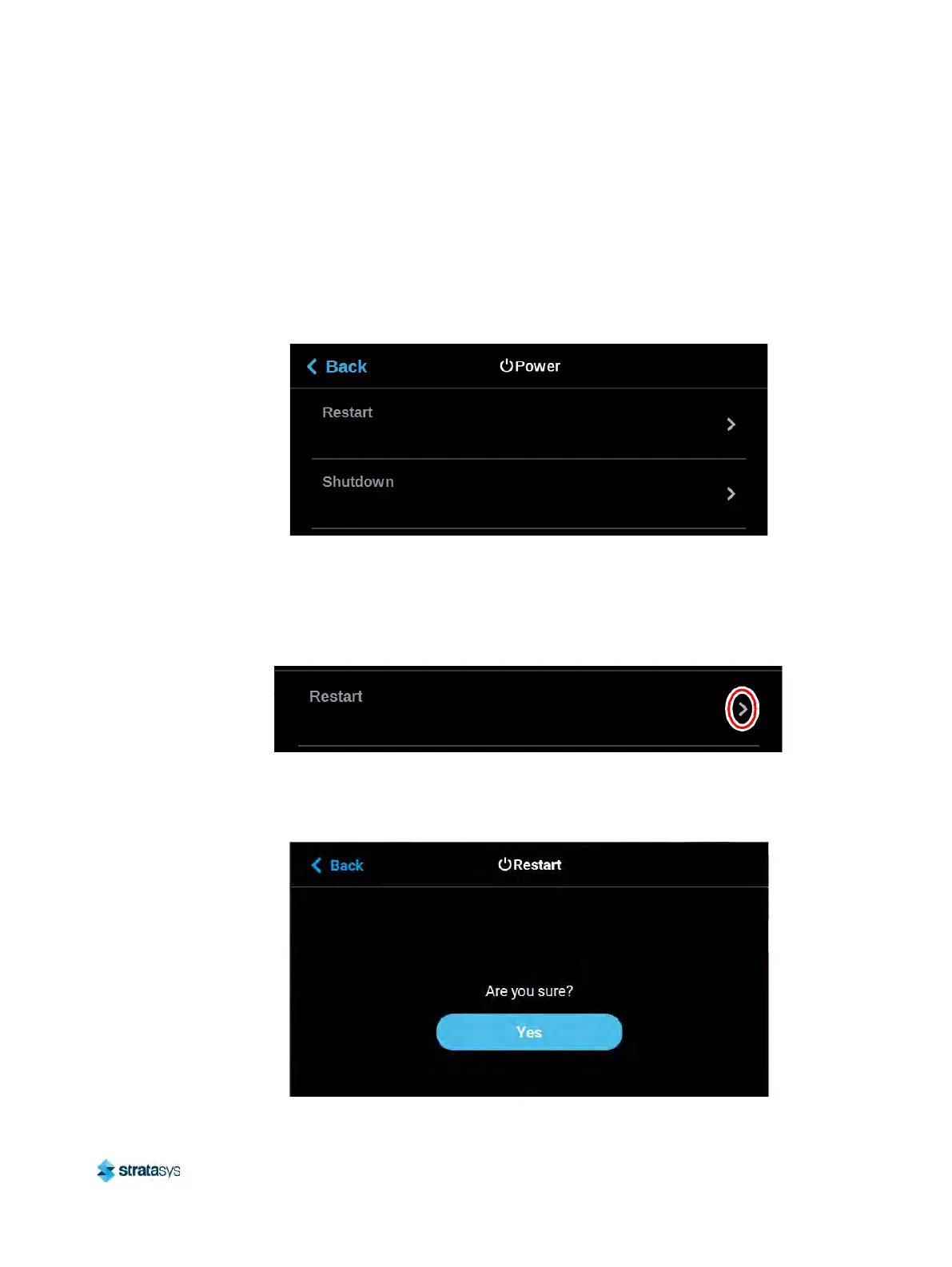
Within the Power page you can restart or shutdown the printer. It is recommended that you use
the Shutdown option within this page to power the printer Off, rather than simply pressing the
Power ON/OFF button located on the front of the printer.
To access the Power page, press the Po
wer button within the Tools page; a screen similar to
the following will be displayed.
Figure 85: Power Page
Restart
Pressing anywhere within the Restart row will open a dialog allowing you to manually restart
the printer.
Figure 86: Restart
Pressing the Ye
s button within this dialog will cause the printer to restart automatically. Press
the Back button to exit the page and return to the Power page.
Figure 87: Restart Confirmation Dialog













 To Next Page