Working with the Materials Page Head Status Icons
Page 55
© Copyright 2020 Stratasys. All rights reserved.
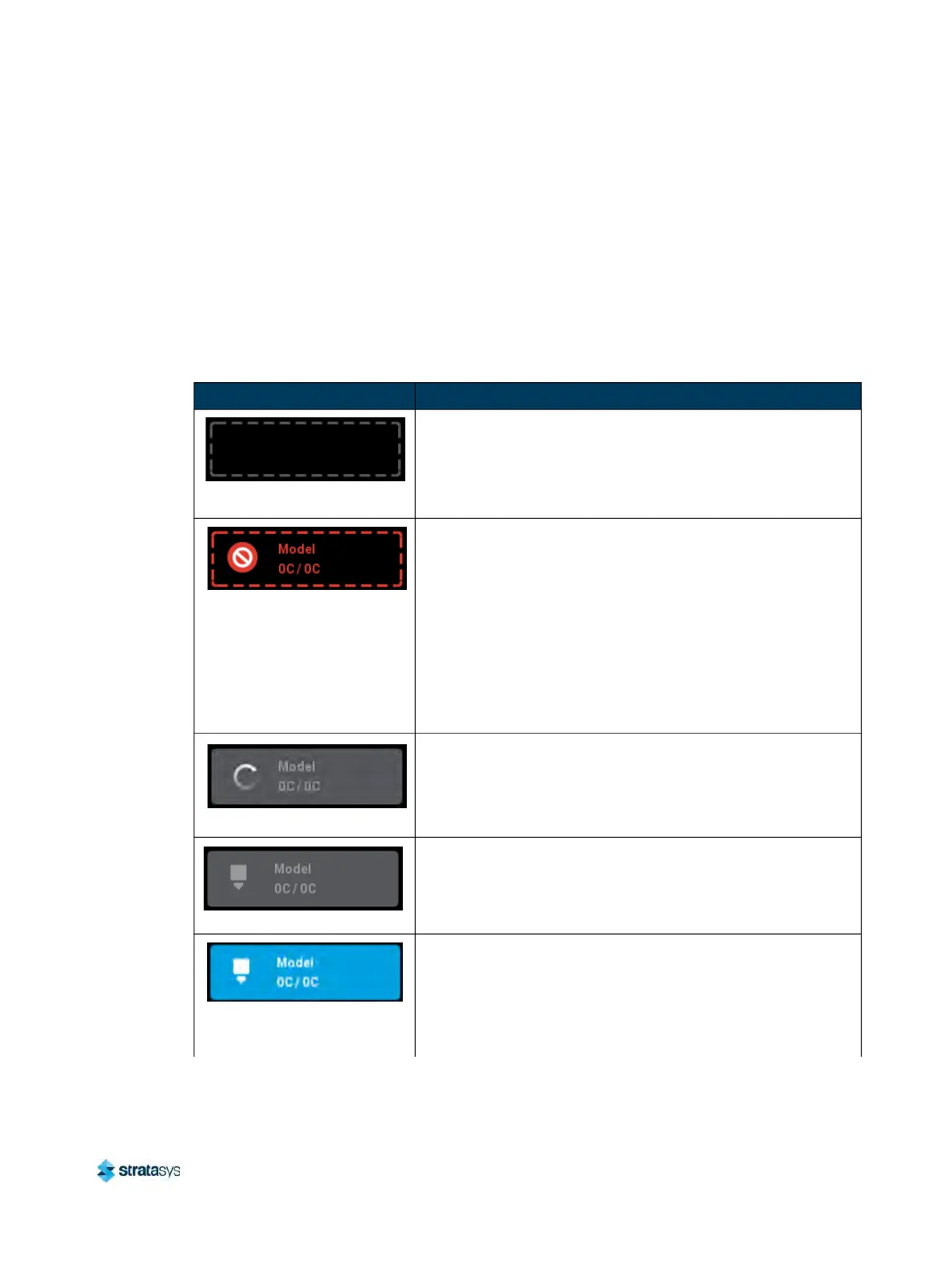
Head Status Icons
The two Head Status Icons within the Materials page display load status information as well as
the current temperature as compared to the set point temperature of each of the printer’s
heads.The right-most icon pertains to the printer’s support head while the left-most icon
pertains to the printer’s model head. Touching one of these icons on the screen, unless
otherwise indicated in Table 6, will open that head’s Head Details page. Various graphics will
be displayed within the left portion of the Head Status Icons, depending on the state of the
he
ad. The Head Status Icons can appear in the following states (color usage, highlighting, and
descriptions apply to both icons):
Table 6: Head Status Icons - Icon States
Icon State Description
Empty (gray dashed border)
• Indicates that the associated head is not installed.
•
User action required to install head. See “
Head
Replacement” (page 108) for instructions.
• Touching the icon in this state will not display the head’s
H
ead Details page.
Invalid (red dashed border)
• Indicates that the associated head is invalid.
Note:
This icon will also display when a model head is placed in a
support location or a support head is place in a model location.
in these cases, the head is usable when placed in its proper
location.
• User action required to replace head with a valid head. See
“
Head Replacement” (page 108) for instructions.
• Touching the icon in this state will not display the head’s
H
ead Details page.
Initializing
• Indicates that the printer is initializing the head. This state
w
ill be displayed until the initialization process is complete
following installation of a new head.
• Touching the icon in this state will not display the head’s
H
ead Details page.
Unloaded (solid gray)
• I
ndicates that material is not loaded to the head.
•
User action required to load material. See “
Loading Material”
(page 97) for instructions.
Loaded (solid blue)
• Indicates that material is loaded to the head.
•
If a build has been initiated, the current temperature will
i
ncrease until it reaches the set point temperature for the
loaded material. Once temperature is reached, the tip will
purge a small amount of material and the printer will begin
building.













 To Next Page